How to combine textures?

How to combine textures?

Anonymous
Not applicable
6,303 Views
5 Replies
Message 1 of 6

How to combine textures?

Anonymous
Not applicable

Hi,
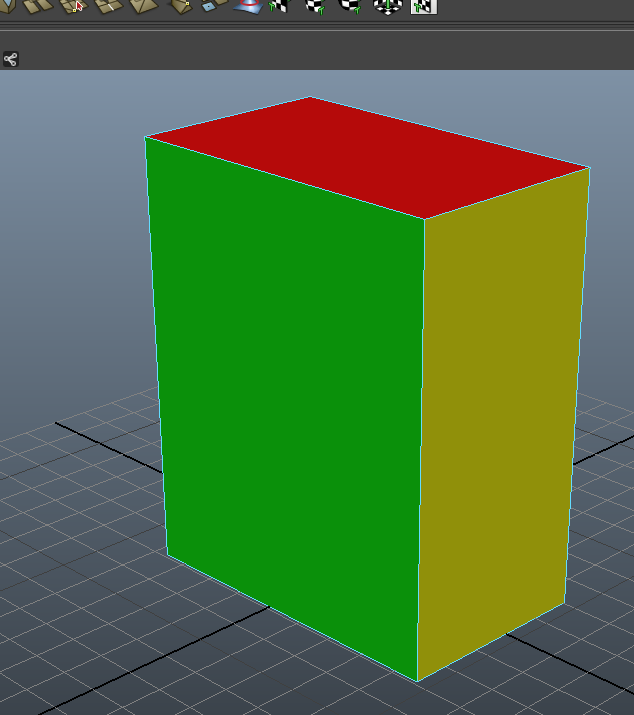
I have a simple objects with different textures on each side. How can I combine all textures into 1 so that the object has only 1 texture onto it ?

Thanks.

0 Likes
Accepted solutions (1)
6,304 Views
5 Replies
Replies (5)
Message 2 of 6

Anifex09
Collaborator
Collaborator
Several ways to do this please send an visual example of your object or just send the scene file and I will apply some different textures to it for you to reference.
0 Likes
Message 3 of 6

Anonymous
Not applicable

OK, here is a screen shot. I applied here simple lambert colors (in reality each color is a different file texture).

How to combine these in 1 uv 

Thanks !


Capture d’écran 2014-05-15 à 22.22.54.png

0 Likes
Message 4 of 6

_sebastian_f
Advisor
Advisor
Accepted solution
usually you would do a proper uv map, save a uv snapshot and place your images in photoshop based on the uv´s and load it back in maya as one file texture.
0 Likes
Message 5 of 6

Anonymous
Not applicable

Clear, thanks. That what I was afraid of, because my real object has this shape but is smoothed, and therefore has a lot of small polygons which makes it unviewable in the exported file (because of the too narrow grid.

0 Likes
Message 6 of 6

n8skow
Collaborator
Collaborator

Exporting your texture at a higher resolution should help with that...

0 Likes