Uv extends after Smoothing

Uv extends after Smoothing

Alexaurus
Contributor Contributor
3,116 Views
8 Replies
Message 1 of 9

Uv extends after Smoothing

Alexaurus
Contributor
Contributor

Hello There! So, possibly is a stupid question, but, as you can see in the pictures, my uv cuts extends inside of the extrusion after applying the smooth tool. There is another way to mantain my uvs like the first picture that has not involve putting more loop edges?

Thanks in advance.

Without smoothingWithout smoothingWith smoothingWith smoothing

0 Likes
Accepted solutions (1)
3,117 Views
8 Replies
Replies (8)
Message 2 of 9

damaggio
Mentor
Mentor

You would need to improve your modeling skills for that to work, the topology you have is not ideal.

0 Likes
Message 3 of 9

Alexaurus
Contributor
Contributor

Hi! Which is the best topology for that area? I need the inside corner to be rounded and the exterior corner to be more rectangular.

Message 4 of 9

damaggio
Mentor
Mentor

I can't recommend a better topology without looking at the scene file.

0 Likes
Message 5 of 9

Alexaurus
Contributor
Contributor

Yeah, understable, there it is, Thank Your for your time.

0 Likes
Message 6 of 9

damaggio
Mentor
Mentor

Thanks, I’ll take a look tomorrow.

0 Likes
Message 7 of 9

damaggio
Mentor
Mentor
Accepted solution

Hi Alex,nice job!

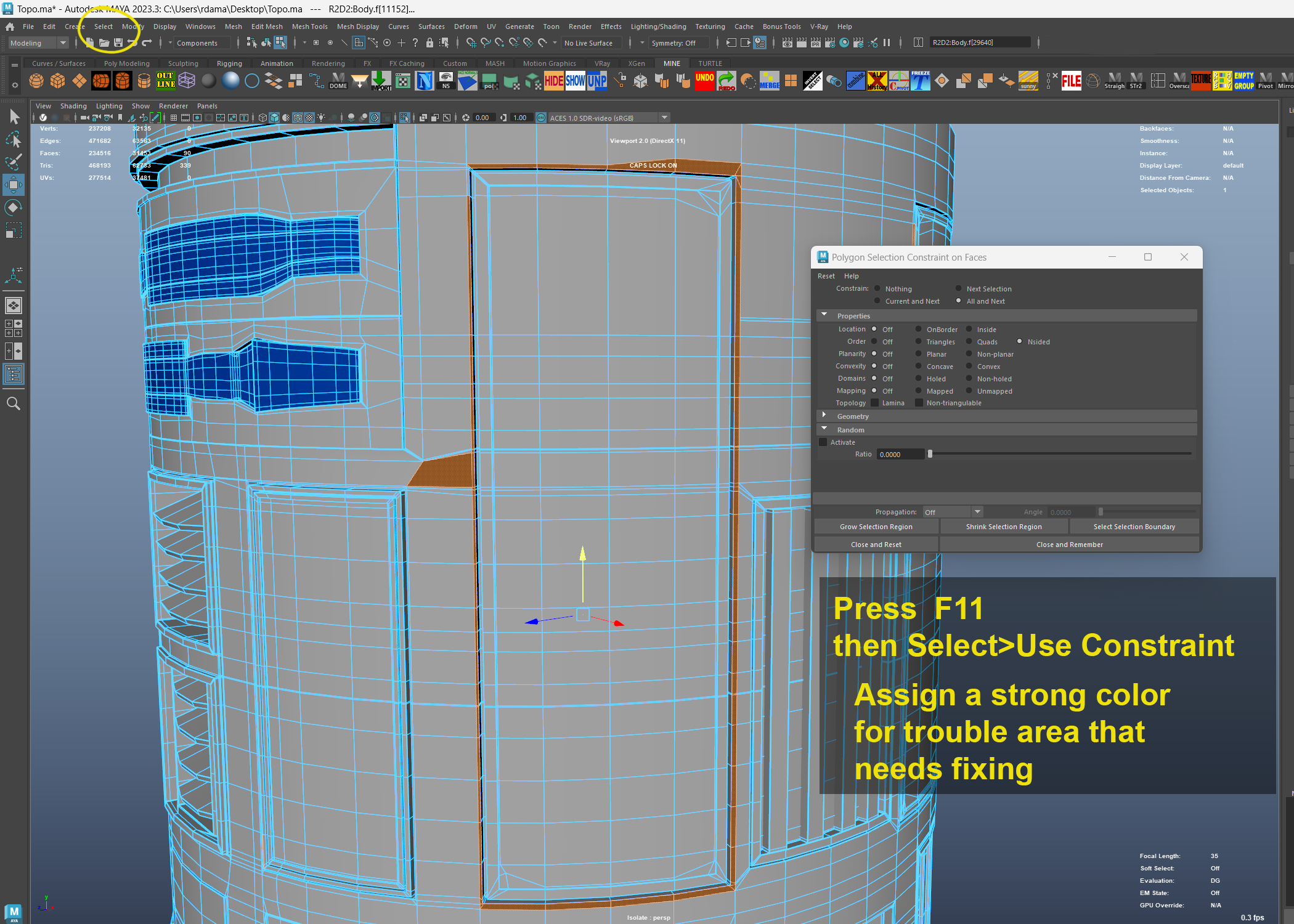
In overall your model is very good and you must have spent a lot of time on it, however you didn't pay close attention to some vertices you left behind on some edges, also there are many unnecessary edges going horizontally around the body that are not doing anything except making your model heavier and more difficult to UV later.

Also some vertical edges broke the circumference of the cylindrical body and hopefully you will see how I removed them.

I've attached here just a section of the model and highlighted the areas I fixed, you can overlap on top of the model and examine the changes made.

There are many panels you modeled solid with the body, that is wrong and adds much more work and polygons, panels are detached, that's why they are called panels..(for the most part)...you did however made a few slots separated which are correct, you should have done the same with the panels.

Finally, remember that subD modeling is for high end movie production or to show your modeling skills for a job position, you can make a polygon model much faster and barely notice any difference, the most important thing about a model is "its design and texturing", no one will see the wireframe.

Highly detailed models are also used in Games to bake the surface detail to a low poly model and Quad models with even topology" Wireframe  are good for sculpting detail or for destruction.

I just noticed that the panel is slightly rounded on the inside as you pointed out, just take the inner corner edges and space it out.


Halt the UDIMs until the model is clean and finished.


https://www.artstation.com/damaggio


Message 8 of 9

damaggio
Mentor
Mentor

In the studios we've been using more Crease Edges , this way is quicker and models are lighter as you can see with BB8. Notice the separated panels.EdgeCreasing.jpg

Message 9 of 9

Alexaurus
Contributor
Contributor

Hi, thank you for that awesome answer. Now I see I have complicated myself while modeling. I will follow your advices and try to fix my topology. Thank you a lot.