Modeling rounded furniture

Modeling rounded furniture

Anonymous
Not applicable
1,214 Views
2 Replies
Message 1 of 3

Modeling rounded furniture

Anonymous
Not applicable

I've been struggling to get this rounded table just right.

I've tried curve, and I get the basic smooth shape but am unable to modify it (i.e. extrude in appropriate places) like I would a polygon. Combining polygons did not yield the desired look.
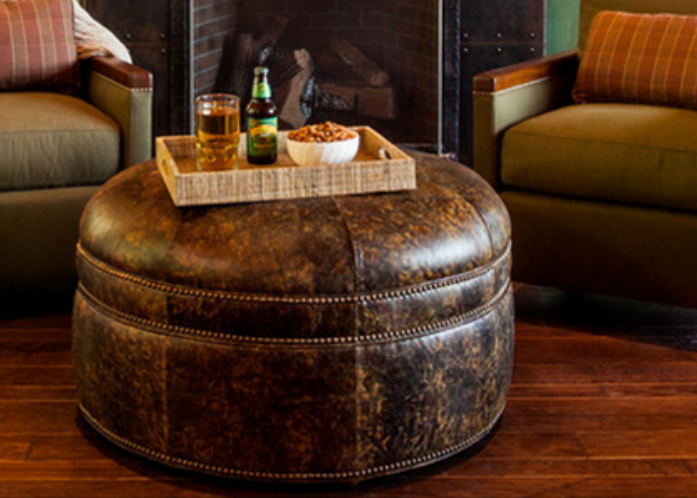
 

Untitled.png


How would you model it? I will be grateful for any (detailed) tips, since I'm a rookie kind of overwhelmed by all the menus in Maya.


0 Likes
Accepted solutions (1)
1,215 Views
2 Replies
Replies (2)
Message 2 of 3

damaggio
Mentor
Mentor
Accepted solution

Start with a cylinder, turn caps on that will give you the round top, set it to maybe 6 divisions for the caps, maybe 40 to 60 for the cylinder, then add edge loops around the cylinder to form the band going around and extrude in some thin faces to add the slight indentation of the leather.


Message 3 of 3

Anonymous
Not applicable
The solution you offered was the simplest and most effective for my piece
of furniture. Thank you.
0 Likes