daylight factor analysis 2017

- Mark as New
- Bookmark
- Subscribe
- Mute
- Subscribe to RSS Feed
- Permalink
- Report
Hi, I am running an Autodesk Building Design Suite Premium 2017 commercial license and testing Insight360 as more dynamic alternative to Velux in an architectural firm. The first goal is to generate Daylight Factor Diagrams with Lighting Analysis in the cloud, but there are some issues that I could neither fix myself nor find in the other threads (resulting in odd outputs from the program, ranging from degrees of lighting in totally open spaces and totally closed rooms with spots of light to really high or low lighting values, usually combined):
- When defining glazing properties for illuminance, does the thickness and number of panes of the table on Autodesk help refer to the Revit-modelled elements or the desired windows designed? If it is the former, would that mean that all window elements should be remodelled for daylight calculation purposes? If the glass panes are extrusions, would that count as a surface or as two (as in Velux)?
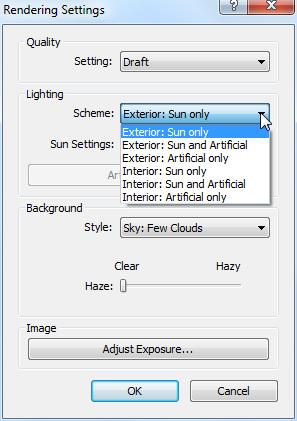
- I remain confused about which are the daylight conditions taken into account. Are the ones that I configure in the Study Settings / Environmental Settings and others, or the ones I configure through the Rendering Settings of the Camera 3dView of the Lighting Analysis Model View generated in Revit? Does it depend on the Advanced Settings configuration? How? I want to set an equinox cloudy condition for the Daylight Factor analysis, but I am not sure of achieving it.
- All outputs I saw come on Lux (or footcandles). How can I make it correspond with aprox. equivalent Daylight Factor Units? I read some posts on the topic online, but I'm not sure if my final nonsensical results come from previous mistakes or also get distorted at this step. I'd like to get an insight anyway on the correspondence of units, so it gets a bit more controlled.
I hope this post could help others as well. Thanks in advance.