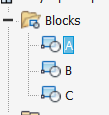
After weeks of searching the forums and scavenging the help documents, I finally got things working exactly how I wanted it to work. I have attached the code I developed so that others can use it as a reference. I ended up having to use a combination of VBA and iLogic to get it all working. Because the face for which I wanted the block to be on was created by a loft feature, you will see that the VBA code references the loft as the face to make the planar sketch. In addition, some code is used to select the appropriate face on the loft feature. One can redefine this to fit their needs.
To get this working with iParts, I defined 2 User Parameters called BlockName and BlockName_Index. BlockName_Index runs via iLogic code to change the value of the BlockName parameter. BlockName is implemented into the VBA code so that the code would select the block to place based on the values defined for BlockName. BlockName_Index can be changed via iParts table so that each iPart member can use a different block. For example, if BlockName_Index is 1 ul, the value of BlockName will be A, 2 ul will be B, and so on. The BlockName values can be changed in the iLogic code to match the name of the particular block. BlockName_Index must keep the format of # ul in order for this all to work. Depending on how many iPart members a person has, one can match the iLogic code to their specific needs.
Another User Parameter, d65, was defined for extruding the block. One can change the name of this parameter in the VBA code to match another user parameter of their choosing. This parameter can be implemented into an iParts table so that different members can have different extrusion values to fit their needs.
Some errors that occur are as follows:
- For whatever reason, the block would be placed flipped. For example, the letter A would be flipped upside down when there should be no flip what so ever. I feel that this could be down to how I imported the blocks into the document but if someone can find an error in the code causing this, please feel free to respond!
- I was hoping to have the iLogic that defines the BlockName parameter update automatically when I change between iPart members. I tried to implement the iTrigger functionality of iLogic but this seems to do absolutely nothing. If someone can come up with a solution to this, I would be willing to test it out and let you know if it works. Please send me a private message if you would like to see if this issue is document specific.
I hope that this helps anyone who is looking to automate the same functionality. Keep in mind that this code automates this process so if any values need to be changed after this code runs, one needs to undo or delete the actions executed by the code.
-Zach
VBA Code:
Option Explicit

Public Sub InsertSketchBlockDefinition()
    ' Set a reference to the part document.
    ' This assumes a part document is active.
    Dim oPartDoc As PartDocument
    Set oPartDoc = ThisApplication.ActiveDocument

    Dim oCompDef As PartComponentDefinition
    Set oCompDef = oPartDoc.ComponentDefinition

    ' Create a new sketch on the X-Y work plane.
    'Dim oSketch As PlanarSketch
    'Set oSketch = oCompDef.Sketches.Add(oCompDef.WorkPlanes(4))
    Dim oLoft As LoftFeatures
    Set oLoft = oCompDef.Features.LoftFeatures
    Dim oFaces As Faces

    'This can be changed to .SideFaces, .EndFaces, or .StartFaces
    'But .Faces will let you choose between all faces
    Set oFaces = oLoft.Item(1).Faces

    Dim oSketch As PlanarSketch

    'Put a sketch on the first face (1) - change to suit
    Set oSketch = oCompDef.Sketches.AddWithOrientation(oFaces(5), oCompDef.WorkAxes.Item(2), True, True, oCompDef.WorkPoints(1))

    'Get User Parameter
    Dim oParams As Parameters
    Set oParams = oCompDef.Parameters
    Dim oUserParams As UserParameters
    Set oUserParams = oParams.UserParameters

    ' Set a reference to the definition named "A"
    Dim oSketchBlockDef As SketchBlockDefinition
    Set oSketchBlockDef = oCompDef.SketchBlockDefinitions.Item(oUserParams.Item("BlockName").Value)

    Dim oPosition As Point2d
    Set oPosition = ThisApplication.TransientGeometry.CreatePoint2d(0, 0)

    ' Insert the sketch block definition
    Call oSketch.SketchBlocks.AddByDefinition(oSketchBlockDef, oPosition).Explode

    Dim oProfile As Profile
    Set oProfile = oSketch.Profiles.AddForSolid

    ' Extrude the sketch.
    Dim oExtrudeDef As ExtrudeDefinition
    Set oExtrudeDef = oCompDef.Features.ExtrudeFeatures.CreateExtrudeDefinition(oProfile, kJoinOperation)
    Call oExtrudeDef.SetDistanceExtent("d65", kPositiveExtentDirection)
    Dim oExtrude As ExtrudeFeature
    Set oExtrude = oCompDef.Features.ExtrudeFeatures.Add(oExtrudeDef)

End Sub
iLogic Code:
iLogicVb.UpdateWhenDone = True

Select Case BlockName_Index

	Case 1
	Parameter("BlockName") = "A"
	Case 2
	Parameter("BlockName") = "B"
	Case 3
	Parameter("BlockName") = "C"
	Case 4
	Parameter("BlockName") = "D"
	Case 5
	Parameter("BlockName") = "E"
	Case 6
	Parameter("BlockName") = "F"
	Case 7
	Parameter("BlockName") = "G"
	Case 8
	Parameter("BlockName") = "H"
	Case 9
	Parameter("BlockName") = "I"
	Case 10
	Parameter("BlockName") = "J"
	Case 11
	Parameter("BlockName") = "K"
	Case 12
	Parameter("BlockName") = "L"
	Case 13
	Parameter("BlockName") = "M"
	Case 14
	Parameter("BlockName") = "N"
	Case 15
	Parameter("BlockName") = "O"
	Case 16
	Parameter("BlockName") = "P"
	Case 17
	Parameter("BlockName") = "Q"
	Case 18
	Parameter("BlockName") = "R"
	Case 19
	Parameter("BlockName") = "S"
	Case 20
	Parameter("BlockName") = "T"
	Case 21
	Parameter("BlockName") = "U"
	Case 22
	Parameter("BlockName") = "V"
	Case 23
	Parameter("BlockName") = "W"
	Case 24
	Parameter("BlockName") = "X"
	Case 25
	Parameter("BlockName") = "Y"
	Case 26
	Parameter("BlockName") = "Z"

End Select