Border with many sizes

Border with many sizes

Anonymous
Not applicable
1,261 Views
6 Replies
Message 1 of 7

Border with many sizes

Anonymous
Not applicable
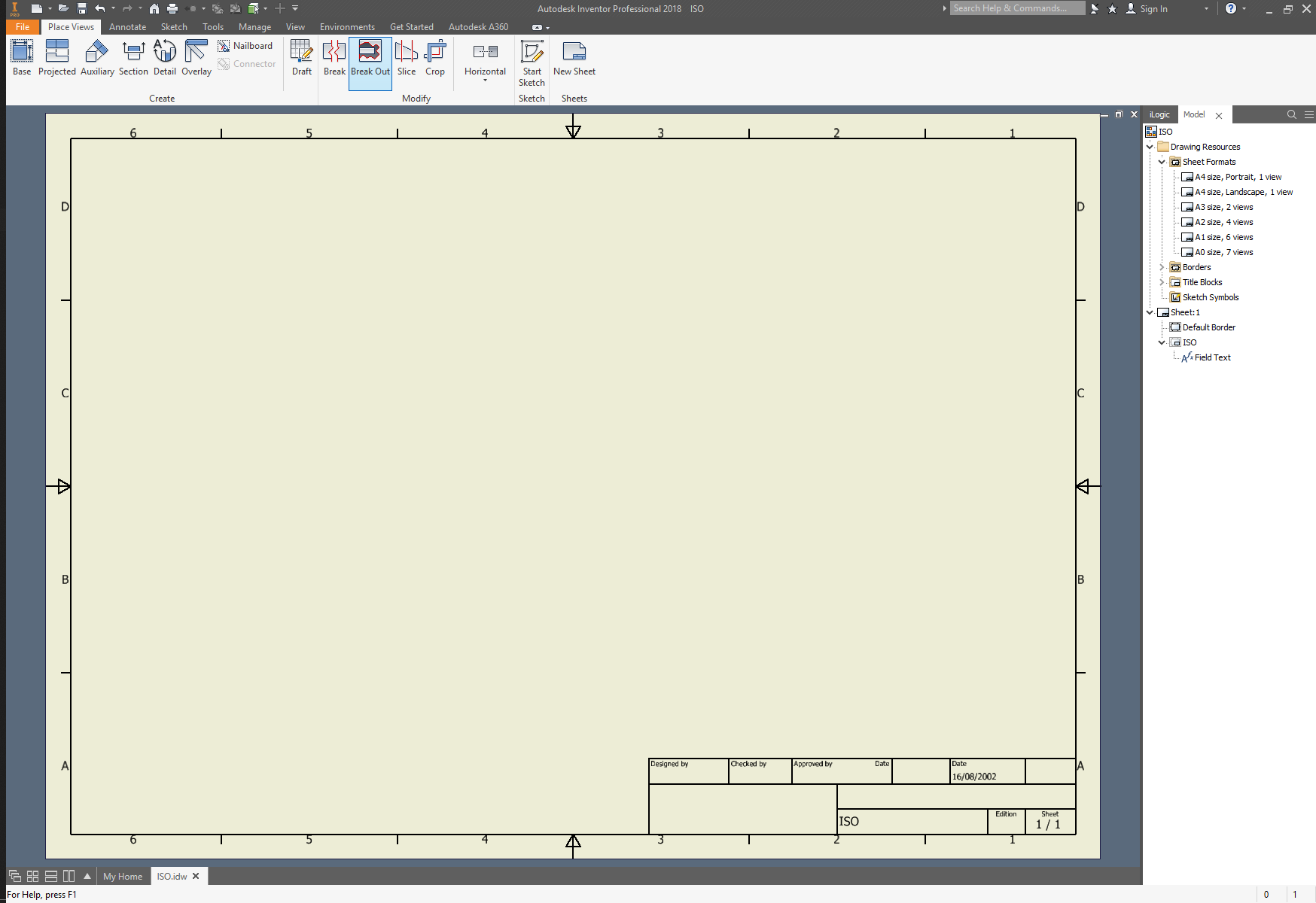
Hello, I'm creating an .idw template with custom border and title block. I saw that the "Default Border" adapts itself when changing the sheet size. Ex. if I change an existing sheet from size A1 to A4 (RMB on the sheet -> Edit Sheet), the border changes itself, even the zone borders. Is it possible for me to create a custom file with these parameters?
0 Likes
Accepted solutions (1)
1,262 Views
6 Replies
Replies (6)
Message 2 of 7

JamieVJohnson2
Collaborator
Collaborator

When you Define a new border Inventor will give you a sketch with 4 locked points.  All you need to do is parametrically constrain your geometry to those 4 points.  When the 4 points (sheet size corners) move, your geometry will move with it, and you get a dynamically resizing border.

Jamie Johnson : Owner / Sisu Lissom, LLC https://sisulissom.com/
0 Likes
Message 3 of 7

Anonymous
Not applicable

Thank you@JamieVJohnson2 , but that part I could do it correctly. What I was not able to do is the Zone Border parameters, all in one single border. The "Detault Border" in the ISO.idw is made this way.

When you change the sheet size using [RMB in the Sheet -> Edit Sheet...], the border adapts it self without the need of any other commands.

Attached are the screenshots of diffrent sheet sizes, changing directly in the Edit Sheet command.

Is not the end of the world or stopping my work, but it would be cool if I learned something new.

0 Likes
Message 4 of 7

JamieVJohnson2
Collaborator
Collaborator

I see the issue.  the DefaultBorder is a reserved object that is different than even the created Zone Borders, you can't even copy it like all other borders.  Let me look under the hood to see if there is anything we can do via code to alter that behavior.

Jamie Johnson : Owner / Sisu Lissom, LLC https://sisulissom.com/
0 Likes
Message 5 of 7

JamieVJohnson2
Collaborator
Collaborator

Nope, not at all.  The DefaultBorder is reserved and protected.  You can't modify the IsDefault value, you can't copy the default border (parameter is incorrect), and it doesn't even have a sketch definition to be copied.  So the developers of Inventor did not make the Default 'zone border' the same type of object as the custom zone border although the API defines them both as the DrawingBorder object class.


Sorry,

Jamie Johnson : Owner / Sisu Lissom, LLC https://sisulissom.com/
0 Likes
Message 6 of 7

JamieVJohnson2
Collaborator
Collaborator
Accepted solution

However, with some custom logic, you could reprogram (reinvent the wheel so to speak) the behavior of the custom border to auto-select zone quantities upon sheet size changes.  What a drag!


Jamie Johnson : Owner / Sisu Lissom, LLC https://sisulissom.com/
0 Likes
Message 7 of 7

Anonymous
Not applicable

@JamieVJohnson2, thank you for the efforts, but it would be too much word for an average user like me. I will accept things as it is.

Once again, thank you. 

0 Likes