Inventor 2016 - Hole feature bug

Inventor 2016 - Hole feature bug

marcusfriesl
Enthusiast Enthusiast
24,626 Views
44 Replies
Message 1 of 45

Inventor 2016 - Hole feature bug

marcusfriesl
Enthusiast
Enthusiast

I have started using Invnetor 2016, and have found that the Hole feature brings up error windows.  I have checked to insure that both the thread.xls and clearance.xls are in the correct directory, and that inventor is pointing to the correct directory.


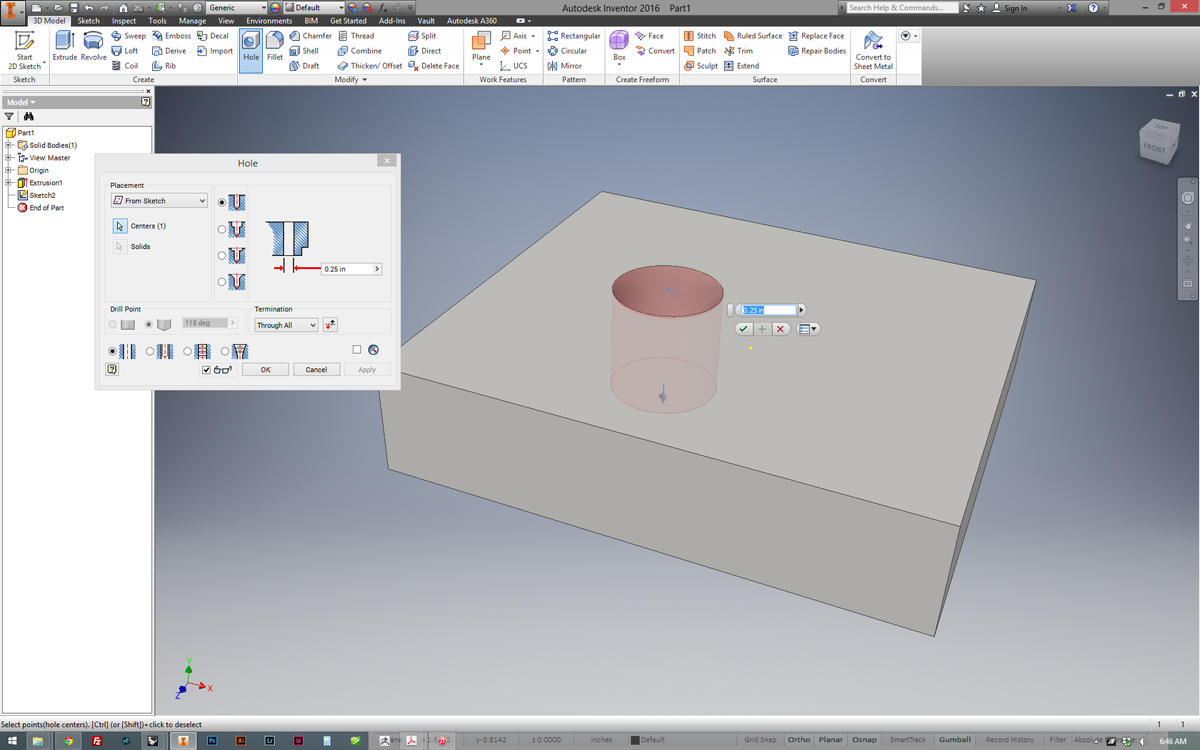
When I switch to anything other than a simple hole, I get two error windows, attached as images.  After those error windows, it looks like the options are just peaking up at the bottom of the dialogue box, but the box can not be expanded and I can't get to these options.  This is only a problem with the Hole feature.


The error messages are CLSIDFromProfID() failed and NULL IDispatch passed to AutoWrapper()


I have no Idea how to fix this, and any help would be greatly appreciated.
 

hole1.jpg


hole2.jpg


hole3.jpg


hole4.jpg


Accepted solutions (3)
24,627 Views
44 Replies
Replies (44)
Message 21 of 45

kevin
Participant
Participant

This is poor planning by Autodesk. I work in a business where everyone uses Office 2003, and for me to upgrade to 2007 just isn't feasible. We share too many documents back and forth to have to save and convert back to an older format. For a $5,000 program, I would expect it to be able to work on it's own, and not need a program from Microsoft.

Message 22 of 45

swalton
Mentor
Mentor

Office 2003, including Excel has been unsupported by Microsoft for over a year.  See: http://www.microsoft.com/en-gb/windows/endofsupport.aspx


Given that all software has dependencies on 3rd party tools/libraries/APIs, why do you expect new releases from Autodesk to include dependencies on un-supported software? 


Inventor 2014 is the newest version that still supports Office 2003. 


See:

http://knowledge.autodesk.com/support/inventor-products/troubleshooting/caas/sfdcarticles/sfdcarticl...


http://knowledge.autodesk.com/support/inventor-products/troubleshooting/caas/sfdcarticles/sfdcarticl...


http://knowledge.autodesk.com/support/inventor-products/troubleshooting/caas/sfdcarticles/sfdcarticl...


Steve Walton
Did you find this post helpful? Feel free to Like this post.
Did your question get successfully answered? Then click on the ACCEPT SOLUTION button.

EESignature


Inventor 2025
Vault Professional 2025
Message 23 of 45

kevin
Participant
Participant
  • Adobe® Flash® Player 15 ⁶ - FREE - Doesn't depend on everyone else in your company to be on the same version
  • Microsoft® Internet Explorer® 8 or higher- FREE - Doesn't depend on everyone else in your company to be on the same version
  • Full local install of Microsoft® Excel 2007, 2010 or 2013 for iFeatures, iParts, iAssemblies, thread related commands, clearance/threaded hole creation, Global BOM, Parts Lists, Revision Tables, spreadsheet-driven designs and Studio animation of Positional Representations.  Excel Starter®, Online Office 365® and OpenOffice® are not supported. - Not Free - Software issues arise when not everyone in your company is on the same version - 2013 is virtually the same as 2010 as is 2007 as is 2003, except for a few features that most people don't use.
  • 64-bit Microsoft Office is required to export Access 2007, dBase IV, Text and CSV formats.
  • Microsoft .NET Framework 4.5 ⁷- FREE - Doesn't depend on everyone else in your company to be on the same version

That's why it's an issue. And I do expect my $5k dollar software to work just as good, if not better, than the previous release without having to update my Microsoft software. Which, by the way, is no better than the four or five previous versions.

I'm one person out of about 400 people in my company that uses Inventor, I don't have the luxury of updating my Office. That's someone else's decision.

0 Likes
Message 24 of 45

ChrisMitchell01
Community Manager
Community Manager

Kevin,


Can you tell me what actually happens when you try to place say a threaded hole in Inventor 2016 when you have Excel 2003 installed ? We don't support/test that anymore but it may still work.


If it doesn't work & you can't upgrade Excel then you can try setting the system environment variable as mentioned below.


Thanks,
Chris


Chris Mitchell
PDMS Customer Engagment Team
Autodesk, Inc.

0 Likes
Message 25 of 45

kevin
Participant
Participant

I gt the same 


CLSIDFromProfID() failed and NULL IDispatch passed to AutoWrapper() 


error, the first ry, then I get nothing. I will try the work around.

0 Likes
Message 26 of 45

kevin
Participant
Participant

Chris,


I used the UseLibXL variable, and now it's working. Thank you for your help.


Kevin

0 Likes
Message 27 of 45

Anonymous
Not applicable

HEY JUST INSTALL EXCELL AND COPY AN EN-US FOLDER FROM C->USERS->PUBLIC->PUBLIC DOKUMENTS->AUTODESK->INVENTOR 2016->DATA->XLS  TO PLACE THAT IS ON THE ALERT WINDOW. FOR THOSE WHO DOESN'T WANT TO INSTALL EXCEL: http://inventorhub.autodesk.com/discussions/threads/78/post/5337401

~trust me I'm an engineer

0 Likes
Message 28 of 45

Anonymous
Not applicable

Tried adding the envirnmental varaible. It did not work for me.

0 Likes
Message 29 of 45

ChrisMitchell01
Community Manager
Community Manager

If you open a command prompt & type this:


set Use


What do you see ? You should see this:


UseLibXL.JPG


Do you have the variable correctly defined from Control Panel, System, Advanced, Environment Variables as shown ?


Did you exit/restart Inventor after setting the variable ?


Thanks

Chris


Chris Mitchell
PDMS Customer Engagment Team
Autodesk, Inc.

0 Likes
Message 30 of 45

AndyWallace
Advocate
Advocate

Not to hijack the thread, but we've seen this crash behavior and DO have Excel installed. Thread.xls is popping up during first-time-use-for-the-day for Inventor when creating a hole, and then the issue goes away until a reboot. I've created a thread and a screencast showing the behavior. I'd love to hear if someone has solved this. We're using Inv2016 and Office 2013. Andy


https://forums.autodesk.com/t5/inventor-general-discussion/inventor-2016-crash-during-hole-wizard-to...


Andy Wallace
Autodesk Inventor (2016) (3 years)
previously Solidworks (6 years)
0 Likes
Message 31 of 45

Anonymous
Not applicable

can i have the download link fr inventor 2016?

Thanks,

Danny

0 Likes
Message 32 of 45

Anonymous
Not applicable

I have excel installed and I when changing the hole type I get an "EXCEL NOT REGISTERED PROPERLY" and "NULL IDISPACTH PASSED  TO AUTOWRAP()" Error. How can i fix this

0 Likes
Message 33 of 45

blair
Mentor
Mentor

Have you run Excel at least once and accepted the "End User License Agreement"?


Inventor 2016 requirements:


https://knowledge.autodesk.com/support/inventor-products/troubleshooting/caas/sfdcarticles/sfdcartic...


Inventor 2020, In-Cad, Simulation Mechanical

Just insert the picture rather than attaching it as a file
Did you find this reply helpful ? If so please use the Accept as Solution or Kudos button below.
Delta Tau Chi ΔΤΧ

0 Likes
Message 34 of 45

Anonymous
Not applicable

Yes I tried that.


I did install excel after I installed Inventor if that helps

0 Likes
Message 35 of 45

Anonymous
Not applicable

I also had the hole feature problem. I have no Excel installed. Using LibreOffice. Installing Excell reader did not work. Tried the workaround with UseLibXL and the problem with the Hole feature bug is now solved. Which is a big relief. Since I am from Belgium and speak dutch I had to change my Windows 10 environment to english so I could follow the workaround instructions.


I understand the getting rid of 3rd party stuff but I am not happy at all that as a user I have to put time and effort for solving the problem. This is the kind of bugs that disappoints people in learning and using a good piece of software (yes, I refer to Inventor). This forces companies to buy software (winoffice) that you can have for free  as alternative software (eg Libreoffice). I strongly hope Autodesk will fix this because this is bad publicity.


Apart from that : thx for the workaround and hopefully I don't get any other problems because of the "you have to have Excel else you can not use Inventor properly issue."

0 Likes
Message 36 of 45

ChrisMitchell01
Community Manager
Community Manager

Sorry for the inconvenience; this specific threaded/clearance hole issue was resolved in 2016 SP1, so if you have installed that the environment variable should not be required.


Without a "full/local" install of Excel you will still not be able to export BOM/Parts List to csv, or animate PosReps in Studio though.


Thanks
Chris


Chris Mitchell
PDMS Customer Engagment Team
Autodesk, Inc.

0 Likes
Message 37 of 45

Anonymous
Not applicable

Thx for the reply. I will look for the SP1 first thing in the morning. I have the student license so I don't think I will export the bom to csv. A question though : will libreoffice calc not handle the csv since it supports the csv files? And also : will that change? As in : you will be able to export it even you don't have Excell?


The thread issue is solved anyway.

0 Likes
Message 38 of 45

ChrisMitchell01
Community Manager
Community Manager
Inventor "talks" directly to excel through the API - exporting the BOM to csv is only supported with a full, local install of Excel; that's not changing (to my knowledge) in the near future.

-Chris


Chris Mitchell
PDMS Customer Engagment Team
Autodesk, Inc.

0 Likes
Message 39 of 45

23chaos23
Explorer
Explorer
this worked perfectly thank you so much
0 Likes
Message 40 of 45

ViperRT10
Contributor
Contributor

Chris,


Even though we do have Excel installed we had tried using the UseLibXL environment variable to speed up a lag we noticed using the hole command and it ended up causing a huge issue in our iParts and iAssemblies in Inventor 2016 with Vault Professional 2016.  Excel drops trailing zeros where the generic UseLibXL locked the values to 6 decimal places regardless of how many of those digits were zero (i.e. 1.5 became 1.500000).  This was a headache that threw off our automated part numbering due to the fact we use smart numbers and round at 2 decimal places.  Having the extended value overrode the rounding and suddenly we were getting part numbers with several more digits than our MRP system could handle.  The first indication of the issue was when we opened the tables in the iParts and saw the 6 decimal place lock, the problem was our parts have been in existance for quite a long time so there is little to no need to go in to the table very often.  The problem was not spotted for almost 6 weeks, by the time it hit manufacturing we had more than a molehill of models and drawings that could not be correctly processed.  I would strongly discourage the use of the UseLibXL variable because of other areas of Inventor it may negatively influence without the issue being immediately apparent.

0 Likes