Message 1 of 5

- Mark as New
- Bookmark
- Subscribe
- Mute
- Subscribe to RSS Feed
- Permalink
- Report
Hello,
How can I change a dimension or text layer in a drawing? Inventor 2015.
Thanks.
Solved! Go to Solution.

 Advocate
Hello,
How can I change a dimension or text layer in a drawing? Inventor 2015.
Thanks.
Solved! Go to Solution.
All dimensions to a given layer or only certain ones?
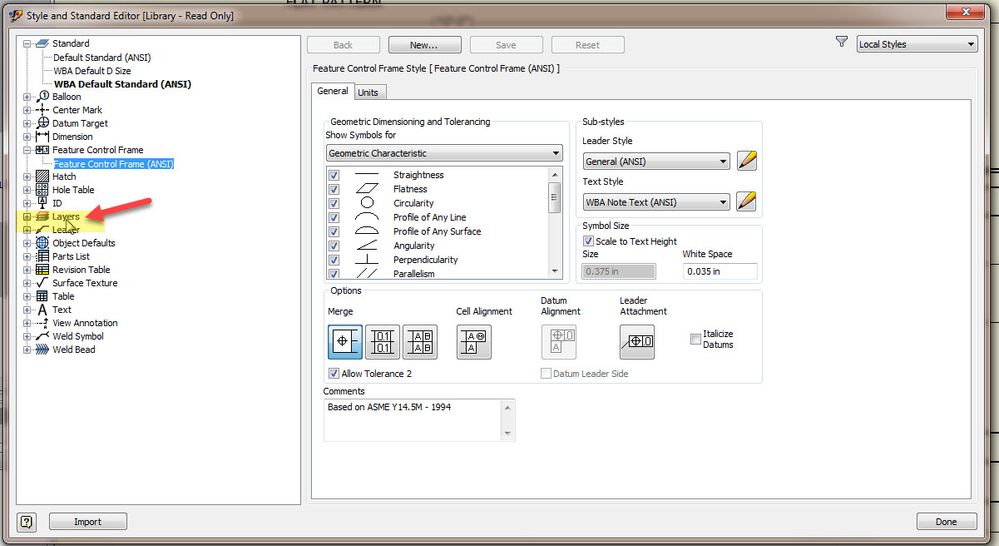
All this information is controlled under Manage/Styles Editor.. Look at Objects Defaults that is link to your active standard.
Mark Lancaster
& Autodesk Services MarketPlace Provider
Autodesk Inventor Certified Professional & not an Autodesk Employee
Likes is much appreciated if the information I have shared is helpful to you and/or others
Did this resolve your issue? Please accept it "As a Solution" so others may benefit from it.
What ever you can or need to do with layers is here.

Or if you like something that was said and it was helpful, Kudos


Hi! Like other experts have already shown, if you want to change all dimensions, it is better do in Standards and Styles Editor. If you just want to change individual dimension, you can to go Annotate tab and look to the far right. There are two dropdown lists. Select a dimension of interest. You will see the current layer and current style. You can make local change there.
Many thanks!
Thanks.