First - the very purpose of this forum is to ask questions, so you cannot possibly ask too many questions.
Have you installed all Service Packs and Updates for your version of Inventor?
You asked the question of why to use Coil or the Helix in 3D sketch.
I never ever use the Helix in 3D sketch because it is harder to create and as far as I know (I haven't checked in later releases) it isn't fully parametric - which makes editing more complex.
But - I often have a need for a 3D helix curve.
To get this - I simply Coil a line as a surface body.
Which leads in to the intersting part of the problem.
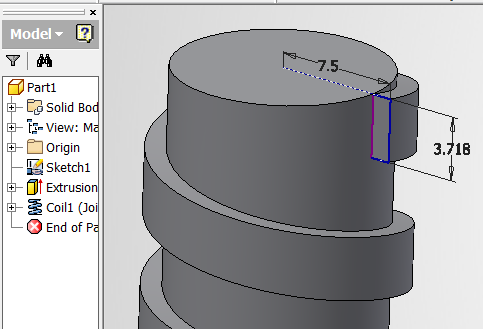
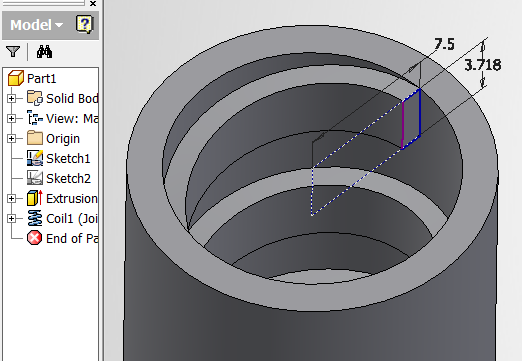
When you use Coil feature for a circle or any profile - the profile is not perpendicular to the start of the helix, which means the cross-section at any point normal to the curve does not match the profile. Many people miss this. (in fact with a circular profile - any section taken normal to a point on the helix would show that the profile is not actually circular, but eliptical)
So, the solution is to get the helical curve (I use edge of helical surface which is trivially easy to edit using the Coil command rather than 3D sketch) and then create a workplane normal to the start of the helical curve. This ensures that your sketch is normal to the path.
see attached
-----------------------------------------------------------------------------------------
Autodesk Inventor 2019 Certified Professional
Autodesk AutoCAD 2013 Certified Professional
Certified SolidWorks Professional