Can't click on face to extrude

Can't click on face to extrude

Anonymous
Not applicable
3,183 Views
5 Replies
Message 1 of 6

Can't click on face to extrude

Anonymous
Not applicable

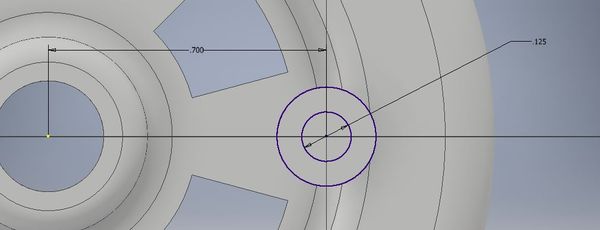
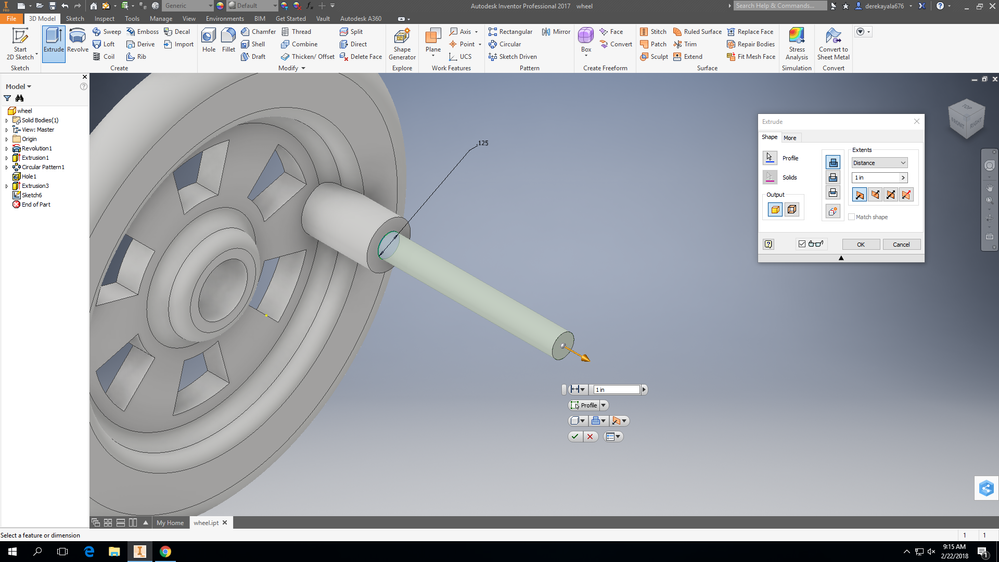
I want to use the Extrude command to cut the outer circle on this part, but Inventor auto-extrudes the inner circle and won't let me select the outer one, as shown in this screenshot:
 

 2222018.PNG


0 Likes
Accepted solutions (2)
3,184 Views
5 Replies
Replies (5)
Message 2 of 6

Thomas_Savage
Advisor
Advisor

Hello @Anonymous


It looks like you can't select the outer circle because there is no profile to select.


Edit sketch 6. And project the outer circle geometry.


Then you will be able to select the outer circle.


Thomas.


Thomas Savage

Design Engineer


Message 3 of 6

K_Baker_89
Advocate
Advocate
Accepted solution

Hi,


Your sketch looks incomplete if you're trying to achieve what I think you are. I've added another circle as shown in the image below, and attached the "corrected" part.

Capture.JPG


It's worth also noting that you were missing a couple of constraints. It's always best practice to make sure sketches are fully constrained before using them.


Cheers,


Kurt

Message 4 of 6

Thomas_Savage
Advisor
Advisor
Accepted solution

Hello @derekayala676


@K_Baker_89 has attached a .ipt. To show you how to do it.


I had already created a screencast. So thought i would attach it anyway.


Thomas.


Thomas Savage

Design Engineer


Message 5 of 6

Anonymous
Not applicable

Thanks!

Message 6 of 6

Thomas_Savage
Advisor
Advisor

You're Welcome @Anonymous


Thomas Savage

Design Engineer


0 Likes