Problem with moving plane/sketch

Problem with moving plane/sketch

Anonymous
Not applicable
602 Views
2 Replies
Message 1 of 3

Problem with moving plane/sketch

Anonymous
Not applicable

Hi!

I have a problem like in the title. 
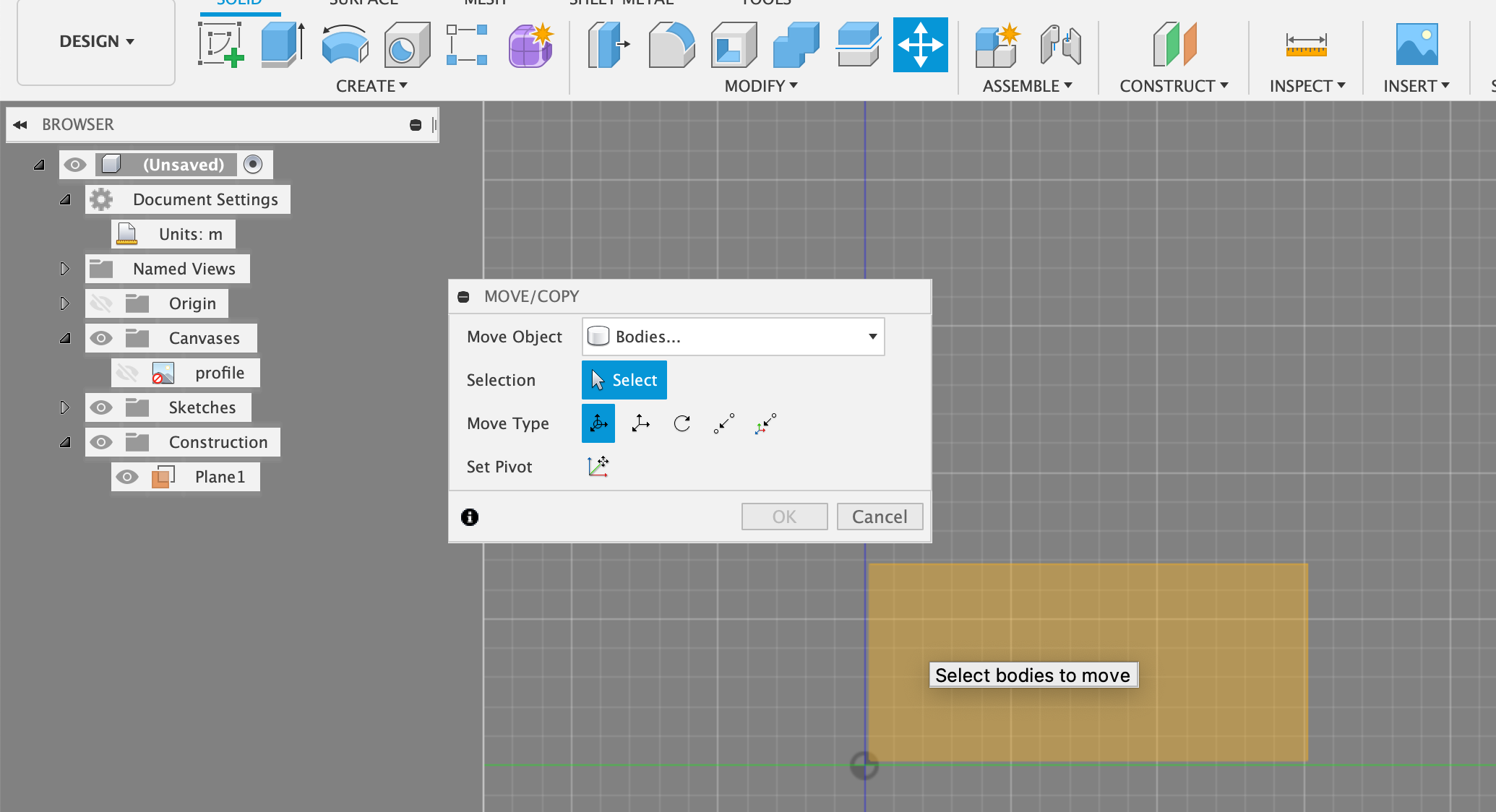
I created a new plane (construction) and when I press M to move I don’t have selected that plane. I’m trying to select plane and nothing happens.

I attached a screencasts to show you how it looks like.

I have the same issue when I try move sketch. 
I don’t have this problem only when I try to move body.


Please help me because it’s very important for me and I don’t have too much time to finish my project. 

0 Likes
603 Views
2 Replies
Replies (2)
Message 2 of 3

g-andresen
Consultant
Consultant

Hi,


@Anonymous  schrieb:

Hi!

I have a problem like in the title. 
I created a new plane (construction) and when I press M to move I don’t have selected that plane. I’m trying to select plane and nothing happens.*

I attached a screencasts to show you how it looks like.

I have the same issue when I try move sketch**. 
I don’t have this problem only when I try to move body.


Please help me because it’s very important for me and I don’t have too much time to finish my project. 


* Planes can only be changed via Move in DM (Direct Modeling) mode (history off) 


** please show this behaviour in a screencast


günther

0 Likes
Message 3 of 3

jhackney1972
Consultant
Consultant

You have already been informed by @g-andresen that you can only Move a construction plane if you are in Direct Modeling mode (No Timeline).  You however can copy/move a model sketch easily.  You can even copy a model sketch between different models.

John Hackney, Retired
Did you find this post helpful? Feel free to Like this post.
Did your question get successfully answered? Then click on the ACCEPT SOLUTION button.

EESignature

0 Likes