Editing sketch, Seeing components in the history newer and older.

Editing sketch, Seeing components in the history newer and older.

burbycreations
Participant Participant
2,781 Views
13 Replies
Message 1 of 14

Editing sketch, Seeing components in the history newer and older.

burbycreations
Participant
Participant

 Good morning everyone hope all is OK on this May Day.


 I was watching the live stream last night an they talked about editing up and down. I have been looking for what that is an have not found anything about.

 I am a new be to Fusion 360 but noot new to CAD. I still have a working copy of Quick Cad that I still use at the shop. I have a CNC router so I have Aspire 9.5+. This Fusion the way it snaps, moves around and how it anchors lines to each other is kicking my......


 I have a 3D model / puzzle I started in Aspire an need to have a program to put all (about 1000) part together to see if I did it right. I have found some mistake and some I can adjust when I edit the sketch because you can see the part put in before this one.


How can you see the parts you put in after the one you are trying to edit?  Because the one you are editing may have a problem ageist one that was put in after words.

 I am dyslectic so I hope I am saying this OK.

Regards an Thanks

2,782 Views
13 Replies
Replies (13)
Message 2 of 14

g-andresen
Consultant
Consultant

Hi,

Please show your design and a screencast of the described behaviour.

Please share your design.


günther

0 Likes
Message 3 of 14

burbycreations
Participant
Participant

The history of the parts is a way cool thing to have an how it works.

This is a picture of where I am now.

burbysengraving_0-1588322632472.png

 If I try to edit a part in the history the history string looks like this an you can not see the parts you put in after it.

burbysengraving_1-1588322859702.png

Now I can not see the rest of the parts and this stops me adjusting the part I am working on to one higher in the chain.

I have more things to learn but one thing at a time.

Message 4 of 14

MoshiurRashid
Advisor
Advisor

Hi @burbycreations 


Thanks for posting. I've created a screencast for you which describes some portions of parametric modeling.

Click here to watch the video 

Moshiur Rashid
Autodesk Certified Instructor
ACP | CSWE
https://www.autodesk.com/expert-elite/overview

LINKEDIN | FACEBOOK

Message 5 of 14

g-andresen
Consultant
Consultant

Hi,


@burbycreations wrote:

How can you see the parts you put in after the one you are trying to edit? 


that's not possible.
Objects that don´t exist when you create a sketch are also not existing when you edit this sketch.


günther


Message 6 of 14

burbycreations
Participant
Participant

Thanks for the vid an that part I am starting to get a handle on.


 Have you ever made 3D models / puzzles? There are parts the fit into other parts to make the model like this one.

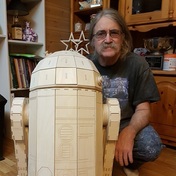
This is R2D2.

burbysengraving_0-1588325182887.png

Say you have a part that you forgot a lug or it is not in the right place to a part in the history to the right (newer). You need to be able to see it to adjust to the one you are working on. In this pic I need to see a part that is to the left of the one I am editing because I missed a lug in the lower left.

burbysengraving_1-1588325709571.png

burbysengraving_2-1588325757106.png


0 Likes
Message 7 of 14

burbycreations
Participant
Participant

Thanks for the reply.


 Do you have any good ideas on how I can make the adjustments?

0 Likes
Message 8 of 14

g-andresen
Consultant
Consultant

Hi,

it's a question of dependencies.
A body or feature based on a sketch cannot be placed in the Timeline before that sketch, while you can move other things.


günther

Message 9 of 14

burbycreations
Participant
Participant

Thanks....


Grrrrrrrr.. lol  


I just found out by accident that you can have components inside of components. Like directories an sub directories. Is there a way to move components from the main dir into a component. Like taking a dir from C:\ into C:\Fusion\  ?


 Do you know anyone that would be willing to help me build this monster?

Regards

0 Likes
Message 10 of 14

davebYYPCU
Consultant
Consultant

We can teach you how to overcome stumbling blocks, 

We are 10 messages deep in this topic, and you have not shared your version of the design of a public resource, 


What chance any Teacher would be happy you are listening?


Timeline and Browser manipulations can be done, but with your data to refer to the objects involved.


I will need your data to respond to your questions, can’t speak for others.


Might help....


0 Likes
Message 11 of 14

burbycreations
Participant
Participant

This is how far I have gotten in Fusion.

burbysengraving_0-1588349402060.png

This is what I built in Aspire before I started using Fusion.

burbysengraving_1-1588349535377.png


0 Likes
Message 12 of 14

burbycreations
Participant
Participant

You need more info. So how do I link it / ?? so you can better help?

0 Likes
Message 13 of 14

davebYYPCU
Consultant
Consultant

Edit.

File > Export, Save to your hard drive, and add as an attachment.


Might help...

0 Likes
Message 14 of 14

burbycreations
Participant
Participant

This Fusion an all the things it can do is a big ass learning curve an I thought Aspire was a ......


Thanks for the help.

0 Likes