Post processor drilling issue

Post processor drilling issue

mateo.safaric
Explorer Explorer
1,711 Views
7 Replies
Message 1 of 8

Post processor drilling issue

mateo.safaric
Explorer
Explorer

Hi *,

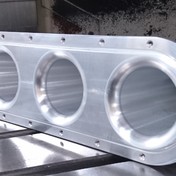
I have noticed strange issue with the drill operation(Drilling rapid-out, Counterboring), so after generating G-code there missing Z retract after each hole position (I've used: WinPC, StepCraft, Mach3 postprocesor) , so that result a broken tool. Does anyone know what exactly is going on, this CAM operation used to work correctly, I use Autodesk Fusion 360 for personal use.


Img_1.JPGImg_0.JPG

0 Likes
Accepted solutions (1)
1,712 Views
7 Replies
Replies (7)
Message 2 of 8

david.lundbergC7AM5
Advocate
Advocate

Something looks... off in your program, or inverted, maybe. All your Z values are minus where they in my world would be plus, and vice versa. At the end you're retracting to Z-15, for example. It should read:

N17 G0 Z15

N18 G0 Z5

N19 G82 X-14.346 Y0 Z-10 R5 P100 F300

N20 X0

N21 X14.803

N22 G80

N23 G00 Z15

M9 

M5

M30


/ David


0 Likes
Message 3 of 8

mateo.safaric
Explorer
Explorer

Yes, that's right, the Z-axis is inverted, but that's fine, WinPC-NC can accept it, but anyway, I now inverted the Z-axis :


%
(1001)
(T1 D=2. CR=0. - ZMIN=-10. - flat end mill)
N10 G90
N11 G71

(Drill2)
N12 T1 M06
N13 S5000 M03
N14 G54
N15 M08
N16 G00 X-14.346 Y0.
N17 G00 Z15.
N18 G00 Z5.
N19 G82 X-14.346 Y0. Z-10. R-5. P100 F300
N20 X0.
N21 X14.803
N22 G80
N23 G00 Z15.
N24 M09
N25 M05
N26 M30


I made this simple example with only three drilled holes, but the same problem occurs with a more complex toolpath for the drilled holes. Seems that missing Z retract in line N19,N20 and N21

0 Likes
Message 4 of 8

engineguy
Mentor
Mentor

@mateo.safaric 


Can you upload your sample file please ?


To upload a file go to :-


File > Export > Select f3d Format > Save to a location on your computer > Then attach to your reply

0 Likes
Message 5 of 8

david.lundbergC7AM5
Advocate
Advocate

Are you in G98 or G99 mode? If G99, the tool only retracts to R-plane, which in your latter example is Z-5.

Your R- plane really shouldn't be minus, imo.

/ David

0 Likes
Message 6 of 8

mateo.safaric
Explorer
Explorer

Yes, of course, also find the code for the post processor in the attachment

0 Likes
Message 7 of 8

engineguy
Mentor
Mentor
Accepted solution

@mateo.safaric 


Forgot to mention, if you select the bottom of your Counter Bore then that is the height that your R retract will work from

0 Likes
Message 8 of 8

mateo.safaric
Explorer
Explorer

after selection the bottoms of the holes, generated g code seems ok

Thanks for help @engineguy  and @david.lundbergC7AM5 


(CHANGE TOOL)
N12 T1 M06 (FLAT END MILL D=2. IZAR_TOOL)
N13 S5000 M03
N14 G54
N15 M08
N16 G00 X14.803 Y7.5
N17 G00 Z25.
N18 G00 Z15.
N19 G81 X14.803 Y7.5 Z0. R12. F300
N20 G80
N21 G00 Z15.
N22 G81 X0. Y7.5 Z0. R12. F300
N23 G80
N24 G00 Z15.
N25 G81 X-14.346 Y7.5 Z0. R12. F300
N26 G80
N27 G00 Z25.
N28 M09
N29 M05
N30 M30

0 Likes