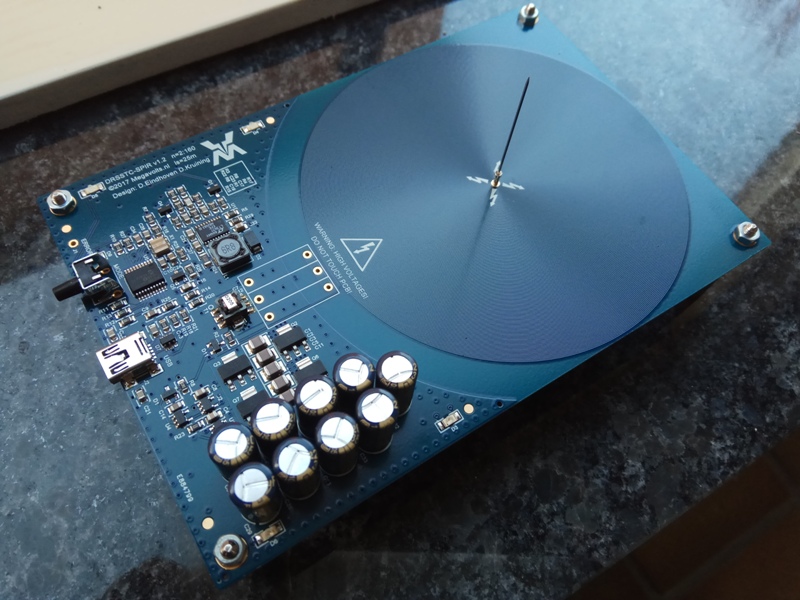
How can I make a coil on the pcb?

How can I make a coil on the pcb?

Anonymous
Not applicable
2,813 Views
3 Replies
Message 1 of 4

How can I make a coil on the pcb?

Anonymous
Not applicable

hi, have a good day.


I want to do a coil in my pcb design for a product but i cant find the way to do it. you guys know how to do it ? i appreciate your help with this 

sebastianvaz123_0-1616002481290.jpeg


0 Likes
Accepted solutions (1)
2,814 Views
3 Replies
Replies (3)
Message 2 of 4

HughesTooling
Consultant
Consultant

Do you just need to create a spiral? Fusion's coil feature has a spiral option. Fusion's primitives like box, cylinder, coil etc. are pretty useless when it comes to editing and positioning so it's best to create a new component, then the coil at it's origin and position the component with a joint.

HughesTooling_0-1616060262013.png


Mark

Mark Hughes
Owner, Hughes Tooling
Did you find this post helpful? Feel free to Like this post.
Did your question get successfully answered? Then click on the ACCEPT SOLUTION button.

EESignature


Message 3 of 4

crrrack
Enthusiast
Enthusiast
Accepted solution

I think the way you want to do this is the "Eagle" way (granted I still haven't fully migrated to Fusion Electronics from Eagle, but in my experiments I haven't found a better way. So anyway, there's a ULP called spiral-coil which you run either in a library or on a board which parametrically creates a spiral based on your input. It is quite frankly a bit of a pain since there's no native coil object - it ends up creating a whole bunch of linked arcs, so moving the coil is tricky, as is creating it in the exact desired location which must be specified numerically. But it does work and I'm not aware of an alternative.

Message 4 of 4

ozzoxy
Observer
Observer

This so so good. So How could I draw such below a drawing? 

Best regards.


ozzoxy_0-1700057512062.png


0 Likes