How to model bends in Fusion 360

How to model bends in Fusion 360

523Industries
Advocate Advocate
15,151 Views
8 Replies
Message 1 of 9

How to model bends in Fusion 360

523Industries
Advocate
Advocate

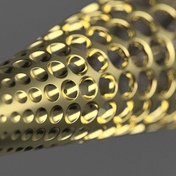
Hello everyone!  A recent visit to an old project of mine reminded me of this video.


Is there a better way of doing this within Fusion, 2 years later?


Nick Santiago
Accepted solutions (1)
15,152 Views
8 Replies
Replies (8)
Message 2 of 9

jasonhomrighaus
Collaborator
Collaborator

Well you might be able to sweep the curve using a profile and a set of guide rails.Image 11-17-17 at 4.54 PM.jpg

Message 3 of 9

laughingcreek
Mentor
Mentor

Not really.  we still don't have a true "bend" modifier/tool.  We now have the sheet metal functionality he mentioned, and it has induced some interesting ways of bending objects (like text around a ring). But the way he's doing this here is still easier for this particular shape

Message 4 of 9

SaeedHamza
Advisor
Advisor
Accepted solution

I got to say, I like the approach the guy did in the video, but the new workspace called Sheet Metal provides much more modeling possibilities

Here is a screencast on how to make the shape in the video using it


Saeed Hamza
Did you find this post helpful? Feel free to Like this post.
Did your question get successfully answered? Then click on the ACCEPT SOLUTION button.

EESignature

Message 5 of 9

TrippyLighting
Consultant
Consultant

The problem with using either of these  approaches is that the bend can only be curved in one direction.


The advantage of the sheet metal workspace over the first is that one can model flat and then bend the object while maintaining the overall length of what's in the sketch

The advantage of a "real" bend modifier is that you can model flat, but can bend the objet basically in any direction.


EESignature

Message 6 of 9

cekuhnen
Mentor
Mentor

@523Industries


No Fusion does not have any deform tools. If it is a one way bend one could if usable use the sheet metal trick to do it.

But while working one would use a wrong tool for bending here.


Surface or solid deform is also not such an easy task - particularly when deforming bodies with fillets on it.


I use Rhino/Moi and Blender for such bend and flow across a surface tasks.

Claas Kuhnen

Faculty Industrial Design – Wayne State Universit

Chair Interior Design – Wayne State University

Owner studioKuhnen – product : interface : design

Message 7 of 9

523Industries
Advocate
Advocate

Thank you everyone for the replies!


It's good to know the original workaround is still a viable option, and there's more with the Sheet Metal work space.


I'll accept the video from @SaeedHamza as a solution for now.


Thanks again!

Nick Santiago
0 Likes
Message 8 of 9

Anonymous
Not applicable

This is so far the best workaround I have seen. Even though I do not think that the dimensions of the base sketch will stay the same. But I will test it. It looks promising. THANK YOU!

Still I would like the professionals from autodesk(!) to produce a bending tool. It is no satisfying solution to switch to blender or 'workaround'. 😉

Message 9 of 9

TheCADWhisperer
Consultant
Consultant

@Anonymous wrote:

Still I would like the professionals from autodesk(!) to produce a bending tool. 😉


You spoke, Autodesk listened.

Autodesk Inventor Professional

http://help.autodesk.com/view/INVNTOR/2020/ENU/?guid=GUID-98FDE447-C0A7-4694-ABD3-BA19A329DDF6

Bend Part.png


0 Likes