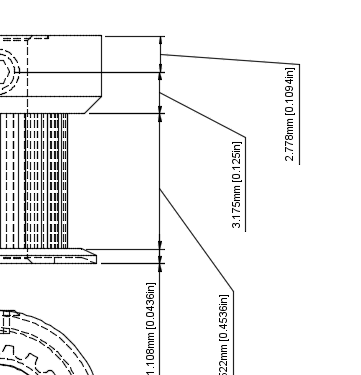
Drawing Module, rotate dimension text?

- Mark as New
- Bookmark
- Subscribe
- Mute
- Subscribe to RSS Feed
- Permalink
- Report
I must be missing something simple. I can't figure out how to rotate (90 degrees) the dimension text in the drawing module. I'm guessing that maybe there is a setting when the sheet is first created that defines the orientation of the dimension text? I sure hope that it can be changed after the fact and that each dimension can have a different orientation if necessary.
btw, I've found a number of things in the drawing module to be less that intuitive. Moving items and dimensions was a little tricky at first. It doesn't seem to work the way it does in the tutorial video. https://www.youtube.com/watch?v=duxBgi7M0PE#t=0.835149
The thing that I was missing was that there is now a set of grey square boxes that you must click in order to move things.