Custom Template not on page

Custom Template not on page

setha247
Contributor Contributor
726 Views
2 Replies
Message 1 of 3

Custom Template not on page

setha247
Contributor
Contributor

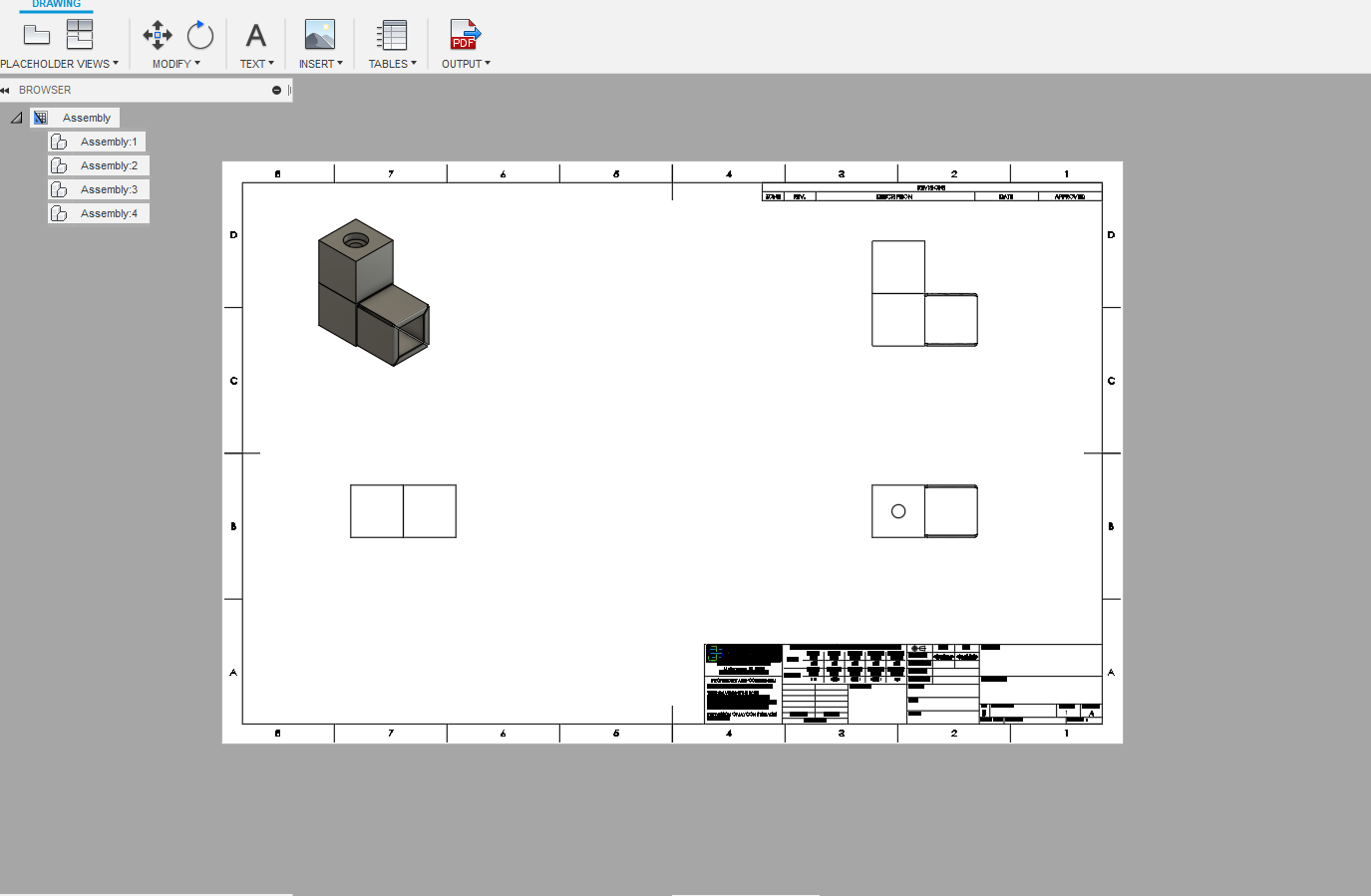
Whenever I create a new drawing or new page and use a custom template, the template starts extremely offset, almost off of the page entirely. This is not a big deal most of the time, as it can be dragged into place; however when creating a 20 sheet drawing this quickly gets annoying. In the template file, it is centered on the page. Is this a bug or am I missing something?

0 Likes
727 Views
2 Replies
Replies (2)
Message 2 of 3

baribak
Alumni
Alumni

Hi,


Sorry to hear of the trouble.


I've tried recreating this and can only do it manually. 


Do you have many template files or just a few? 


Additionally is there a chance I can get a copy of the template file itself to try it here?


I am wondering if there's something in your file that's not in mine.


Regards,

Kevin Baribault
Fusion 360 Quality Assurance
0 Likes
Message 3 of 3

setha247
Contributor
Contributor

Here is the template I have been using. This same issue occurs with every template I have created, but I have only created and used a few.

0 Likes