- Mark as New
- Bookmark
- Subscribe
- Mute
- Subscribe to RSS Feed
- Permalink
- Report
My questions tend to involve scenarios that are hard to explain, so there a five screen captures along with my text. But they didn’t paste into the composition window of the forum, so you’ll just find the text below. The text with pics are in the attached pdf file
Hi, I’m deeply intrigued by Fusion 360, but I’m stumbling a bit the sculpt workspace. Could you help me with my baby steps?
I’m working on a head for fun. It currently looks like a platypus (how that happened is another post J) but here I’m focused on creating an eyeball. In particular, I’d like to use a solid model, such as a sphere, to trim the grid I’ve already put in place (FIG 1):
With timeline magic, I put the construction of the sphere, the fitter or trim object, before the sculpting of the spline. So the first three actions below, the creation and the two moves, were done originally with the face in place, after the spline creation, so that I could align the sphere (FIG 2):
Problem 1: disappearing and unselectable body element in browser, but forced display
You’d notice that I put in a component creation action in the timeline just before I create the spline. That’s because the sphere object otherwise is unselectable. I would have expected that I could select it as shown (FIG 3)
The sphere doesn’t even show it the browser.But it is displayed and in fact prevents me from selecting the faces of the eye socket (unless I left-click-and-hold, which now explicitly also reveals that the sphere object is in fact still there). This disappearance act is somewhat baffling but once I componentize the sphere, then I won’t hide in sculpt mode.
Did I baby step my way into a bug or a feature here?
Problem 2: the pull command doesn’t behave
With the sphere in place, I’d like to pull the vertices of few faces in the eye socket to the sphere, so I prepare the pull commands as follows (FIG4):
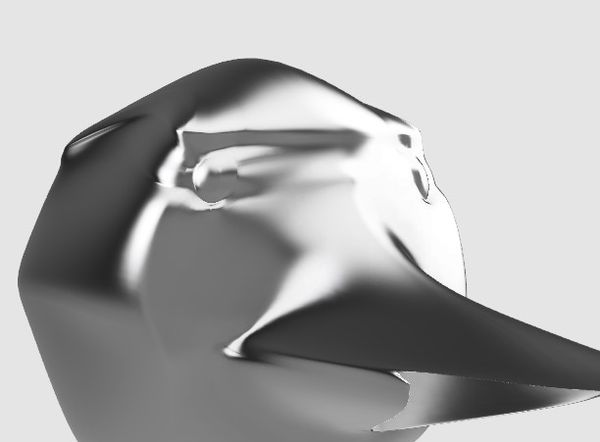
The auto select option of the command uses I-don’t-know-which target to create a wacko cubist painting of sorts. So I select the sphere explicitly (that’s why componentization is necessary!). Then my head turns into this medussa (FIG5):
And that’s for trying to align the 9 spline vertices to the sphere. Can you explain what happens?
Problem 3: How do I make a simple trim according to the sphere?
Related: can I simply cut out the intersection of the sphere with the selected surfaces of the spline? I’m not after an exact projection of the fitter object onto the surface, just something that’ll locally tessellate the involved spline surfaces so as to approximate the surface curve (which may itself not be spline representable).
PS: for other beginners, alt-1, alt-2, and alt-3 are your friends, but the object must be fully selected for some reason – these keystrokes switch
Solved! Go to Solution.