Message 1 of 2
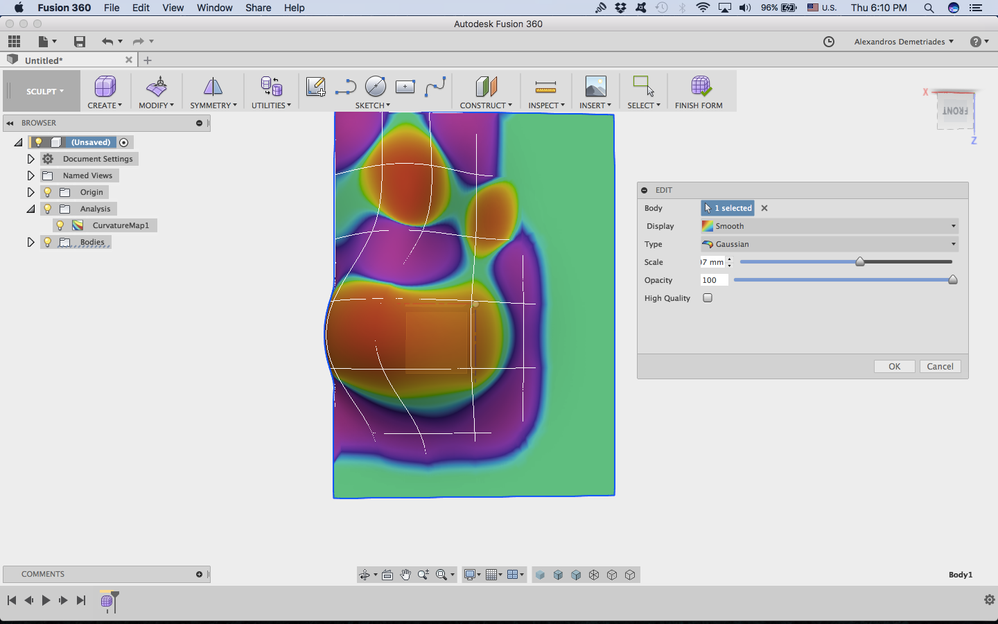
Curvature Map Analysis Scale Bug

Not applicable
10-19-2017
08:20 AM
- Mark as New
- Bookmark
- Subscribe
- Mute
- Subscribe to RSS Feed
- Permalink
- Report
Here's a small bug I discovered: if you go into Curvature Map Analysis the scale input box will only show scales up to 9.999, if you go to 10.000 the 1 gets cut off from the input box. This however becomes more apparent if after you ok the parameters and go back to edit them. Only the last digit shows with the subscript mm. Here is a screenshot: