Finishing Work Piece on Fusion 360

Finishing Work Piece on Fusion 360

pelseyHYPS2
Contributor Contributor
1,045 Views
4 Replies
Message 1 of 5

Finishing Work Piece on Fusion 360

pelseyHYPS2
Contributor
Contributor

Hello, 


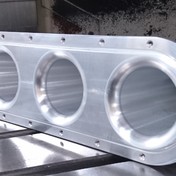
I am trying to machine this repair piece for a machine at work. I have it drawn how I want it and seem to be struggling with finishing it in manufacture mode.


I have attached the part with this post as well.


Where I am struggling is with the flat portion that is circled in red. Any function I use will not clean it up. And if it does clean up it leaves gouge marks on the outside of piece which obviously isn't good. I am just at a loss of what to do here. If someone can steer me in the right direction that would be awesome. I can't seem to get the computer to do what I want. Time is not an issue with this part as it is for a repair and not production. I just need it right. I feel like I am close but don't know how to push to the finish line. Any help or suggestions would be much appreciated.

ac205747-8440-48ce-977a-232551358a64.png


0 Likes
1,046 Views
4 Replies
Replies (4)
Message 2 of 5

david.lundbergC7AM5
Advocate
Advocate

davidlundbergC7AM5_0-1668437226104.png


As I see it, you've got radial stock left from previous operations, and that's what's causing what looks like violation of the outer diameter.

/ David

0 Likes
Message 3 of 5

pelseyHYPS2
Contributor
Contributor
The radial stock was left because without it the tool was gouging the outside of the piece
0 Likes
Message 4 of 5

pelseyHYPS2
Contributor
Contributor

The radial stock is left due to the gouging in the toolpath. In that screenshot I can see its still gouging. 

0 Likes
Message 5 of 5

DarthBane55
Advisor
Advisor

I think I would finish this floor with the tip of the endmill using 2d contour with stock contour enabled to avoid cutting too much air.

0 Likes
