- Mark as New
- Bookmark
- Subscribe
- Mute
- Subscribe to RSS Feed
- Permalink
- Report
[ FlexSim 19.0.0 ]
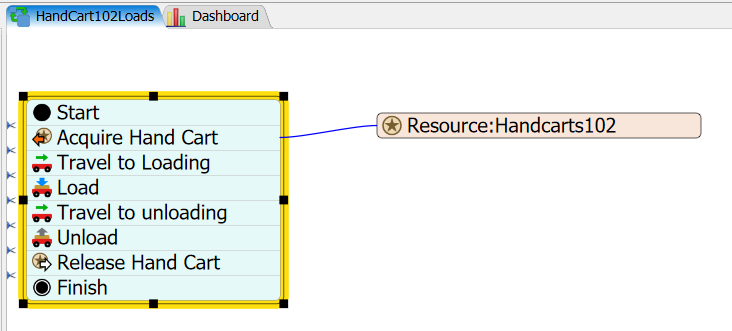
I am adding a small section of Process Flow to my model to allow me to vary the number of Task Executers (Handcarts) more easily. The tutorial shows how to do it with an Event-Triggered Source, but I wanted to try it in the "Use Transport" field, using the option "ProcessFlow: Use Task Sequence Sub Flow"

(Can't get the other fields to stay open when I switch to the snipping tool!)
I used all the standard fields but I did get rid of the "dispatcher" label, since I was never referencing it in the PF, and I thought this logic would replace the dispatcher.
I have one input queue feeding four production area queues (using the label "Type" to reference the correct output port), and three production output queues sending pallets out of the building. I successfully got all of them working using the PF subflow.

I was using a dispatcher before, but once I set up the PF logic and it was working, I took out the connections to the dispatcher. But then the tokens get stuck at the "Acquire Handcart" activity and do not get allocated to a TE. I got an error message that the "variables/transportdispatcher " was not valid.
The "Owner Object" field help text says it "defines the instance object, normally a TE or dispatcher", but if the PF logic will be choosing the TE to use, I can't assign that in this field. The combobox gives the option of "current" or "item" as an instance object, which makes sense, but neither one triggers the "Acquire Handcart" properly.
After trying a couple options I added back the dispatcher to ONE of the queues, and now ALL of the transport logics are working. Some with "current" as the instance object and some with "item".
Can you explain why it works this way? Is it better to use the Event-triggered source?
Solved! Go to Solution.