Set-up From to Table

Set-up From to Table

yoni_a
Not applicable
208 Views
5 Replies
Message 1 of 6

Set-up From to Table

yoni_a
Not applicable

[ FlexSim 18.2.2 ]

fromto-table-setup.png

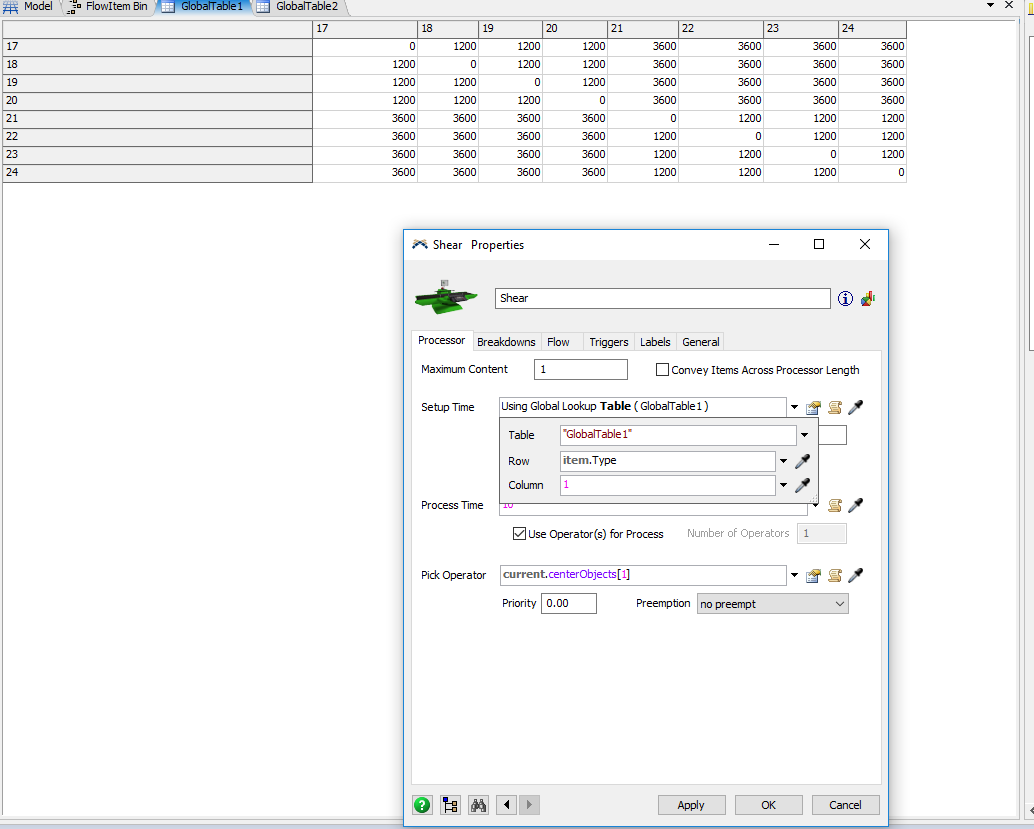
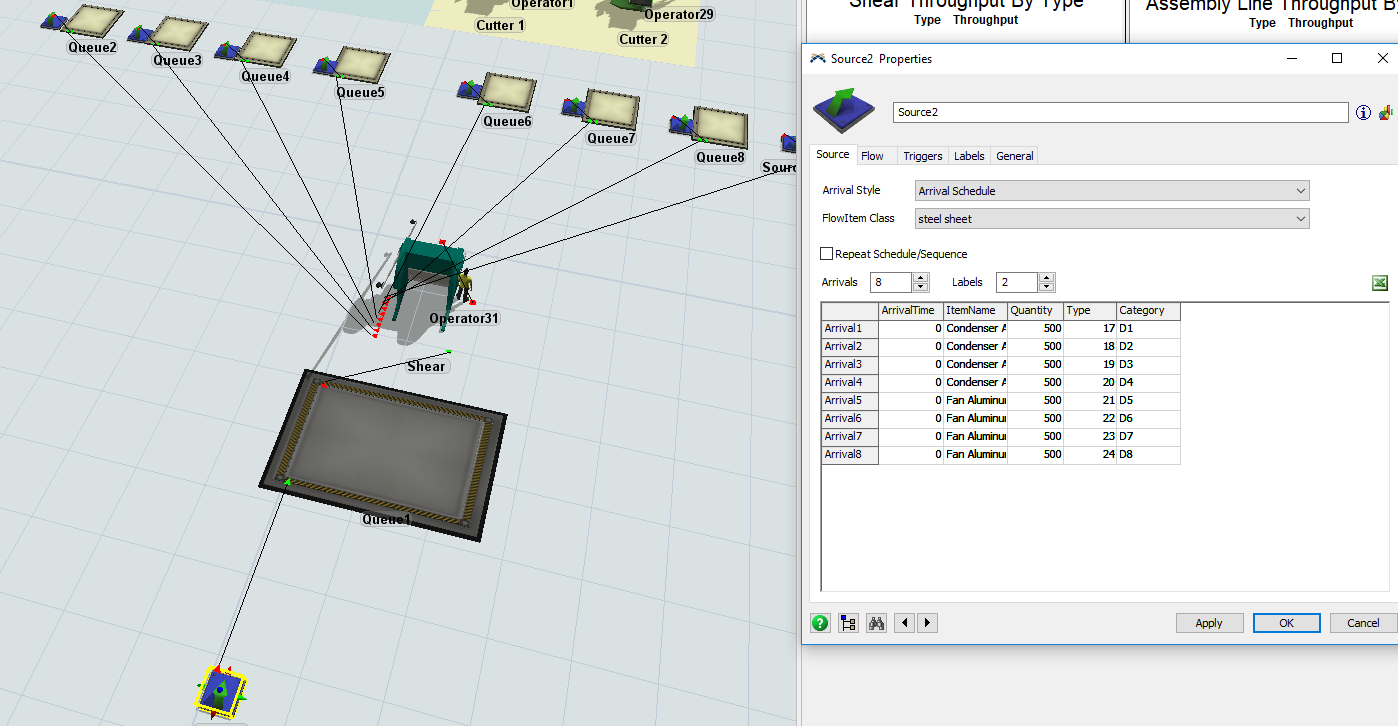
How do I set-up the row and column field in a processor that have 8 items type as shown in the picture (item types :17,18,19,20,21,22,23,24). the processor have to process all items types in batches of 500, when it finishes an item type then the processor have to read the global table and do the set-up based on the from to table

0 Likes
Accepted solutions (1)
209 Views
5 Replies
Replies (5)
Message 2 of 6

tanner_p
Not applicable

So just to clarify, you'd like the setup time to take the item type of the last item it processed and the item type of the next item it will process and look for the change-over time in the table you provided?

Is the most recent item's type the column value?

or

Is the next item's type the column value?

0 Likes
Message 3 of 6

tanner_p
Not applicable
Accepted solution

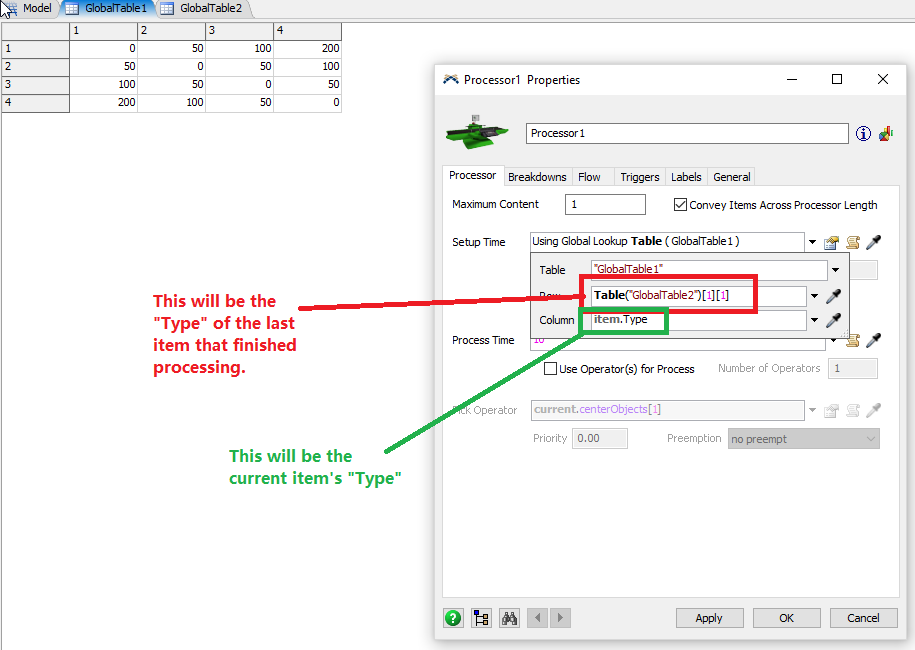
Here's an example where I used a second global table to determine the row value. In this model, the GlobalTable2 value is set to the "Type" of the item that most recently finished processing.

15268-setup-time-table-1.png

Then, the processor determines the setup time by looking at the table with a row value coming from the previous item's "Type" and the column value coming from the current item's "Type".

15269-setup-time-table-2.png

I know this isn't perfect, but I hope it helps and maybe gives you an idea for your own solution.

Example Model with 4 item types: setup-time-table-example.fsm

Message 4 of 6

yoni_a
Not applicable

see labels-setup.png image for how I defined ItemType is this why the processor is having a hard time reading the right ItemType @Tanner Poulton

0 Likes
Message 5 of 6

joerg_vogel_HsH
Mentor
Mentor

The global must contain only your process times at the row numbers matching your item.Types values.

Message 6 of 6

tanner_p
Not applicable

@yoni A,

Because Column 1 in your table is assigned the number "17", it won't access the table properly. You can offset the values to match column numbers like this:

15329-row-corrected-number.png

0 Likes