Heatmap Data Extraction

Heatmap Data Extraction

maryamh11
Collaborator Collaborator
3,156 Views
19 Replies
Message 1 of 20

Heatmap Data Extraction

maryamh11
Collaborator
Collaborator

[ FlexSim 23.2.0 ]

I want to extract the heatmap data, as explained in this post: Heat map gradient - FlexSim Community. However, I'm a bit confused once I've extracted this data to the Global Table. How can I determine which location/zone on the floor plan each number in each row/column represents? Is there a way to extract such data, meaning knowing the number of traversals per zone/aisle or designated location?

Additionally, I would like to define some zones/room space areas on the floor plan and extract data on how many people are in those locations at each time. How can I do this?

0 Likes
Accepted solutions (1)
3,157 Views
19 Replies
Replies (19)
Message 2 of 20

jason_lightfoot_adsk
Autodesk
Autodesk
Accepted solution

You could create a map of grid/tile locations to zones.

It might be easier to start with the Heat Map Anything object and customise that. Then you're not tied to Astar.

0 Likes
Message 3 of 20

maryamh11
Collaborator
Collaborator
@Jason Lightfoot thanks for the answer!

Do you mean that extracting heatmap data from A* is not possible and I should create a heatmap by myself for either to extrat traversals data at each node/time and traversals per Location/Zone the ones that I designate in my model? I'll start with Heat Map Anything by I wonder how much time/effort is needed to create a map of grid/tile locations to zones?

0 Likes
Message 4 of 20

jason_lightfoot_adsk
Autodesk
Autodesk

No it's clearly possible to extract the AStar map.

If you need to put a lot of work into mapping the zones to tiles then it might make sense to use the customisable heat map that is fully under your control and you can use for any navigator rather get tied into Astar's heat map.

For example you could add the detection of when a traveller changes zone via the heat mapper update, and trigger something from that eg. update your statistics.

0 Likes
Message 5 of 20

jason_lightfoot_adsk
Autodesk
Autodesk

Hi @Maryam H2, was Jason Lightfoot's answer helpful? If so, please click the "Accept" button at the bottom of their answer. Or if you still have questions, add a comment and we'll continue the conversation.

If we haven't heard back from you within 3 business days we'll auto-accept an answer, but you can always comment back to reopen your question.

0 Likes
Message 6 of 20

maryamh11
Collaborator
Collaborator

@Jason Lightfoot sorry for the delay in getting back to you!

In the first link you provided, which comment actually generates a map?

Regarding the Heat Map Anything Model, I noticed there are two triggers labeled "on draw" and "on reset" within the Heat Mapper object. Could you help me understand how to customize these triggers? Is it a complex coding task? I would appreciate it if you could guide me step by step.

My immediate concern is figuring out how to extract traversals per node, even if it's possible in A* navigator. Also, I'm interested in creating zones or locations and measuring the number of people who have moved through those areas. How I can create zones and how I can add detections? (Like a Location Census Chart in HC with the difference that I create the Zones) This is somewhat urgent for me, so it would be great if you can help me on this.


0 Likes
Message 7 of 20

maryamh11
Collaborator
Collaborator
@Jason Lightfoot I wonder if there's a quick solution to extract such data. Census for Zones or Locations that I create/define. Would you mind take a look at my last comment?
0 Likes
Message 8 of 20

jason_lightfoot_adsk
Autodesk
Autodesk

You would not edit those triggers - the map is calculated using the code on the updateMap label. I can't walk you through the changes since I'm not fully sure I understand how you want to define the zones. The create map is a set of x/y integer values that represent each tile and they can have any resolution. You would need to come up with model coordinates or ranges thereof for which you've defined your zones. Then you could think about how to incorporate those into the map.

Here's the latest version (object scales for metres).

heatmapanything3.fsm

0 Likes
Message 9 of 20

maryamh11
Collaborator
Collaborator

@Jason Lightfoot I've attached a simple model here.

Let's say that I want to create two zones (shown in blue and orange planes). how should I update the heatmapupdate label on the red cylinder? what is the type of this label (I guess Array Data)?

I don't understand what do these numbers mean : ...: 23, : 22, : 23, : 24, : 29, : 28, : 29, : 6, : 30, : 29, : 35, : 62, : 38, : 35, : 35, : 35, : 35, : 36, : 18, : 28, : 30, : 30, : 6, : 4, : 9, : 11, : 9, : 18, : 36, : 35, : 35, : 35, : 35, : 35, : 35, : 35, : 35, : 35, : 35, : 35, : 35, : 30, : 30, : 35, : 35, : 35, : 35, : 35, : 35, : 8, : 9, : 33, : 30, : 30, : 30, : 30, : 30, : 30, : 30, : 30, : 17, : 31, : 29, : 30, : 30, : 30, : 30, : 32, : 86, : 30, : 16, : 11, : 11, : 9, : 11, : 9, : 11, ...?

Do I need to change anything else?


simple-model-heatmap_1.fsm

0 Likes
Message 10 of 20

jason_lightfoot_adsk
Autodesk
Autodesk

That doesn't work at all since you've misspelled the group name as "HeatMapMmebers".

The interval in the example model was 0.1 seconds, not 0.1 minutes - you'll need to change that.

The divisions per unit was set to 2 per metre (so 0.5m square) so you should change the resolution to 0.5 per foot.

The heat pallet needs to be from 0 to 100.

The data is stored in the map format - you can read about it here. You can also look at the OnDraw Trigger for examples to see how the information from the heat map label is read.

These changes applied to your model below:

simple-model-heatmap-1jl.fsm

If you're going to define your zones as planes then we just need to determine if the traveller is inside your plane coordinates and there's a simple function for that I can look out and upload.

0 Likes
Message 11 of 20

maryamh11
Collaborator
Collaborator
@Jason Lightfoot got it, thanks!

yes, can you let me know what that function is?

To keep track of the number of people in each plane should I post a new question or is it achievable via this model?

0 Likes
Message 12 of 20

jason_lightfoot_adsk
Autodesk
Autodesk

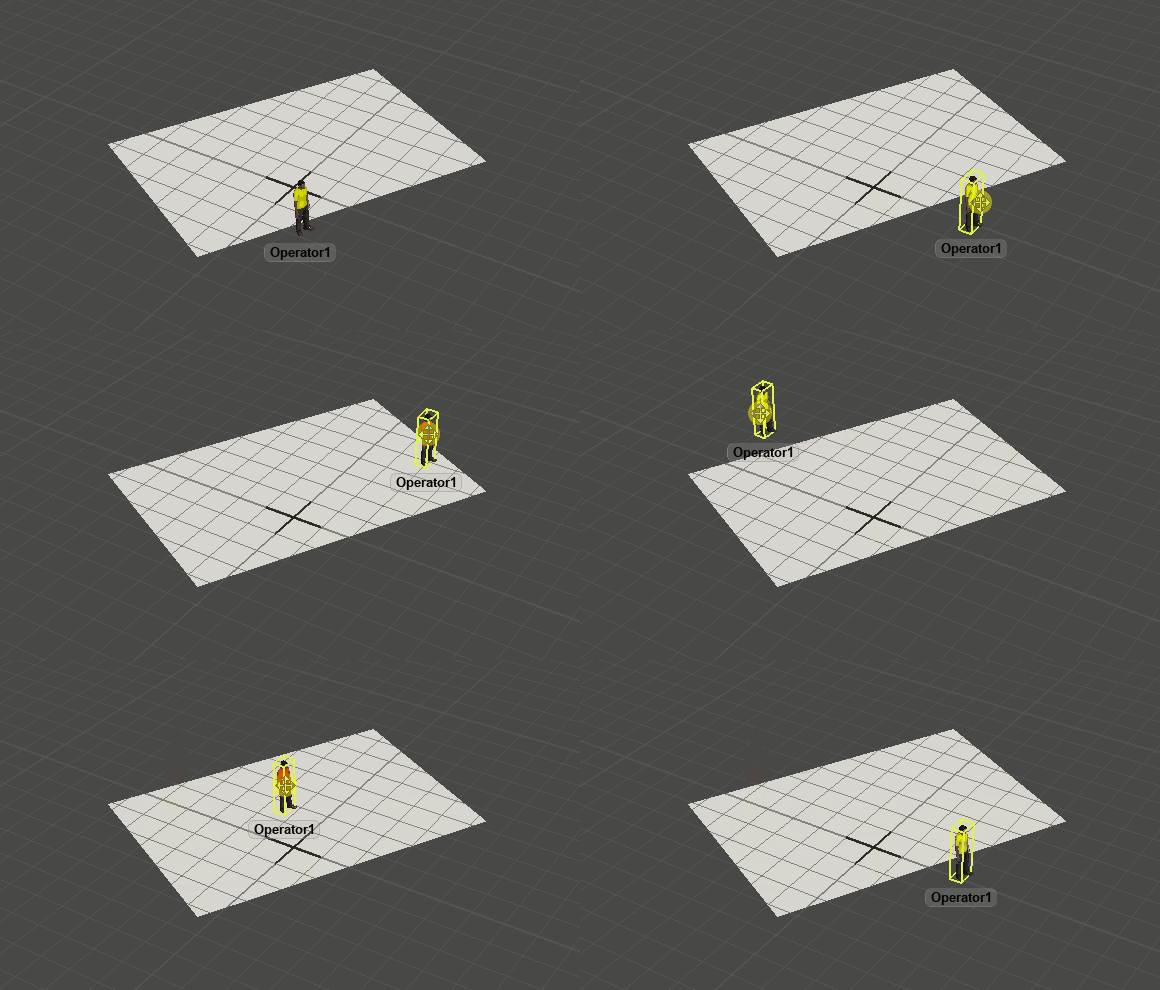
Here's an example model - drag the operator over the visual tool and the operator's onDraw code calls a user command objectContainsCentre to determine if it should be red or yellow. The operator has a label pointing to the visual tool as a reference.

operatorwithinrectangle.gif


Also attached is a library which will put the needed commands into a model at the time of loading (auto-install).

Operator within rectangle.fsm

withinRectangle23.2.fsl

0 Likes
Message 13 of 20

maryamh11
Collaborator
Collaborator

@Jason Lightfoot

After adding the library to my model, how can I get the census data for each plane over time from the heatmap? I want to know the census count for each plane at different times.

0 Likes
Message 14 of 20

jason_lightfoot_adsk
Autodesk
Autodesk

Is it just the count at key times? If it's infrequent then create new events (user event or stats collector) to gather the data. If you need to know to a fine detail like the heat map, then you could add that detection to updateheatmap code.

Attached is an example using a stats collector.

FloorZoneExample.fsm

0 Likes
Message 15 of 20

maryamh11
Collaborator
Collaborator
@Jason Lightfoot

I exactly wanted something like what you did, thanks a lot!

Just let me implement it in my model and get back to you if any issues.

Message 16 of 20

maryamh11
Collaborator
Collaborator

Hi @Jason Lightfoot

I was able to replicate all of the components you provided in my model, except for the "Operators Group." My operators are located in different areas of the floor plan and are grouped independently. When I attempted to create a group called "Operators" and set up a "NumOperators" parameter as you did, I saw an issue (I 'm just guessing this might be the cause of the issue). After I reset, all the operators from different groups moved to the same location as the first operator in the "Operators" group, and their appearance and names changed to match that first operator (as shown in the picture below). Also, the operators do not move when I run the model, and no data appeared on the Zone census chart.

Do you hink the Operators group is causing this issue?

How can I resolve this issue and make it work in my model?

1697641465315.png


0 Likes
Message 17 of 20

jason_lightfoot_adsk
Autodesk
Autodesk
I think we should create a new Question with the topic of Floor Zone Census for this. But why are you creating them from a parameter - that was just for my test model - doesn't your model already have operators defined? You just need a reference to all the operators in your model - I did it as a group and parameter as it's easy to set up. You should be able to do that too and select all the objects of class Operator. An operator can be in multiple groups so should not interfere with what you have already.
0 Likes
Message 18 of 20

maryamh11
Collaborator
Collaborator

Okay, I'll submit this as a new question and mention you. But do you mena that I do not need to create a "NumOperators" parameter, as I already have the operators in separate groups?

0 Likes
Message 19 of 20

jason_lightfoot_adsk
Autodesk
Autodesk
You should just be able to add a new group and select all the operators in your model.
0 Likes
Message 20 of 20

maryamh11
Collaborator
Collaborator
it worked, you're right! thanks
0 Likes