Getting OPTQUEST ERROR

Getting OPTQUEST ERROR

raashid_mohammed1
Not applicable
367 Views
6 Replies
Message 1 of 7

Getting OPTQUEST ERROR

raashid_mohammed1
Not applicable

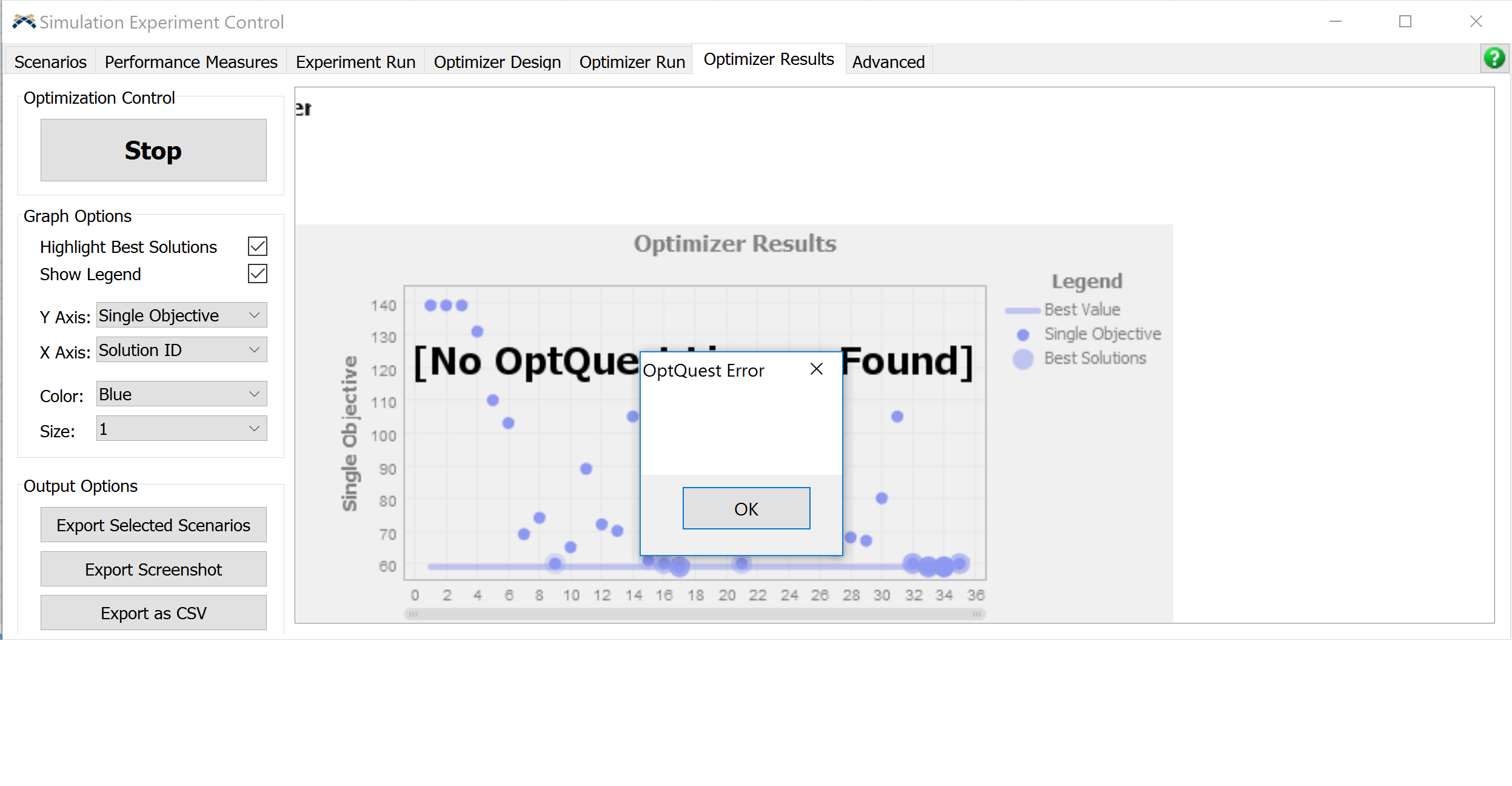
I have loaded the new optquest license I received from flexsim. The license works on other persons computer but on mine its says OPTQuest Error

I tired to reinstall but still gives me same error

I checked my activation I have two OPT quest and when I remove one of them it gives me following error

@roger.hullinger

9034-untitled2.png

0 Likes
Accepted solutions (1)
368 Views
6 Replies
Replies (6)
Message 2 of 7

philboboADSK
Autodesk
Autodesk

That error is a problem with the OptQuest DLL not being registered; it is not a problem with the optquest licensing.

See OptQuest Error -1 for an example on how to manually register the OptQuest DLL to fix this issue.


Phil BoBo
Sr. Manager, Software Development
Message 3 of 7

raashid_mohammed1
Not applicable

I tried that too. It says it is sucessfully registered but still gives me same error

9041-untitled3.png

0 Likes
Message 4 of 7

JordanLJohnson
Autodesk
Autodesk

Notice that your version of the .NET framework is different than the one "fix". You need to install an earlier version of the .NET framework. I believe if you install .NET 3.5, it will work. Previous versions can be installed through the Windows Features dialog (search for Turn Windows Features on or off, and you can find the Windows Features dialog)

.


Jordan Johnson
Principal Software Engineer
>

Message 5 of 7

Ben_WilsonADSK
Community Manager
Community Manager

@Raashid Mohammed, @jordan.johnson,

If you don't install an older version, couldn't you just update the version string in the command path?

%WINDIR%\Microsoft.NET\Framework\***YOUR VERSION NUMBER HERE***\regasm.exe .\comoptquest.dll<br>

Where ***YOUR VERSION NUMBER HERE*** would correspond with the version you have installed and found at that path? Or does it have to be the given version (v4.0.30319 as in the example)?

0 Likes
Message 6 of 7

JordanLJohnson
Autodesk
Autodesk

I am not sure, but I don't think so. The command is just a path to a program called regasm.exe, so if the older version isn't installed, I don't think the correct regasm.exe will be available.

.


Jordan Johnson
Principal Software Engineer
>

0 Likes
Message 7 of 7

Ben_WilsonADSK
Community Manager
Community Manager
Accepted solution

Hi @Raashid Mohammed,

OptQuest relies on functionality found in the .NET Framework 3.5. By default this is not installed on Windows 10.

To install .NET 3.5, press the Windows icon (start button) to open the Start menu, then type Turn Windows features on or off. Select that option.

In the Windows Features window that opens, select .NET Framework 3.5 (you don't need the sub-items).

9047-2017-10-11-14-46-32-windows-features.png

You may be prompted to download the files from Windows Update.

Once .NET installation is complete, start FlexSim. Your OptQuest installation should now work.