...
Greetings Diego, but I'm wrong, you're Spanish speaking, if so, I invite you to participate in the FORUMS AS AUTOCAD AND CIVIL 3D, BETWEEN OTHERS OF THE COMMUNITY IN SPANISH, otherwise a thousand apologies for the confusion, I leave you the Reference link:
Https://forums.autodesk.com/t5/espanol/ct-p/157
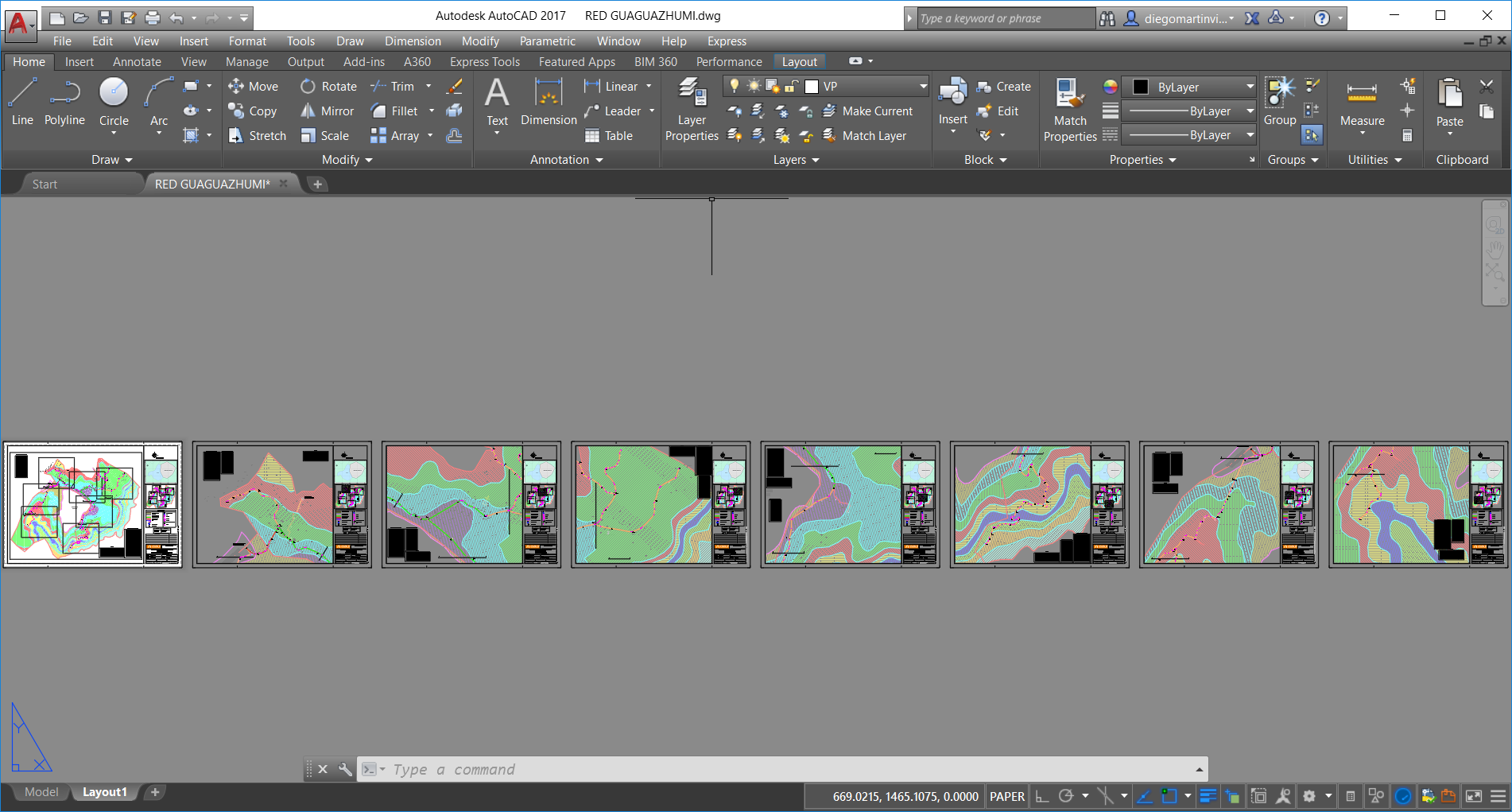
With respect to your query and as indicated by the partner @Joe-Bouza, it would be good that each plane you put in each layout, and avoid having several planes in its single layout, as this can hurt and slow down the PC as you indicate, Worse even if the PC does not have good resources
If your plans have many elements to visualize, objects and other things, this could affect in the slowness of the PC or process at the time of plottear ...
If you put a map in each layout, the plotteo process will be more comfortable, since you can use the routine LISP that indicates the video by the partner Yoffre Vargas (Spanish Community) or you can also use the option PUBLISH in The FILE menu either to print in PDF or PAPER, I leave a reference link:
Https://forums.autodesk.com/t5/autocad-civil-3d-infra-geo/impresion-plan-production-plan/m-p/5782089...
I hope the info can be useful ...
Atte.
ESPAÑOL
...
Saludos cordiales Diego, sino me equivoco tu eres de habla hispana, si es así, te invito a ser participe del los FOROS COMO AUTOCAD Y CIVIL 3D, ENTRE OTROS DE LA COMUNIDAD EN ESPAÑOL, caso contrario mil disculpas por la confusión, te dejo el link de referencia:
https://forums.autodesk.com/t5/espanol/ct-p/157
Con respecto a tu consulta y como lo indica el compañero @Joe, sería bueno que cada plano lo pongas en cada layout, y evitar tener varios planos en su solo layout, ya que esto puede perjudicar y poner mas lento la PC como lo indicas, peor aun si la PC no tiene buenos recursos
Si tus planos tienen muchos elementos que visualizar, objetos y demás cosas, esto podría afectar en la lentitud de la PC o proceso al momento de plottear...
Si pones un plano en cada layout, el proceso de plotteo será mas comodo, ya que puedes hacer uso de la rutina LISP que indica el video por parte del compañero Yoffre Vargas (Comunidad Español) o también puedes hacer uso de la opción de PUBLICAR en el menú ARCHIVO ya sea para imprimir en PDF o en PAPEL, te dejo un link de referencia:
https://forums.autodesk.com/t5/autocad-civil-3d-infra-geo/impresion-o-plotteo-de-plan-production/m-p...
Espero que la info pueda ser de utilidad...
Atte.
> > > > > > > > > > > > > > > > > > > > > > > > > > > > > > > > > > > > > > > > > > > > > > > > > > >
PD:
Si la info es de tu interés, dale manitos arriba (KUDO)...
Si la info da solución a tu inquietud, o es conocimiento nuevo para poderlo aplicar en el futuro, acéptalo como SOLUCIÓN...
TU ACEPTACIÓN O APOYO EN CUALQUIERA DE LAS 2 FORMAS, ES EL INCENTIVO PARA PODER SEGUIR APORTANDO CON LO MUCHO O POCO QUE SEPAMOS DE ESTE GRAN SOFTWARE PARA EL BIEN DE TODA LA COMUNIDAD...
Felices festividades de Carnaval y feriado...
ALEJANDRO PANCHANA (Guayaquil-Ecuador)
Facebook | Twitter | Screencast