Editing a cross section and applying it on a profile

Editing a cross section and applying it on a profile

Anonymous
Not applicable
1,052 Views
3 Replies
Message 1 of 4

Editing a cross section and applying it on a profile

Anonymous
Not applicable

Hello friends,

I'm new in Civil 3D and I have a question about editing a cross sections:

Can I edit a curtain cross section sothe profile will redid itself automatically?

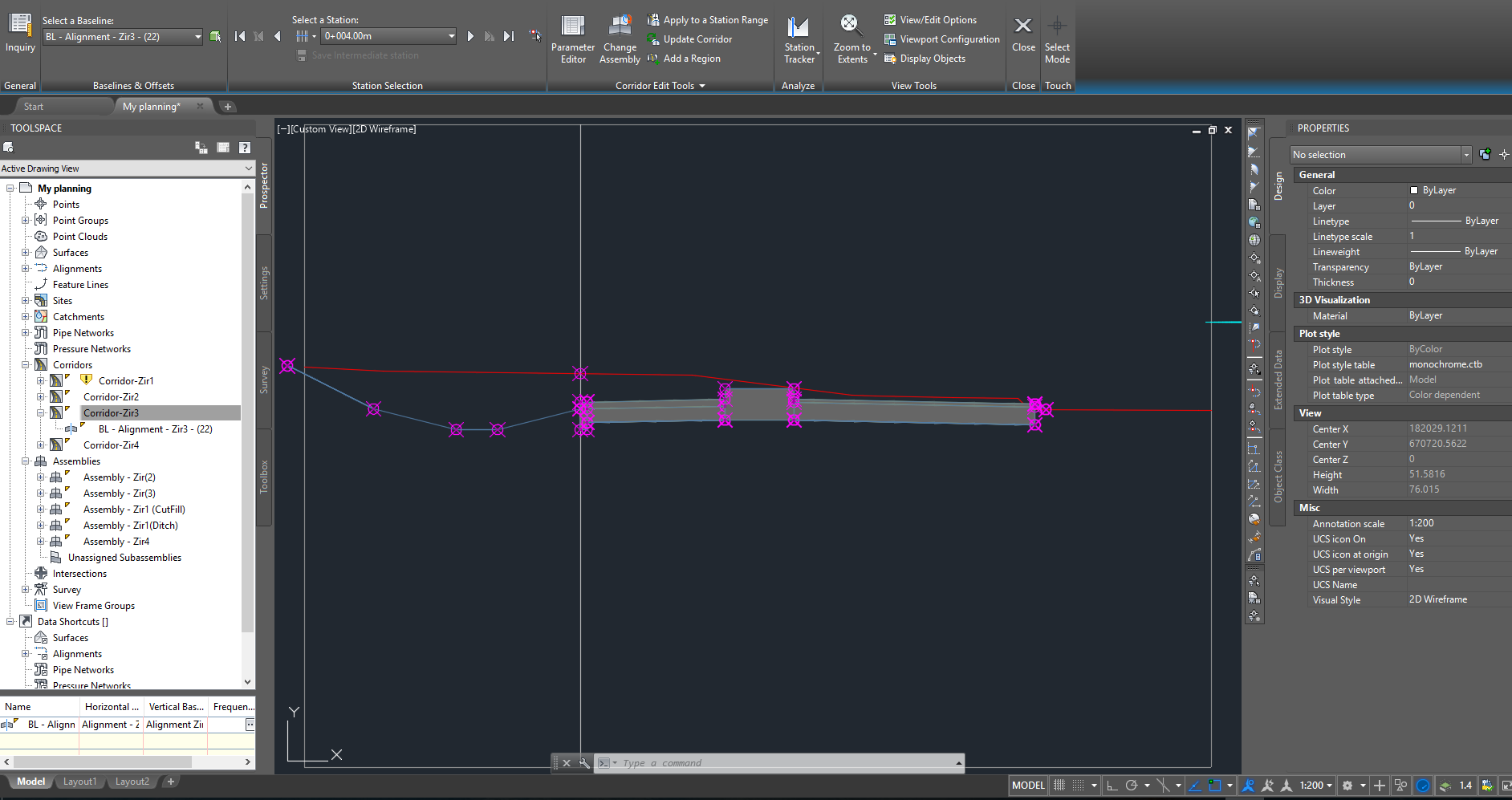
For example in the added screen shot I want to move the cross section a little bit up and left. How do I do it?

Thanks in Advance

0 Likes
1,053 Views
3 Replies
Replies (3)
Message 2 of 4

Dexterel
Collaborator
Collaborator

you need to add a offset target. See image 1 and 2. Image 2: change the default offset value to 0.

And assign a polyline or alignment target (to overwrite the axis)

0 Likes
Message 3 of 4

Anonymous
Not applicable

I don't have any offset in the assembly.

Maybe i wasn't clear enough, I wan't to move in this specific section the assembly from node 1 to node 2.

Thanks

0 Likes
Message 4 of 4

Dexterel
Collaborator
Collaborator

I understood what you need.

a. Add and offset target

b. Add an override station and modify locally your parameters as shown in attached image.

 1. Go to sections editor

 2. Edit Subassembly parameter

 3. Edit Parameters to your desire.


I don't know a better way

0 Likes