

- Mark as New
- Bookmark
- Subscribe
- Mute
- Subscribe to RSS Feed
- Permalink
- Report
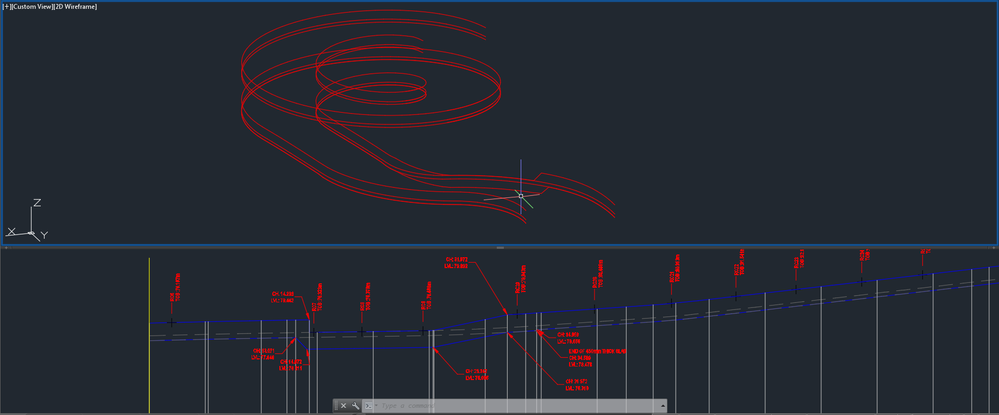
Ok before anyone points out the obvious, I know that Civil3d cant actually do true vertical elements in a profile but the attached image shows a as near as possible vertical element (offset 10mm between the top and bottom) to enable the design.
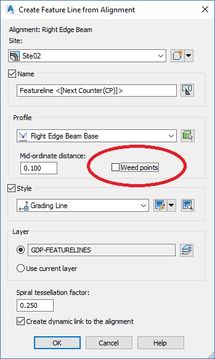
I can detail this in the long section but why when I look at the 3d view (profiles) or export it via alignment to featureline it does not appear/export this information as designed in the profile? See image below, the vertical section in the long section is the top line shown just above the cross hairs which seems to be about 45 degrees.
When I export the profiles to Landxml or to landxml via Leica Infrastructure I get the same results?
This design was a helical ramp with edge beams & SuperElevation, one beam needed to dip down underneath the edge to form an access, the whole thing as it wraps over its self has caused a lot of hassle and head scratching to model - Got there though.
Going forward I'm really thinking of Retaining walls here, we detail a lot of walls in Civil3d where the top and bottom step, I initially concept design them in Civil3d then pass over to Revit for "proper" final structural design but I'm concerned that I may be pushing inaccurate data across in a model.
Can someone let me know what the logic is, ie min gradient or distance displayed / exported so that in the future I know what elements of my design may not be passed across and use a workaround as needed.
Mike
Civil3D 2022 English
Windows 7 Professional 64-bit
Intel(R) Core(TM) i7-3820 CPU @ 3.60GHz (8 CPUs), ~4.0GHz With 32768MB RAM, AMD FirePro V4900, Dedicated Memory: 984 MB, Shared Memory: 814 MB

Solved! Go to Solution.