Alignment Station Equation Report Not Correct

Alignment Station Equation Report Not Correct

kamran.cad06
Enthusiast Enthusiast
2,620 Views
7 Replies
Message 1 of 8

Alignment Station Equation Report Not Correct

kamran.cad06
Enthusiast
Enthusiast

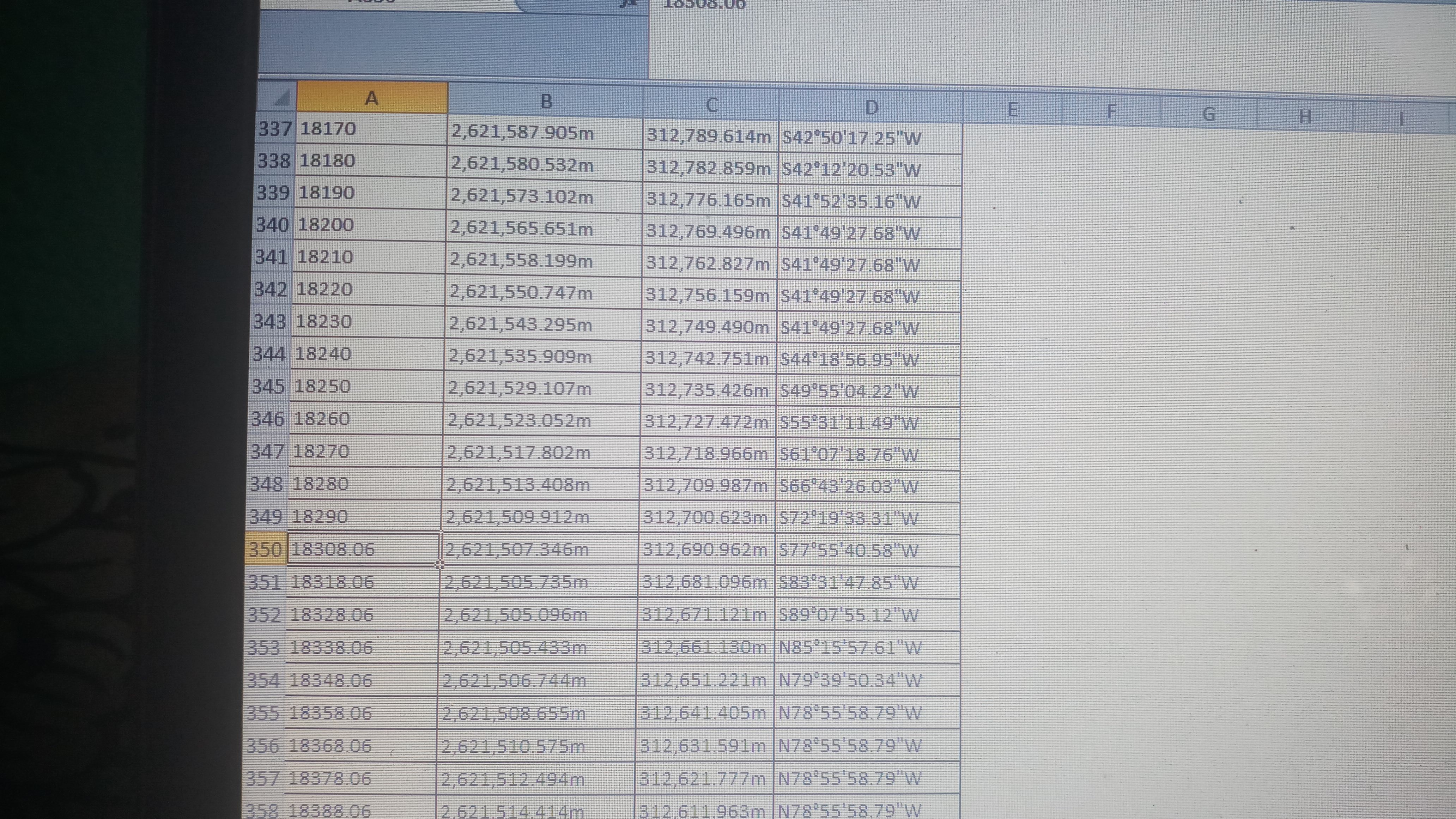
My station back is 1+010.37 & station ahead is 1+025.00 Now I want to get station increment report on every 25m station, before station equation it gives me correct stations like 0+025, 0+050, 0+075 .... but after station equation it gives me station report calculating 25m distance from station back like 1+010.37, 1+035.37, 1+060.37..... 
I want to get all station list equally even before or after equation like 0, 25, 50, 75, 100......

0 Likes
2,621 Views
7 Replies
Replies (7)
Message 2 of 8

tcorey
Mentor
Mentor

I don't have a fix, I can only confirm the (mis)behavior.


Tim Corey
MicroCAD Training and Consulting, Inc.
Redding, CA
Autodesk Platinum Reseller

New knowledge is the most valuable commodity on earth. -- Kurt Vonnegut
0 Likes
Message 3 of 8

Dexterel
Collaborator
Collaborator

Use the ability to add alignment label to a range. see attach png.

Just add two alignment labels one till 1+010.37 and one starting from 1+025.00.

Hope it works.

0 Likes
Message 4 of 8

kamran.cad06
Enthusiast
Enthusiast

unfortunately, your suggestion do not work in my case. Problem is not with labels but with Station Increment Report. it only happens when I generate station increment report. all stations after equation station are disturbed in the report. see attached screenshots

0 Likes
Message 5 of 8

Dexterel
Collaborator
Collaborator

From what I see you have a workaround.

Make your report in two steps

from 0-1+010.37

and a separate report from 1+010.37 till end. See attached 1.png for second report

And join this two reports "manually".

0 Likes
Message 6 of 8

umeshkumar292
Community Visitor
Community Visitor

i am facing same problem please help me

0 Likes
Message 7 of 8

umeshkumar292
Community Visitor
Community Visitor
How to carrect it
0 Likes
Message 8 of 8

mgebeyehu1221
Community Visitor
Community Visitor

I just solved this issue check the attached image

0 Likes