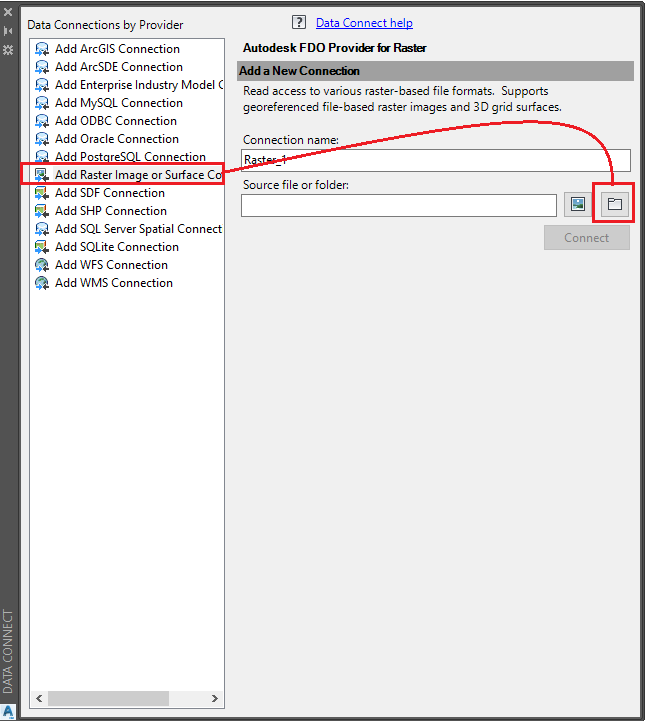
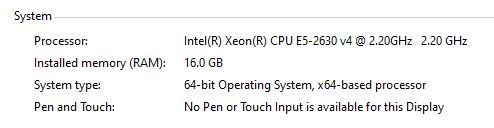
To me this is really just a workaround, and not one that works for us, because we have spent a good bit of time putting together preset layers for different work areas, and many of our projects have them in as FDO already. I don't want to throw away all those hours. I have also heard people think it's utilizing the wrong card - that may be true in some circumstances, but not in ours.
MAPIINSERT I'm not really feeling either because for some reason its going much slower on the initial load. It appears that something is up with the way the hardware acceleration is processing raster graphics in the 2015 engine - don't know if it's the acad engine or tied to map.
Note all I'm about to say is in 2D only. 95% of our efforts are in 2D.
So here is what I have learned to date trying to fix this issue:
Some are saying it is using the integrated graphics card instead of the accelerated card. I'm not so sure of that. When I look at the Graphics card properties, it shows the integrated graphics card listed at the top, but the tuner log notes the quadro k1000m is my primary card.
With Hardware acceleration on, I was using GPU-Z (a benchmarking tool for graphics cards) to watch my graphics card utilization and it was ONLY showing utilization of the K1000M, so I am pretty certain that it's using the right card. With hardware acceleration off, GPU utilization is very low single digits no matter what I do. Fast pans and zooms, it can get up to 50% when I'm panning and zooming.
Funny thing is, I see absolutely no performance loss with GPU utilization off, and I can pan and zoom with the hi-res FDO object displayed (several 20 MB images tiled together) with a <.5 econd lag on panning. Beats the pants off the 30+seconds it is taking to pan with hardware acceleration on. And looking at the GPU Benchmarking, 0% load on the quadro for the snappy performance with hardware acceleration off, while during the whole 30 seconds with it on, the GPU is consistently around 15% and one of my processor cores has a full load.
I think it definitely indicates there is a snafu in the algorithim to utilize the GPU for raster images somewhere between the new autocad engine and Map3D that creates the heavy processor load. With some of the new changes on the graphics processing end and different departments coming together on the development between the map team and autodesk engine team, I hope they look into what the software is doing here.
In the meantime, from what I can tell the best bugfix if you work in 2D is just to turn off the graphics acceleration. Run a few tests yourself, but if you are like me, benchmarks will show little to no difference, making me question now why spend the $$$ on an accelerated video card in the first place unless you are doing 3d modeling? Sure, the GPU utilization takes load off of the CPU, but it seems to only when the application is in focus, and when it's in focus, so long as it has the CPU's priority, I rarely if ever have background apps that need more than one core of load, and Autocad is still programmed in a way that many functions seem to work in serial, so a lot of graphic intense analyses still seem to have to wait on the CPU to process - worth noting, I never saw heavy gpu utilization exceed 40% and everytime it hit that high, one core was fully utilized, making me believe there is still a bottleneck with the CPU required functions for what I do in Civil3d.
Has anybody tried forcing 2015 back to DirectX 9 as a solution to the problem?