- Home
- /
- Architecture, Engineering & Construction
- /
- AutoCAD Forums
- /
- AutoCAD Forum
- /
- backgammon board
backgammon board
Options
- Subscribe to RSS Feed
- Mark Topic as New
- Mark Topic as Read
- Float this Topic for Current User
- Bookmark
- Subscribe
- Mute
- Printer Friendly Page
backgammon board

Not applicable
2,229 Views
5 Replies


2,230 Views
5 Replies
Replies (5)
Message 2 of 6


- Mark as New
- Bookmark
- Subscribe
- Mute
- Subscribe to RSS Feed
- Permalink
- Report
Your version of AutoCAD is...?
Do you want to be taught how to draft in AutoCAD? or did you mean something else, like just inserting the PDF into your DWF file? There are enough dimensions in that PDF to draw the object, don't you agree?
Do you want to be taught how to draft in AutoCAD? or did you mean something else, like just inserting the PDF into your DWF file? There are enough dimensions in that PDF to draw the object, don't you agree?
Message 3 of 6


- Mark as New
- Bookmark
- Subscribe
- Mute
- Subscribe to RSS Feed
- Permalink
- Report
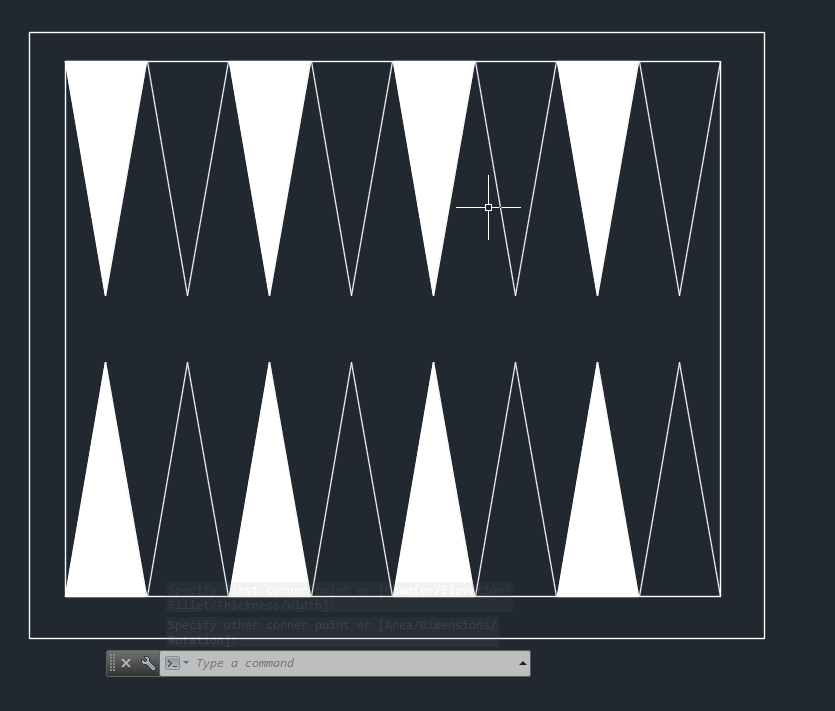
could you show your work so far?
CADnoob

Message 4 of 6


- Mark as New
- Bookmark
- Subscribe
- Mute
- Subscribe to RSS Feed
- Permalink
- Report
Hi @Anonymous,
Welcome to the Autodesk Communtiy!
The instructions on the left hand page look pretty straight forward. What are you stuck on? I am not sure exactly what kind of help you are looking for. Please add a post with any questions regarding your exercise.
John Vellek
Join the Autodesk Customer Council - Interact with developers, provide feedback on current and future software releases, and beta test the latest software!
Autodesk Knowledge Network | Autodesk Account | Product Feedback
Message 5 of 6

- Mark as New
- Bookmark
- Subscribe
- Mute
- Subscribe to RSS Feed
- Permalink
- Report
Hi,
if you are serious with this,believe me you can do it by one minute.by the following commands line you can accomplish your home work:
- Rectangle.
- Offset.
- Line or pline.
- Hatch.
- Mirror.
try to understand how these commands are working and this is will be the first step in your good knowledge experience.
Good Luck...
Imad Habash
Message 6 of 6

- Mark as New
- Bookmark
- Subscribe
- Mute
- Subscribe to RSS Feed
- Permalink
- Report
@imadHabash wrote:
if you are serious with this,believe me you can do it by one minute.
Yeah, it can be done quickly, but I would be amazed to see someone in school (or even a seasoned drafter for that matter) do this from scratch in less than a minute.
Rob
Drafting is a breeze and Revit doesn't always work the way you think it should.