- Mark as New
- Bookmark
- Subscribe
- Mute
- Subscribe to RSS Feed
- Permalink
- Report
Hello,
I installed autoCAD 2016 student version in my new laptop:
Asus Zenbook UX303LN
i7 - 4510U
Dual Core 2.0 - 3.1 GHz with 4MB
12GB DDRL (4 onboard)
Nvidia GeForce GT 840M 2GB DDR3
Then, I opened a drawing of the whole city of Lisbon, which I could easily work on my previous less powerful laptop and older version of autoCAD.
When I selected the whole drawing, to change the colour, it crashed and closed.
So I started selecting parts of the drawing, changing the colour, unselecting and repeating the selection for another part (1/10th of the drawing). It allowed me to select the first and second parts, then it would crash and close.
I did this to 9/10 of the drawing with more than 20 crashes.
So I uninstalled the autoCAD 2016 and installed the 2015, but the problem remains.
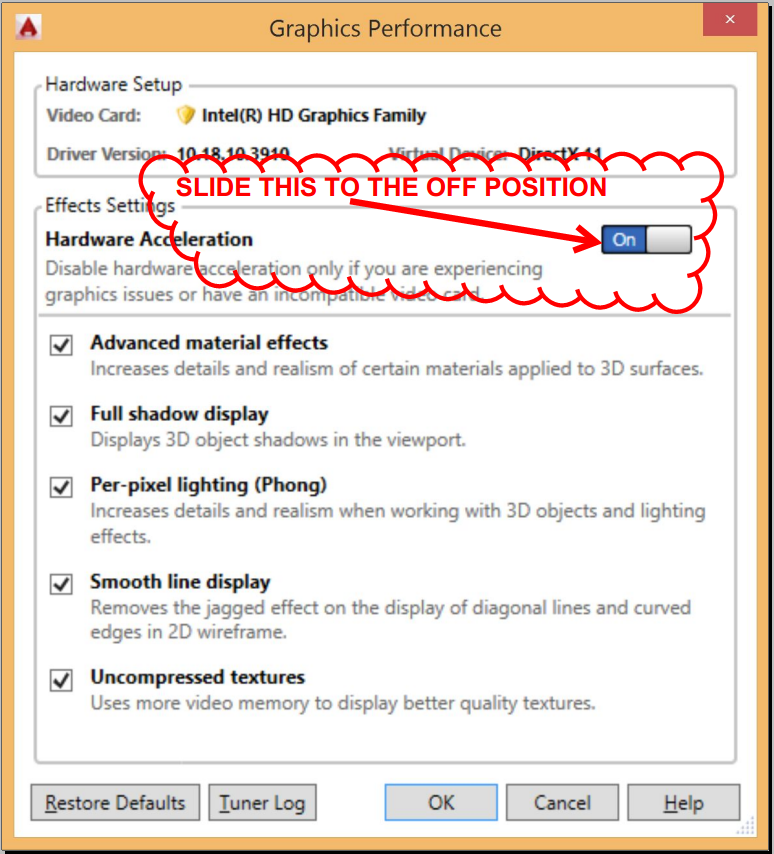
I even changed the setting to use DirectX11 to use the DirectX9, but no change.
Now, I've been having crashes just to select 1/50th of the drawing, having been able to select much more before.
I'm trying to select just 3000 objects, and it crashes and closes when in the past I've selected more than 22 000 objects.
It just crashes, and makes no sense. I even get the feeling it's joking with me.
What can I do?
Solved! Go to Solution.