CEILING RENDER

CEILING RENDER

Anonymous
Not applicable
3,574 Views
6 Replies
Message 1 of 7

CEILING RENDER

Anonymous
Not applicable

I have some problem about my render, so here is the case :


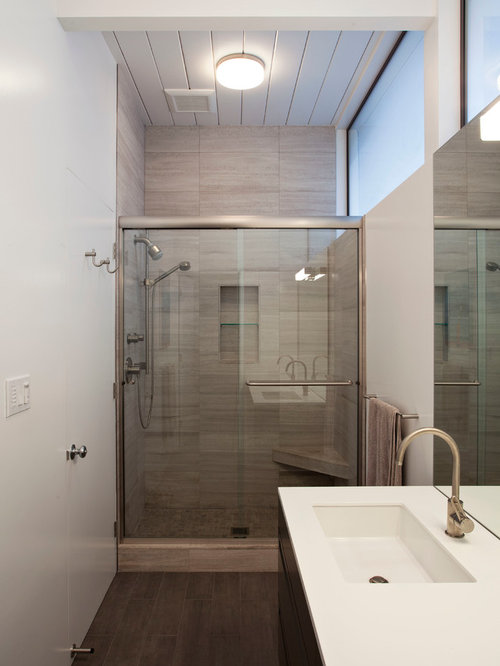
I want to render a toilet, with only 1 window which is the source where the sunlight will comin through,.
But for the interior light, its quite dark and i used vray light in the center of the room (its perfect square room)

Sadly there is dark part of the render like the edge of the ceiling that i cant fix whatever i use the light..
Is there any tips to use VRAY light so the render can fit either the wall and ceiling ? Thanks before

0 Likes
Accepted solutions (1)
3,575 Views
6 Replies
Replies (6)
Message 2 of 7

Francisco_Penaloza
Advisor
Advisor

can you post some screen shot of your scene and the rendering output you are getting?

Hard to understand only with words.


0 Likes
Message 3 of 7

Anonymous
Not applicable

This is the raw of my render..btw thanks for replying...
i use MESH light in this scene..the room is too small for using vray light plane..i want a perfect lighting for both floor and ceiling..but in this scene, the lighting is far from balance so i have to use photoshop to fix it...
can you give me some tips for interior lighting ?

0 Likes
Message 4 of 7

Francisco_Penaloza
Advisor
Advisor

What you mean the room is too small to use plane light??

you can always adjust the size of the plane, you can also change the shape of the light it self to disk or sphere and others.  If you go with a sphere then it will project light in the upper direction too. but here you need to think of physics.

From that sample image, I can see you have a few can lights, and the lighting you see it is about correct. most light equipment emit light in  one direction only.

what you could do is fix the throw angle but by defaul VRay light are setup for 180 degrees.

If you are placing your light correctly, you should not have that harsh line but instead a shaped shadow.

You can always put some fill lights, omni light will help or a big plane light behind the camera also may help you to reduce that shadow.

 but what you see is pretty much correct, depending of the type of light you are using.


0 Likes
Message 5 of 7

Anonymous
Not applicable

thanks alot for the clear rply sir, i will try that especially using omni light..

so the problem is the angle that i use..in that scene i have some problem when i use vray light from ceiling, it will make either too dark (when the double side is off) or too bright...

0 Likes
Message 6 of 7

Francisco_Penaloza
Advisor
Advisor
Accepted solution

It all depend of the type of light you are using, if you like you could try to put a IES light, then you can choose the shape of the hot stop and shadows.

You should place your light right under the actual light fixture. or you can put it inside without using a glass to cover or exclude that glass from that light.

If you place the light under those condition it should work fine.

If they seem over exposed is because you need to apply color mapping, set your color mapping to Reinhard and place a burn value of 0.4 or less.

You could also render linear save your image as EXR or HDRI and tone map in Photoshop or whatever software you use for post work.


0 Likes
Message 7 of 7

Anonymous
Not applicable

big thanks for your advice 🙂 i'll practice more based on your advice, sir..Good day and thank you

0 Likes