Average mesh from "slices" to create terrain-like mesh

Average mesh from "slices" to create terrain-like mesh

guido77
Advocate Advocate
2,746 Views
16 Replies
Message 1 of 17

Average mesh from "slices" to create terrain-like mesh

guido77
Advocate
Advocate

Hello,


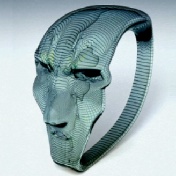
I'm looking a way to make a mesh from the average of the slices you see on the following image.


What I've done so far is a displacement modifier with a height map extracted from the z-depth channel. 

The problem is that, even after blurring it in photoshop, I get all sorts of artifacts and it doesn't look soft enough. The resulting mesh is shown on the second image.


I was thinking maybe a cloth modifier that can fall and take the shape?


Thanks!


(Disregard the difference in color please)


Image 2017-01-05 at 6.11.22 PM.png

Image 2017-01-05 at 6.22.28 PM.png

0 Likes
Accepted solutions (1)
2,747 Views
16 Replies
Replies (16)
Message 2 of 17

bob.bernstein
Collaborator
Collaborator

Turbosmooth?

0 Likes
Message 3 of 17

guido77
Advocate
Advocate

Turbosmooth would be the same as applying a blur in photoshop. I was hoping to find a way of keeping the detail where the lines are closer together. 


0 Likes
Message 4 of 17

bob.bernstein
Collaborator
Collaborator

If you found a way to average the terrain in the photo of a stairstep form of topo , you would lose all detail from the areas where the lines are.  That's what averaging does. I think that's what you asked for, so I don't understand your response very well.

WIth Turbosmooth you use control loops to pinch down on the mesh, if that's what you are hoping for.  


Of course, you could make nurbs curves that match your edges, and add a surface...but that would seemingly be worse by your previous answer.  Plus, I don't enjoy modelling that way :))


I suppose you could add displacement maps....is that the kind of thing you wanted?  Or you could subdivide the mesh and use the freeform tools to sculp the mesh.  


Just not sure what you're shooting for.

0 Likes
Message 5 of 17

kris
Collaborator
Collaborator

The problem is coming from the fact that your greyscale is probably only 8 bit.  That means you don't have a lot of shade steps in between.  Getting it to 16 or 32 bit is hit and miss at best.  You can try converting it to 32b (Photoshop: image menu>mode>32-bit), then scaling it up 4x, putting a soft blur, and then bring it back down.  This might help get rid of these jaggies.  


Whenever I do this sort of thing, and I need it to look good, I trace the contours in illustrator (you can do it in photoshop with paths, but it's much harder), and then make it with a terrain compound object or make spline slabs.  (There's at least three other ways to skin this cat, mind you.)  A little time consuming, but it looks vastly better.


Kris.

0 Likes
Message 6 of 17

Swordslayer
Advisor
Advisor

Since you have the contour splines (or if you have a mesh at the moment, can extract them by Create Shape on the border of the mesh), you can use the Terrain Object to make an interpolated terrain out of them. The resulting triangulated mesh might be hard to work with, so collapsing it a using the free Populate Terrain script to make a grid mesh out of it might be a good idea (plus a Relax modifier if there are still some issues).

0 Likes
Message 7 of 17

guido77
Advocate
Advocate

Thank you all.


What Kris said is exactly what happens when using displacement.

To avoid the problem of rasterized images, I was wondering if there was a better way to do it.


In Rhino you can easily use the lines, plus a cross section or 2 (Nurbs).


With 3ds max, as Swordslayer said, I could use Terrain. But the quality I get doesn't seem to be as good. 


Bob, using turbosmooth on the mesh done with displacement is one possible way, but, because it smooths out all the mesh evenly, I do loose some valuable small details (like crests in thin borders, like in a lake). I don't see how you can control the pinch with turbosmooth. 


Please see below the comparison between terrain and displacement. I'd choose displacement, but it does have the steps that come with a raster image.


Image 2017-01-09 at 8.01.40 AM.png

0 Likes
Message 8 of 17

kris
Collaborator
Collaborator

@guido77  as I said, you can't take a low quality image, and expect it to do anything more than you have... you have to either drastically improve the image, or get splines out of it either outside of max, or create the shapes as swordslayer suggests.  It really depends on how accurate you need to be... a lot of the time, a bit of variation really doesn't matter, and by the time you add foliage (etc) no one will ever know.  Or it may be vitally important to get it as close as possible, and tracing splines and using those contours is the only way to go.


Kris.

0 Likes
Message 9 of 17

bob.bernstein
Collaborator
Collaborator

Feeling a bit out of my element on this thread...haven't worked with terrain in 3dsmax, so I really don't know if my suggestion may help you, but controlling the pinch in turbosmooth is pretty straightforward....its just a matter of adding enough geometry that the turbosmooth interpolation is to your liking.


Basically, turbosmooth establishes an interpolated curved surface between two non-coplaner surfaces and uses the distance between edges to determine that curve radius.  Making the edges closer together reduces the resultant radius.


Pic shows three copies of a stair step like object.  Middle version has additional edges between the middle "step" and top "step".  Third image is the turbosmoothed result, note the difference between the added "pinch" between the middle and top step, but the smoother result between the middle and bottom step.


0 Likes
Message 10 of 17

Swordslayer
Advisor
Advisor

@bob.bernstein wrote:

Feeling a bit out of my element on this thread...haven't worked with terrain in 3dsmax, so I really don't know if my suggestion may help you, but controlling the pinch in turbosmooth is pretty straightforward....its just a matter of adding enough geometry that the turbosmooth interpolation is to your liking.


 Only the OP's question was how to make the stair effect go away, not emphasise it.


@bob.bernstein wrote:

Basically, turbosmooth establishes an interpolated curved surface between two non-coplaner surfaces and uses the distance between edges to determine that curve radius.  Making the edges closer together reduces the resultant radius.


In a more down-to-earth terms, turbosmooth adds verts to the middle of each edge, connects them them with a vert inserted at the center of each face and 'relaxes' the original verts. Unless you have a good topology to start with, it's not really all that useful, and in this case, there's no good topology to work with. I still think that remeshing a Terrain object would be the best solution given the input (apart from doing it in a specialized geodetic software).


@bob.bernstein wrote:

Pic shows three copies of a stair step like object.  Middle version has additional edges between the middle "step" and top "step".  Third image is the turbosmoothed result, note the difference between the added "pinch" between the middle and top step, but the smoother result between the middle and bottom step.


 With an object like that, it's simple, now try that on extruded curves like in the OP's first post.

0 Likes
Message 11 of 17

guido77
Advocate
Advocate

@Anonymous wrote:

@guido77  as I said, you can't take a low quality image, and expect it to do anything more than you have... you have to either drastically improve the image, or get splines out of it either outside of max, or create the shapes as swordslayer suggests.  It really depends on how accurate you need to be... a lot of the time, a bit of variation really doesn't matter, and by the time you add foliage (etc) no one will ever know.  Or it may be vitally important to get it as close as possible, and tracing splines and using those contours is the only way to go.


Kris.


The image I was using is 32 bit 30,000pixels wide. I'd need to put hours of work in photoshop to smooth the image correctly. And we all know how subtle those displacement maps are. Anything by hand would be far from good.

I have the lines already. That's how I extruded those shapes you see in my first post. And using those lines with terrain object is that I got the result on my second post. Horrible results with Terrain and zero control as far as I know.


@bob.bernstein wrote:


Making the edges closer together reduces the resultant radius.


Pic shows three copies of a stair step like object.  Middle version has additional edges between the middle "step" and top "step".  Third image is the turbosmoothed result, note the difference between the added "pinch" between the middle and top step, but the smoother result between the middle and bottom step.


 I thought you were saying that turbosmooth has a procedural way to modify the pinch. I'm sorry, but your suggestion is not applicable to this case at all. I can't do that manually...


@Anonymous wrote:

I still think that remeshing a Terrain object would be the best solution given the input (apart from doing it in a specialized geodetic software).


How do you do a remeshing?
Ideally there would be a much better algorithm that replaces terrain. 
Surface modifier could be one, but the lines need to be absolutely flawless in order to actually get a mesh. Otherwise the object just disappears:
https://knowledge.autodesk.com/support/3ds-max/learn-explore/caas/CloudHelp/cloudhelp/2017/ENU/3DSMa...
Or nurbs... I never used them in Max though. I thought they were deprecated.


0 Likes
Message 12 of 17

Swordslayer
Advisor
Advisor
Accepted solution

@guido77 wrote:


@Anonymous wrote:

I still think that remeshing a Terrain object would be the best solution given the input (apart from doing it in a specialized geodetic software).


How do you do a remeshing?
Ideally there would be a much better algorithm that replaces terrain. 
Surface modifier could be one, but the lines need to be absolutely flawless in order to actually get a mesh. Otherwise the object just disappears:
https://knowledge.autodesk.com/support/3ds-max/learn-explore/caas/CloudHelp/cloudhelp/2017/ENU/3DSMa...
Or nurbs... I never used them in Max though. I thought they were deprecated.


Not really flawless, you'd have to build a connections of those lines yourself first, and the connections would be what controls the slope. So you'd have to draw them in a contionuous manner to be able to reset their tangents. That would take a LOT of time, this is not really a good usecase for Surface.


NURBS are okayish for parts where there's only one 'profile', as soon as a hill splits to two 'peaks', you're screwed.


I posted it before, I'd use what Terrain spits out and use Populate:Terrain or Instant meshes so that you get a mesh that you can relax a bit and/or turbosmooth. Of course, if you really want a good terrain approximation, you'd have to use a specialized software, AutoCAD has a slightly better terrain from curves (with a bounding volume) implementation, and then there are specialized geodetic packages...

0 Likes
Message 13 of 17

guido77
Advocate
Advocate

Thanks.

I'll try populate:terrain. 

But as you said, probably the best option would be outside Max.

0 Likes
Message 14 of 17

kris
Collaborator
Collaborator

@guido77 It's one of those things that has so many possible solutions, but not all of them will work well.  End goals, what geometry has to intersect, all play a part. 90% of the time that I do a terrain, it's not incredibly important that it be perfect: a turbosmooth is enough to make it look ok, while not messing up the geometry too much.


A lot of the time, I'm looking to see line of sight issues; as long as the underlying topo is close, I get what I need.


Kris.

0 Likes
Message 15 of 17

guido77
Advocate
Advocate

Once again Rhino came to the rescue.

The patch command did it perfectly.


I'm still trying to use Populate Terrain, but it takes forever to process.


0 Likes
Message 16 of 17

bob.bernstein
Collaborator
Collaborator

@Anonymous wrote:


 Only the OP's question was how to make the stair effect go away, not emphasise it.


This post was responding to the OPs interest in how pinching is controllable with Turbosmooth.  He then responded that he was hoping what I was referring to was automated, which is a totally reasonable exchange, although the automated nature of controlling pinch was not previously described making my post also reasonable and logical.  

I don't think this response from you was at all helpful in describing how pinch is managed in turbosmooth.  

Please focus on being helpful, not proving how much smarter you are than me.  
0 Likes
Message 17 of 17

guido77
Advocate
Advocate

I ended up using the mesh that Populate:Terrain spit out. 


It took about 30 min to an hour to convert the original mesh, but the result was better than Rhino. 

The problem with Rhino is that I was getting to a 255 limit in subdivisions. 


Thanks for your help!

0 Likes