Psd files locked again, both in 3dsmax 2025 and 2026

Psd files locked again, both in 3dsmax 2025 and 2026

giuseppetonello
Advocate Advocate
2,205 Views
11 Replies
Message 1 of 12

Psd files locked again, both in 3dsmax 2025 and 2026

giuseppetonello
Advocate
Advocate

My first report of this problem was in 2016.

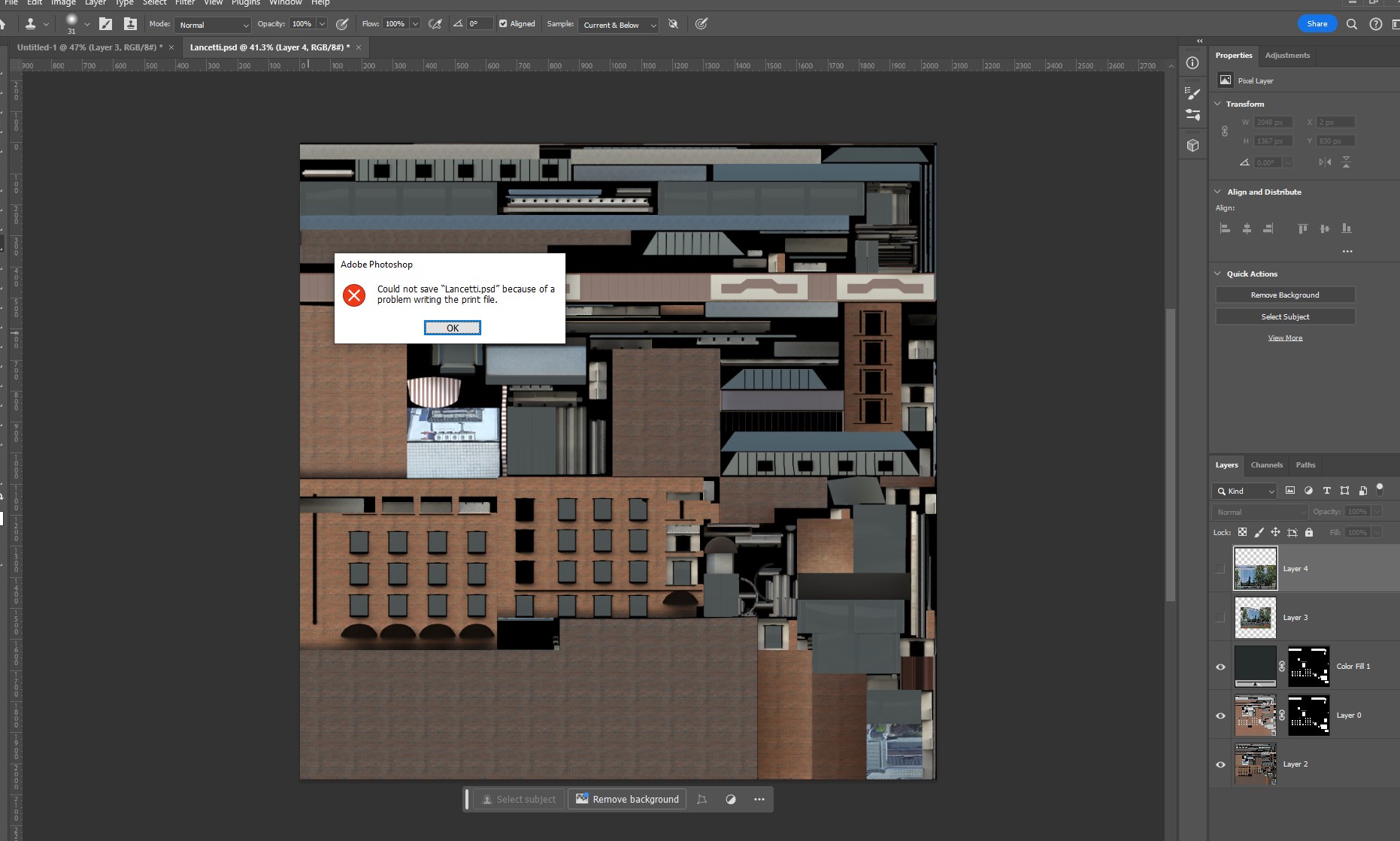
When I try to save a psd file used by a material assigned to an object (in 3dsmax 2025 and 2026) gives an error, specifically:

"Could not save file.psd because the file is already in use or was left open by another application".


With every release the problem pops up until at a certain point, usually after a yaer or so, and update fixes it.

Since it's a known bug, could you please resolve the issue definitively?

Just to be clear the install is fresh, nothing is changed. The issue has been present in EVERY release since.


Joey
0 Likes
Accepted solutions (1)
2,206 Views
11 Replies
Replies (11)
Message 2 of 12

joaquim.moral
Community Manager
Community Manager

Ciao @giuseppetonello,
Thanks for participating in the Community!

Can you please share your operating system and version, and a screenshot, so that we can understand your situation and assist you?

Grazie,


You found a post helpful? Then feel free to give likes to these posts!
Your question got successfully answered? Then just click on the 'Mark as solution'

¿Te ha parecido útil este post? ¡Deja un like!
¿Tu pregunta ha sido solucionada? Selecciona 'Marcar como solución' y ayuda a las demás a encontrar fácilmente la información.


Joaquim Moral
Senior Community Manager - EMEA / LATAM and Media & Entertainment lead

0 Likes
Message 3 of 12

giuseppetonello
Advocate
Advocate

It happens in windows10, windows11, with PS 25.9.0, on two different computers. Both pcs mount an Nvidia card.

I'm trying max2024 and the problem is even there(So, 3dsmax 2024,2025 and 2026). But the problem has almost always been there through the years and then resolved by the updates, regardless of different video cards, hardware and so on.

Anyway, here's the screenshot

Joey
0 Likes
Message 4 of 12

haifeng_yuSEVKN
Autodesk
Autodesk

Hi @giuseppetonello, thanks for providing the information. May I ask if you could provide test files and issue reproduction steps with me for further testing? Thanks so much!


Haifeng Yu
Technical Support Specialist
0 Likes
Message 5 of 12

giuseppetonello
Advocate
Advocate

Here it is.


Anyway I think everyone can replicate it with the following steps:


1. Create a box inside 3dsmax

2. Assign a material to the box

3. Assign a psd file to any slot of the material (say the diffuse)

4. Edit your psd in photoshop

5. Try to save it in PS. You will not succeed. The file is kept hostage of 3dsmax. Same story in max 2024, 2025 and 2026.

Joey
Message 6 of 12

haifeng_yuSEVKN
Autodesk
Autodesk

hello @giuseppetonello, thank you very much for providng the information and file. I was able to reproduce the issue and found this article : Cannot update 3ds Max scene bitmaps in Photoshop when rendering with ArnoldPlease kindly let me know if the issue could be resolved by following the steps mentioned in the article. Thanks very much!


Haifeng Yu
Technical Support Specialist
0 Likes
Message 7 of 12

giuseppetonello
Advocate
Advocate

Hi haifeng. That doesn't work, nor unchecking autotile and automipmap nor flushing the cache.  Just to be sure, did you try to fix the error with that solution?

Joey
0 Likes
Message 8 of 12

wernienst
Collaborator
Collaborator

IMHO it's Photoshop's (and other software's fault), because using e.g. Affinity Photo, it works. The viewport is updated imediately, rendering after flushing textures.


EDIT:

OK, it IS also a 3dsmax problem, because other 3d software (tested Cinema 4d R25) does not block Photoshop from saving.

0 Likes
Message 9 of 12

giuseppetonello
Advocate
Advocate

I've tried also in Blender and it works properly.

Joey
0 Likes
Message 10 of 12

haifeng_yuSEVKN
Autodesk
Autodesk

Hello @giuseppetonello , you are correct, it seems like only 3ds Max blocks the PSD files but not other applications. I also tried the article I shared with you, and got the same result. Please allow me to do more research if I can find more information for you. Thank you!


Haifeng Yu
Technical Support Specialist
0 Likes
Message 11 of 12

haifeng_yuSEVKN
Autodesk
Autodesk
Accepted solution

Hello @giuseppetonello ,I have logged this issue in our system and this way allows our development team for further invistigation. Please keep this number BSPR-110874 as your refererence. Due to Autodesk policies in regards to defect tickets, I cannot provide a timeline for when this ticket will be addressed or released into a future update or version of 3ds Max. However, you can check in the release notes when new versions are available to see if your defect ticket number was a fixed issue in that release. Thank you.


Haifeng Yu
Technical Support Specialist
0 Likes
Message 12 of 12

joaquim.moral
Community Manager
Community Manager

Thanks for your support here, @haifeng_yuSEVKN - and thanks @giuseppetonello for raising this topic in the Community. It will definitely help other users with similar questions.


If you need anything else, don't hesitate to open a new topic in the Community.

See you both around!


You found a post helpful? Then feel free to give likes to these posts!
Your question got successfully answered? Then just click on the 'Mark as solution'

¿Te ha parecido útil este post? ¡Deja un like!
¿Tu pregunta ha sido solucionada? Selecciona 'Marcar como solución' y ayuda a las demás a encontrar fácilmente la información.


Joaquim Moral
Senior Community Manager - EMEA / LATAM and Media & Entertainment lead

0 Likes