Highlight spline object

Highlight spline object

Anonymous
Not applicable
1,715 Views
4 Replies
Message 1 of 5

Highlight spline object

Anonymous
Not applicable

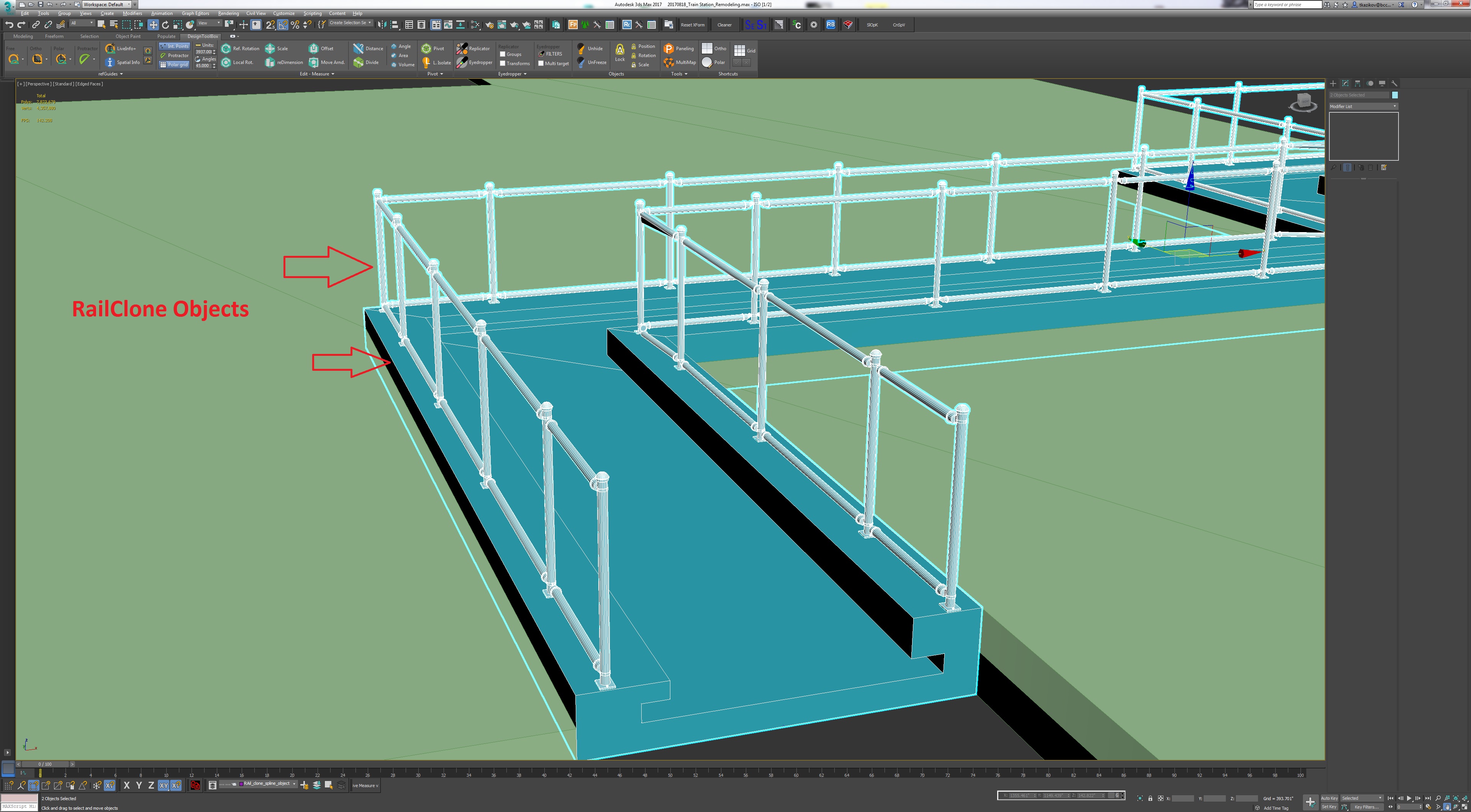
Hello! I'm looking for some way how to highlight spline object in 3ds max, as we can do this with poly and mesh objects    


I know spline objects can be highlighting after we chose for them option Rendering - Enable in Viewport, but is this possible to add option of highlighting without Rendering - Enable in Viewport, and also make them highlighted when they aren't selected?


It's important for me because I work in plugin Itoo RailClone and usually use spline for parametric modeling, and during work spline objects are always inside some Railclone object,  and it's always uncomfortable to  looking for spline and vertex and segment which I need to change 


I hope this screenshots help better explain what option I'm looking for


0 Likes
Accepted solutions (1)
1,716 Views
4 Replies
Replies (4)
Message 2 of 5

jamesw
Collaborator
Collaborator

Select the spline from the top view in wire frame. That's the way I do it when using rail-clone.


Alternately take note of the spline name and select using the scene explorer. 

0 Likes
Message 3 of 5

Anonymous
Not applicable

Hi! thank you for answer, but can you please explain more details how you use  wireframe mode on top view, or show some screenshot because

only one way how to see spline clearly in this case it's zoom out, because if it's close up spline is still hidden, here is screenshots    


and what about - scene explorer 

I usually created own layer for these splines, select them isn't a problem, problem is to see them during work process, my point it's find method to make them highlighted and leave this option even they aren't selected 

0 Likes
Message 4 of 5

jamesw
Collaborator
Collaborator
Accepted solution

OK I understand you question now. 


The only way would be to change the colour of the layer they are on to a bright colour which in turn changes the colour of the line. 

0 Likes
Message 5 of 5

Anonymous
Not applicable

Yes it's looks like better than nothing, using See-Through for Railclone objects and really bright color for layer with spline objects, but it isn't what I'm looking for I use this metod before, only without choosing one color for all layer