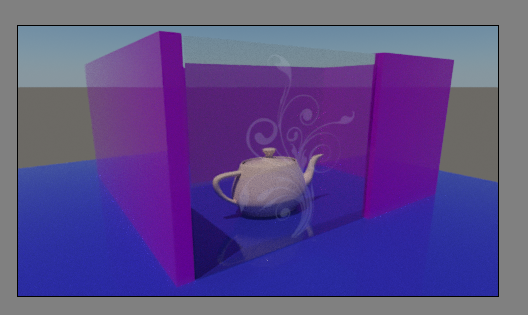
3ds Max 2017 - ART render and composite

3ds Max 2017 - ART render and composite

sbellamy
Participant Participant
2,006 Views
3 Replies
Message 1 of 4

3ds Max 2017 - ART render and composite

sbellamy
Participant
Participant

Hello,


I would like to create a glass panel with a stikers

I know the composite materials but I do not understand .... it does not work with the art render engine

Could you give me a solution

thank you
0 Likes
Accepted solutions (1)
2,007 Views
3 Replies
Replies (3)
Message 2 of 4

Alfred.DeFlaminis
Alumni
Alumni

Hello @sbellamy,


You are correct in that the Composite map is not yet supported for the ART renderer.  For the time being, you might try to use a Blend material.  The blend still supports the Autodesk and Arch and Design materials, and you can put your stiker mask in the blend amount slot to get what you are looking for.  


Please hit the "Accept as Solution" button if my post fully solves your issue or answers your question. This lets me know that I was effective in helping you, and thank you for doing so.


Best Regards, 

0 Likes
Message 3 of 4

sbellamy
Participant
Participant

Hello,


Yes, it works with the blend material ... Now I would like my stickers more white


It's too gray


Is it possible ?


thank you,

0 Likes
Message 4 of 4

Alfred.DeFlaminis
Alumni
Alumni
Accepted solution

Hello @sbellamy,


I need to be careful not to turn this thread into a how-to, but given that the original post had technical issues based on renderer I want to help here.  I think the best bet is a material setup like this one, and I've attached an example.  


mat.png


Please hit the "Accept as Solution" button if my post fully solves your issue or answers your question. This lets me know that I was effective in helping you, and thank you for doing so.


Best Regards,