Eagle 8.0 first launch fail

Eagle 8.0 first launch fail

Anonymous
Not applicable
14,798 Views
59 Replies
Message 1 of 60

Eagle 8.0 first launch fail

Anonymous
Not applicable

Hi


I download and install Eagle without problems. However, I can not run for the first time the software
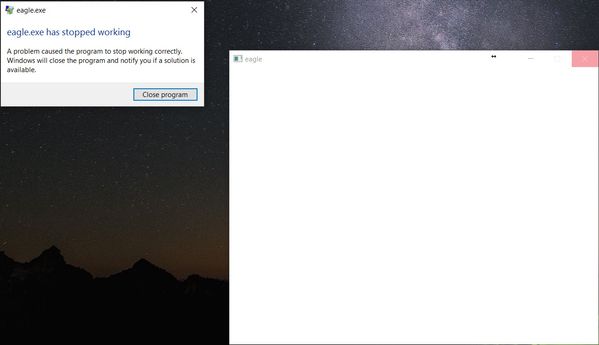
eagle.jpg


Reply
Reply
0 Likes
Accepted solutions (3)
14,799 Views
59 Replies
Replies (59)
Message 21 of 60

Anonymous
Not applicable

I wish at least I was able to log in. As soon the app tried to show the login window crash. I going to change my windows user and reinstall to see if there is a problem with the name of the windows user.

Reply
Reply
0 Likes
Message 22 of 60

Anonymous
Not applicable

The test that i had run:

Change my windows user to avoid any space(fail)

I had an SSD for my OS I install directly to it C:/eagle/( fail)

I install directly to my secondary hard drive D:/eagle/(fail)

Uninstall my antivirus ( fail)

disconnect all security measure: fail

Lan connection directly to fibre optic modem: fail


know I ask myself: why Autodesk Eagle didn't use the usual Autodesk setup interface?

why does eagle keep using tmp files to install himself?(most corporative antivirus do not allow this)

why there is not a log file to check for errors?


Reply
Reply
0 Likes
Message 23 of 60

Anonymous
Not applicable

I have the same problem on two different machines both with Windows 10 OS, tried all the above suggestions in vain. Version 7.7 of Cadsoft eagle was working well on both machines...Please find a solution for this bug...

Reply
Reply
0 Likes
Message 24 of 60

jorge_garcia
Autodesk
Autodesk
Hi Wargo123, Hi issam_isl,

We are working on this. We will have a new update coming shortly that should address these issues. If these problems continue, then I would like to ask if someone could post a screencast of them installing the software.

I'll check in again once the update has been released, which should be near the end of this week early next at the latest.

Best Regards,


Jorge Garcia
​Product Support Specialist for Fusion 360 and EAGLE

Kudos are much appreciated if the information I have shared is helpful to you and/or others.

Did this resolve your issue? Please accept it "As a Solution" so others may benefit from it.
Reply
Reply
Message 25 of 60

Anonymous
Not applicable

I'm going to join the party here.


Windows 8, fresh install of Eagle 8.0 to default C:\Eagle 8.0. When program starts for the first time from the installers "run program", or from the usual desktop shortcut I get the above "Eagle.exe has stopped working". I don't even get to any email log in pages or anything, just the splash startup screen then error prompt. 


I have tried:

Windows 7 compatibility mode,

Run as administrator,

Don't have any firewalls,

Don't have any antivirus,


On a home router, no corporate firewalls or anything.


Fusion 360 works fine. 


Thanks! (I really need this to work for a College assignment by-the-way!)

Reply
Reply
0 Likes
Message 26 of 60

Anonymous
Not applicable

First, Welcome


did you try to delete the space in the default directory? "C:/Eagle8.0"


Reply
Reply
0 Likes
Message 27 of 60

Anonymous
Not applicable

Hi Wilmer, yes I just tried that on a fresh install after a reboot. Same thing.


Thanks though.

Reply
Reply
0 Likes
Message 28 of 60

Anonymous
Not applicable
The default directory has been deleted !


Dominique Denis
Coordinateur de Section Électronique
(Bachelier en Électronique Appliquée)
Catégorie Technique Mons
Haute École Louvain en Hainaut
Chaussée de Binche, 159
7000 MONS
tél 32 65 40 41 42
fax 32 65 40 41 52
gsm 32 475 82 32 87

- JPO : 22 avril 2017
- Cours ouverts : 8 mars 2017 et 26 avril 2017
- Infos études : 30 juin 2017 de 9h à 12 h. En septembre, sur RDV
- Semaine événementielle : 17 mai 2017, journée des ingénieurs (Ms) et Battle of codes (Ty). 10 mai 2017, ponts en spaghettis (Ms) et concours robots (Ch)
- 19 mai 2017, 40 ans de formation des ingénieurs industriels
- du 13 au 17 mars 2017, printemps des sciences et semaine labo ouverts (TC Ms sauf construction)
- Job Day le 17 mars 2017
Reply
Reply
0 Likes
Message 29 of 60

Anonymous
Not applicable

I also faced with this issue. Win7 x64.


fail.jpg

Reply
Reply
0 Likes
Message 30 of 60

Anonymous
Not applicable

Same here. Installed Eagle 8.0 for the first time (have never used Eagle before..), and it immediately crashes when the splash screen says 'Opening login window...'. Reinstalling to a path without spaces does not help.

It might be relevant, as I've seen earlier in this thread, that my Windows user account is a Microsoft (online) account rather than a local / domain account. I'll have a go at installing it for a local user and report back whether that did any good.


Edit: It didn't. Made a local account, tried starting Eagle and it still crashes at the same moment in the startup process.


I guess I'll try to find Eagle 7.7 and see if that works..

Reply
Reply
0 Likes
Message 31 of 60

Anonymous
Not applicable

@Anonymous wrote:

Same here. Installed Eagle 8.0 for the first time (have never used Eagle before..), and it immediately crashes when the splash screen says 'Opening login window...'. Reinstalling to a path without spaces does not help.

It might be relevant, as I've seen earlier in this thread, that my Windows user account is a Microsoft (online) account rather than a local / domain account. I'll have a go at installing it for a local user and report back whether that did any good.


Edit: It didn't. Made a local account, tried starting Eagle and it still crashes at the same moment in the startup process.


I guess I'll try to find Eagle 7.7 and see if that works..


Eagle 7.7 still works fine (Win7 x64).

Reply
Reply
0 Likes
Message 32 of 60

Anonymous
Not applicable

Same problem here. I'm curious as to why this is marked as solved; as far as I can tell there is no solution in this thread except a pending software update no?

Reply
Reply
0 Likes
Message 33 of 60

Anonymous
Not applicable

That is an error o the forum as anyone can mark a  question as answered...It should be only the initial person.

Reply
Reply
0 Likes
Message 34 of 60

Anonymous
Not applicable

I guess we're waiting for an update. 


I'm just spending a LOT more time at the university library using Proteus instead. Sorry Autodesk Smiley LOL

Reply
Reply
0 Likes
Message 35 of 60

jorge_garcia
Autodesk
Autodesk
Hi Wilmer,

Just got solution spammed, there's a forum user(s) who is jumping on threads and marking every post as a solution.

The update will be releasing shortly. Just thought of something else. Is anyone on this thread using Radeon video cards? If you are, then try updating your video drivers. I saw another thread where this solved the problem.

Can anyone confirm?

Best Regards,


Jorge Garcia
​Product Support Specialist for Fusion 360 and EAGLE

Kudos are much appreciated if the information I have shared is helpful to you and/or others.

Did this resolve your issue? Please accept it "As a Solution" so others may benefit from it.
Reply
Reply
0 Likes
Message 36 of 60

Anonymous
Not applicable

Hi, not in my case.


I am running in a laptop with GeForce GTX 960M and intel GPU i7.

I am going to check if my double GPU is causing troubles...

Reply
Reply
0 Likes
Message 37 of 60

Anonymous
Not applicable

I'm still getting this issue with the 8.0.1 release

Reply
Reply
0 Likes
Message 38 of 60

Anonymous
Not applicable
I just tried the new version under W10: Always the same problem. Eagle stops when launching the login window!


Dominique Denis
Coordinateur de Section Électronique
(Bachelier en Électronique Appliquée)
Catégorie Technique Mons
Haute École Louvain en Hainaut
Chaussée de Binche, 159
7000 MONS
tél 32 65 40 41 42
fax 32 65 40 41 52
gsm 32 475 82 32 87

- JPO : 22 avril 2017
- Cours ouverts : 8 mars 2017 et 26 avril 2017
- Infos études : 30 juin 2017 de 9h à 12 h. En septembre, sur RDV
- Semaine événementielle : 17 mai 2017, journée des ingénieurs (Ms) et Battle of codes (Ty). 10 mai 2017, ponts en spaghettis (Ms) et concours robots (Ch)
- 19 mai 2017, 40 ans de formation des ingénieurs industriels
- du 13 au 17 mars 2017, printemps des sciences et semaine labo ouverts (TC Ms sauf construction)
- Job Day le 17 mars 2017
Reply
Reply
0 Likes
Message 39 of 60

Anonymous
Not applicable
I just tried the new version under W10: Always the same problem. Eagle stops when launching the login window!


Dominique Denis
Coordinateur de Section Électronique
(Bachelier en Électronique Appliquée)
Catégorie Technique Mons
Haute École Louvain en Hainaut
Chaussée de Binche, 159
7000 MONS
tél 32 65 40 41 42
fax 32 65 40 41 52
gsm 32 475 82 32 87

- JPO : 22 avril 2017
- Cours ouverts : 8 mars 2017 et 26 avril 2017
- Infos études : 30 juin 2017 de 9h à 12 h. En septembre, sur RDV
- Semaine événementielle : 17 mai 2017, journée des ingénieurs (Ms) et Battle of codes (Ty). 10 mai 2017, ponts en spaghettis (Ms) et concours robots (Ch)
- 19 mai 2017, 40 ans de formation des ingénieurs industriels
- du 13 au 17 mars 2017, printemps des sciences et semaine labo ouverts (TC Ms sauf construction)
- Job Day le 17 mars 2017
Reply
Reply
0 Likes
Message 40 of 60

Anonymous
Not applicable

For me it seemed to be a problem with the virtual box guest extensions, when removing those i was able to sign in (and tick stay signed in). I can now use it (with guest additions installed as well)

Reply
Reply
0 Likes

