Solid body showing in edit form mode

Solid body showing in edit form mode

Anonymous
Not applicable
1,282 Views
3 Replies
Message 1 of 4

Solid body showing in edit form mode

Anonymous
Not applicable

Hi Everyone,

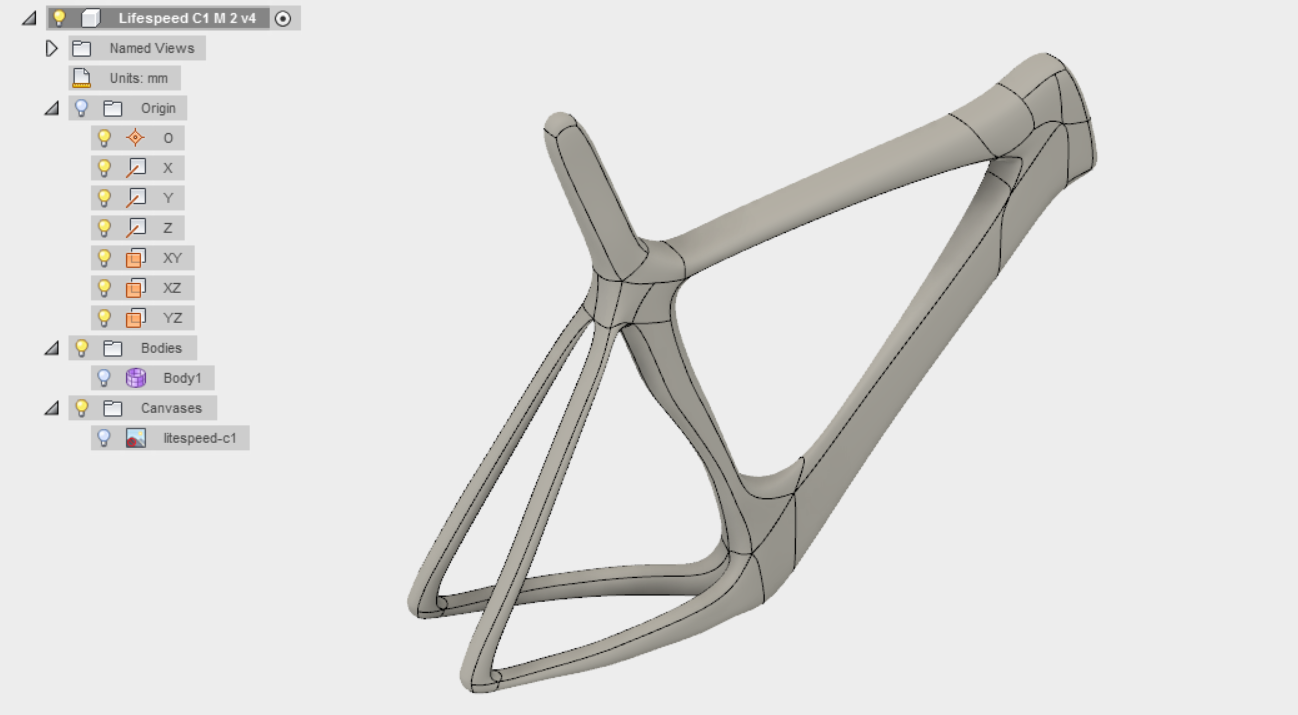
i prepared some body with t-splains and translate it to solid body.

Now when i choose "Edit form" i see my t-splain form, but solid body is also visible overlaping t-splains. So i cant see what i am doing while making t-splains smaller than solid body.

Also after hiding FORM in edit form mode, solid body is visible.


Any help friends?
 

0 Likes
1,283 Views
3 Replies
Replies (3)
Message 2 of 4

jeff_strater
Community Manager
Community Manager

This looks like a bug to me.  I'll investigate.  What is supposed to happen is the BRep body is shown, but "ghosted" (rendered transparently) so you can see what you are doing.  This seems to be broken.  In the meantime, you can shut this off entirely by unchecking this preference setting:

show ghosted body.png


I'll follow up when I see whether this is a bug.


Jeff


Jeff Strater
Engineering Director
Message 3 of 4

jeff_strater
Community Manager
Community Manager

Yes, this is definitely a regression.  We will get right on a fix.


Jeff


Jeff Strater
Engineering Director
0 Likes
Message 4 of 4

Phil.E
Autodesk
Autodesk

The workaround for this is to turn off the visibility of the solid model body, or change it to lower opacity, prior to editing the Sculpt body.


Steps:

While in model mode, right click on the body node in the browser and pick "opacity control" or just click the bulb next to it to shut visibility entirely. Then edit your sculpt.


Thanks,


Phil Eichmiller
Software Engineer
Quality Assurance
Autodesk, Inc.


0 Likes

