Community
- Forums Home
- >
- AutoCAD Community
- >
- AutoCAD Customization Forum
- >
- .NET forum
- >
- Re: AutoCAD Commands from vb.net 2010
.NET
Turn on suggestions
Auto-suggest helps you quickly narrow down your search results by suggesting possible matches as you type.
 This page has been translated for your convenience with an automatic translation service. This is not an official translation and may contain errors and inaccurate translations. Autodesk does not warrant, either expressly or implied, the accuracy, reliability or completeness of the information translated by the machine translation service and will not be liable for damages or losses caused by the trust placed in the translation service.
Translate
This page has been translated for your convenience with an automatic translation service. This is not an official translation and may contain errors and inaccurate translations. Autodesk does not warrant, either expressly or implied, the accuracy, reliability or completeness of the information translated by the machine translation service and will not be liable for damages or losses caused by the trust placed in the translation service.
Translate
Reply
Topic Options
- Subscribe to RSS Feed
- Mark Topic as New
- Mark Topic as Read
- Float this Topic for Current User
- Bookmark
- Subscribe
- Printer Friendly Page
Message 1 of 17

Anonymous
1800 Views, 16 Replies
03-22-2012
10:12 AM
- Mark as New
- Bookmark
- Subscribe
- Mute
- Subscribe to RSS Feed
- Permalink
- Report
03-22-2012
10:12 AM
Hi
Recently I managed to connect to AutoCAD 2012 through vb.net 2010 and send simple commands like this:
Dim acaddoc As AcadDocument = acApp.ActiveDocument

Dim pt1(2) As Double
Dim pt2(2) As Double

pt1(0) = 3
pt1(1) = 6
pt1(2) = 0

pt2(0) = 1
pt2(1) = 5
pt2(2) = 0

acaddoc.ModelSpace.AddLine(pt1, pt2)
I need to use more commands to create a new layer, set a specific layer as active, select a layer's color, select current drawing color,use hatch, select linetype and lineweight. is there a way to perform the previous operations using a code that is similar to the one above?
Solved! Go to Solution.
Solved by Mike.Wohletz. Go to Solution.
16 REPLIES 16
Message 2 of 17


03-22-2012
02:40 PM
- Mark as New
- Bookmark
- Subscribe
- Mute
- Subscribe to RSS Feed
- Permalink
- Report
03-22-2012
02:40 PM
Short answer, yes.
to create the Hatch, you just call AddHatch the same way you called AddLine.
The AcadHatch object returned from that has Layer, Linetype, Lineweight properties (among others).
You access the collection of layers with acaddoc.Database.Layers which returns an object of AcadLayers, which has an Add method.
acaddoc.GetVariable/SetVariable will get or set the value of AutoCAD system variables, such as CLAYER for the name of the current layer, or CECOLOR is the Current Entity Color.
Chew that up and spit it out, then come back if you have more questions.
Dave O. 

Message 3 of 17
03-24-2012
10:09 AM
- Mark as New
- Bookmark
- Subscribe
- Mute
- Subscribe to RSS Feed
- Permalink
- Report
03-24-2012
10:09 AM
Hi
Sorry for being late but I've been busy the last couple of days, but I have a aquestion
the acaddoc.SetVariable function takes two parameters: Name as string, Value as object
how to use those parameters to perform tasks such as setting a layer as active or changing the layer's color?
Message 4 of 17
Anonymous
in reply to:
Anonymous
03-25-2012
08:42 AM
- Mark as New
- Bookmark
- Subscribe
- Mute
- Subscribe to RSS Feed
- Permalink
- Report
03-25-2012
08:42 AM
Hi
I tried to use GetVariable func tion like this:
Dim acdoc As AcadDocument = acApp.ActiveDocument
MsgBox(acaddoc.GetVariable("CECOLOR"))
And the result is a message box saying: BYLAYER
so I tried reversing this by trying the following:
acaddoc.SetVariable("CECOLOR", Common.AcColor.acByLayer)the result is an exception saying: "Error setting system variable"
and I tried many other AutoCAD variables, the getvariable works but the setvariable doesn't. what is wrong?
Message 5 of 17

03-25-2012
10:18 AM
- Mark as New
- Bookmark
- Subscribe
- Mute
- Subscribe to RSS Feed
- Permalink
- Report
03-25-2012
10:18 AM
The acByLayer is the same as 256 and the help says that you can use 1 to 255. You can set this with a string and make things simple by using "YELLOW", "BLUE", BLACK", "BYLAYER", "BYBLOCK", etc.
Try this:
acaddoc.SetVariable("CECOLOR", "BYLAYER")
Message 6 of 17
03-25-2012
10:30 AM
- Mark as New
- Bookmark
- Subscribe
- Mute
- Subscribe to RSS Feed
- Permalink
- Report
03-25-2012
10:30 AM
Hi
It worked! thank you so much, I have another question please: How to change the layer's color after adding it? because I don't want to change the CEColor each time I change the current layer.
Message 7 of 17


03-25-2012
08:28 PM
- Mark as New
- Bookmark
- Subscribe
- Mute
- Subscribe to RSS Feed
- Permalink
- Report
03-25-2012
08:28 PM
@Anonymous wrote:Hi
It worked! thank you so much, I have another question please: How to change the layer's color after adding it? because I don't want to change the CEColor each time I change the current layer.
You may need to re-state the question.
I'm not sure that you will want to change the color of the layer, because that will affect everything that is drawn on that layer that is not explicitly by color ... do you mean 'change the color of the entity' instead,
Regards,
// Called Kerry in my other life.
Everything will work just as you expect it to, unless your expectations are incorrect.
class keyThumper<T> : Lazy<T>; another Swamper
Message 9 of 17

03-26-2012
03:36 AM
- Mark as New
- Bookmark
- Subscribe
- Mute
- Subscribe to RSS Feed
- Permalink
- Report
03-26-2012
03:36 AM
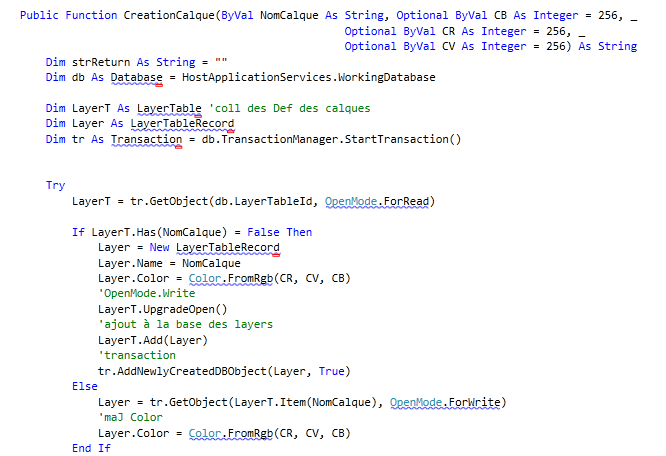
He here a function :
Public Function CreationCalque(ByVal NomCalque As String, Optional ByVal CB As Integer = 256, _
                                                      Optional ByVal CR As Integer = 256, _
                                                      Optional ByVal CV As Integer = 256) As String
        Dim strReturn As String = ""
        Dim db As Database = HostApplicationServices.WorkingDatabase

        Dim LayerT As LayerTable 'coll des Def des calques
        Dim Layer As LayerTableRecord
        Dim tr As Transaction = db.TransactionManager.StartTransaction()


        Try
            LayerT = tr.GetObject(db.LayerTableId, OpenMode.ForRead)

            If LayerT.Has(NomCalque) = False Then
                Layer = New LayerTableRecord
                Layer.Name = NomCalque
                Layer.Color = Color.FromRgb(CR, CV, CB)
                'OpenMode.Write
                LayerT.UpgradeOpen()
                'ajout à la base des layers
                LayerT.Add(Layer)
                'transaction
                tr.AddNewlyCreatedDBObject(Layer, True)
            Else
                Layer = tr.GetObject(LayerT.Item(NomCalque), OpenMode.ForWrite)
                'maJ Color
                Layer.Color = Color.FromRgb(CR, CV, CB)
            End If
            strReturn = Layer.Name
        Catch ex As Exception
            MsgBox(ex.ToString, vbOKOnly, "Error CreationCalque")
        Finally
            tr.Commit()
            tr.Dispose()
        End Try

        Return strReturn
    End Function
This function check if the name Layer is found otherwise it create a layer with the name pass in the function.
You need : A name of layer + code color example :
if CreationCalque("NameCalque",255,0,0) <> "" then
' calc Ok and Color applied"
' ....
end if.
Message 11 of 17
03-26-2012
10:46 AM
- Mark as New
- Bookmark
- Subscribe
- Mute
- Subscribe to RSS Feed
- Permalink
- Report
03-26-2012
10:46 AM
Add these lines to the top of the class
Imports Autodesk.AutoCAD.DatabaseServices
Imports Autodesk.AutoCAD.Colors
and add the reference to
acdbmgr.dll
acmgd.dll
and set copy local to false.
---------------------------
(defun botsbuildbots() (botsbuildbots))
(defun botsbuildbots() (botsbuildbots))
Message 12 of 17
03-26-2012
10:47 AM
- Mark as New
- Bookmark
- Subscribe
- Mute
- Subscribe to RSS Feed
- Permalink
- Report
03-26-2012
10:47 AM
What namespaces have you imported? Is this a standalone EXE application?
Message 13 of 17
03-26-2012
10:50 AM
- Mark as New
- Bookmark
- Subscribe
- Mute
- Subscribe to RSS Feed
- Permalink
- Report
03-26-2012
10:50 AM
the above code won't work for a stand alone exe.
---------------------------
(defun botsbuildbots() (botsbuildbots))
(defun botsbuildbots() (botsbuildbots))
Message 14 of 17
03-26-2012
11:13 AM
- Mark as New
- Bookmark
- Subscribe
- Mute
- Subscribe to RSS Feed
- Permalink
- Report
03-26-2012
11:13 AM
Hi
I have the following imports:
Imports System
Imports System.Runtime.InteropServices
Imports Autodesk.AutoCAD.Interop
And yes this is a standalone EXE Application
Message 15 of 17
03-26-2012
11:14 AM
- Mark as New
- Bookmark
- Subscribe
- Mute
- Subscribe to RSS Feed
- Permalink
- Report
03-26-2012
11:14 AM
Hi
I have the following imports:
Imports System
Imports System.Runtime.InteropServices
Imports Autodesk.AutoCAD.Interop
And yes this is a standalone EXE application
Message 16 of 17
03-27-2012
06:04 AM
- Mark as New
- Bookmark
- Subscribe
- Mute
- Subscribe to RSS Feed
- Permalink
- Report
03-27-2012
06:04 AM
Try something like this to set the layer colors:
    Private Sub WorkingWithAutoCAD()
        ' we can set the color of one layer or current by:
        acSetLayerColor(AcColor.acYellow)
        'or
        'set them all to green
        For Each oLayer As AcadLayer In ThisApplication.ActiveDocument.Layers
            acSetLayerColor(AcColor.acGreen, oLayer)
        Next
        ' or set the OB layer to red and see if it happened calling by name
        Dim Rval As Boolean = acSetLayerColorByName(AcColor.acRed, "OB")

    End Sub
Private Function acSetLayerColor(ByVal oColor As AcColor, Optional ByVal oLayer As AcadLayer = Nothing) As Boolean
Try
If oLayer Is Nothing Then 'we will look at the current layer
oLayer = ThisApplication.ActiveDocument.ActiveLayer
End If
oLayer.color = oColor
Return True
Catch ex As Exception
Return False
End Try
End Function
    Private Function acSetLayerColorByName(ByVal oColor As AcColor, ByVal oLayerName As String) As Boolean
        Try
            Dim oLayer As AcadLayer = ThisApplication.ActiveDocument.Layers.Item(oLayerName)
            oLayer.color = oColor
            Return True
        Catch ex As Exception
            Return False
        End Try
    End Function
Message 17 of 17
03-27-2012
10:01 AM
- Mark as New
- Bookmark
- Subscribe
- Mute
- Subscribe to RSS Feed
- Permalink
- Report
03-27-2012
10:01 AM
Hi
Your suggestions worked after I added a reference to acdbmgd.dll and acdmgd.dll and imported these namespaces:
Imports Autodesk.AutoCAD.DatabaseServices
Imports Autodesk.AutoCAD.Colors
Thank you all for your help.
Best regards
Reply
Topic Options
- Subscribe to RSS Feed
- Mark Topic as New
- Mark Topic as Read
- Float this Topic for Current User
- Bookmark
- Subscribe
- Printer Friendly Page


