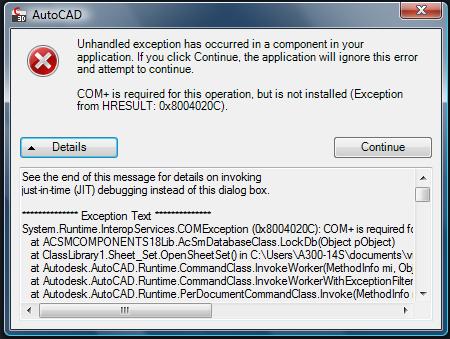
I put together some simple code that works with Autocad 2012 (64bit). I tried with both VS2008 (targeting .NET 3.5, which I commented out "<supported runtime...4.0/>" in acad.exe.config) and VS2010 (target .NET 4.0). Both works.
In both projects, I added reference to AcSmComponents18 1.0 type library from COM tab of References dialog box (i.e. I set reference to the registered DLL/TLB installed by AutoCAd, not by browsing to the one from ObjectARX SDK). Once the reference is set, VS generate a ,NET wrapper to the COM component: Interop.ACSMCOMPONENTS18Lib.dll
The code as following:
A Sheetset utility class:
using ACSMCOMPONENTS18Lib;

namespace Acad2012SheetSet
{
    public class SheetSetUtil
    {
        private static SheetSetUtil _instance = null;
        private static AcSmSheetSetMgr _mgr=null;

        public SheetSetUtil()
        {
            _mgr = new AcSmSheetSetMgr();
        }

        ~SheetSetUtil()
        {
            if (_mgr != null)  _mgr.CloseAll();
        }

        public static SheetSetUtil Instance
        {
            get
            {
                if (_instance == null) _instance = new SheetSetUtil();
                return _instance;
            }
        }

        public SheetSetInfo GetSheetSetInformation(string dstFileName)
        {
            SheetSetInfo info = null;

            AcSmDatabase db = _mgr.OpenDatabase(dstFileName, false);
            AcSmSheetSet ss = db.GetSheetSet();

            info = new SheetSetInfo();
            info.SheetSetName = ss.GetName();

            return info;
        }
    }
}
A data class:
namespace Acad2012SheetSet
{
    public class SheetSetInfo
    {
        public string SheetSetName { set; get; }
    }
}
and finally a command class:
using Autodesk.AutoCAD.ApplicationServices;
using Autodesk.AutoCAD.EditorInput;
using Autodesk.AutoCAD.Runtime;

[assembly: CommandClass(typeof(Acad2012SheetSet.MyCommands))]

namespace Acad2012SheetSet
{
    public class MyCommands
    {
        [CommandMethod("SSInfo", CommandFlags.Session)]
        public static void GetSheetSetName()
        {
            Document dwg = Application.DocumentManager.MdiActiveDocument;
            Editor ed = dwg.Editor;

            string ssFile =
                @"C:\Users\norm\Documents\AutoCAD Sheet Sets\TestSet.dst";

            try
            {
                SheetSetInfo ssInfo =
                    SheetSetUtil.Instance.GetSheetSetInformation(ssFile);
                ed.WriteMessage("\nSheetSet Name: {0}", ssInfo.SheetSetName);
            }
            catch(System.Exception ex)
            {
                ed.WriteMessage("\nError: {0}", ex.Message);
            }
        }
    }
}
Compile and NETLOAD the code into AutoCAD, and run the command "SSInfo", the sheetset's name prints at command line correctly.
However, there is one thing I have to point out:
InVS2008 project (it would be the same as VS2010 project targeting .NET3.x), the Copy Local of the generated interop assembly should be set to True.
While in VS2010 targeting .NET4.0, if I set "Embedded" of the interop assembly to False and set CopyLocal to "True", I get runtime exception when the code instantiate AcSmSheetSetMgr class. I had to embed the interop assembly. This is different from what I said in previous post. However, there are reports saying embedding interop assembly in Acad add-in would not work (see this link http://www.theswamp.org/index.php?topic=41497.0).
So, I guess, we have to try both embed and not embed in somce cases.
Nonetheless, the code shown above works form me.



 |
|