Community
- Forums Home
- >
- Subscription, Installation and Licensing Community
- >
- Installation & Licensing forum
- >
- Maya 2013 won't install via Installer
Installation & Licensing
Welcome to Autodesk’s Installation and Licensing Forums. Share your knowledge, ask questions, and explore popular Download, Installation, and Licensing topics.
Turn on suggestions
Auto-suggest helps you quickly narrow down your search results by suggesting possible matches as you type.
 This page has been translated for your convenience with an automatic translation service. This is not an official translation and may contain errors and inaccurate translations. Autodesk does not warrant, either expressly or implied, the accuracy, reliability or completeness of the information translated by the machine translation service and will not be liable for damages or losses caused by the trust placed in the translation service.
Translate
This page has been translated for your convenience with an automatic translation service. This is not an official translation and may contain errors and inaccurate translations. Autodesk does not warrant, either expressly or implied, the accuracy, reliability or completeness of the information translated by the machine translation service and will not be liable for damages or losses caused by the trust placed in the translation service.
Translate
Maya 2013 won't install via Installer
9 REPLIES 9
SOLVED
Reply
Topic Options
- Subscribe to RSS Feed
- Mark Topic as New
- Mark Topic as Read
- Float this Topic for Current User
- Bookmark
- Subscribe
- Printer Friendly Page
Message 1 of 10


10-24-2012
08:22 PM
- Mark as New
- Bookmark
- Subscribe
- Mute
- Subscribe to RSS Feed
- Permalink
- Report
10-24-2012
08:22 PM
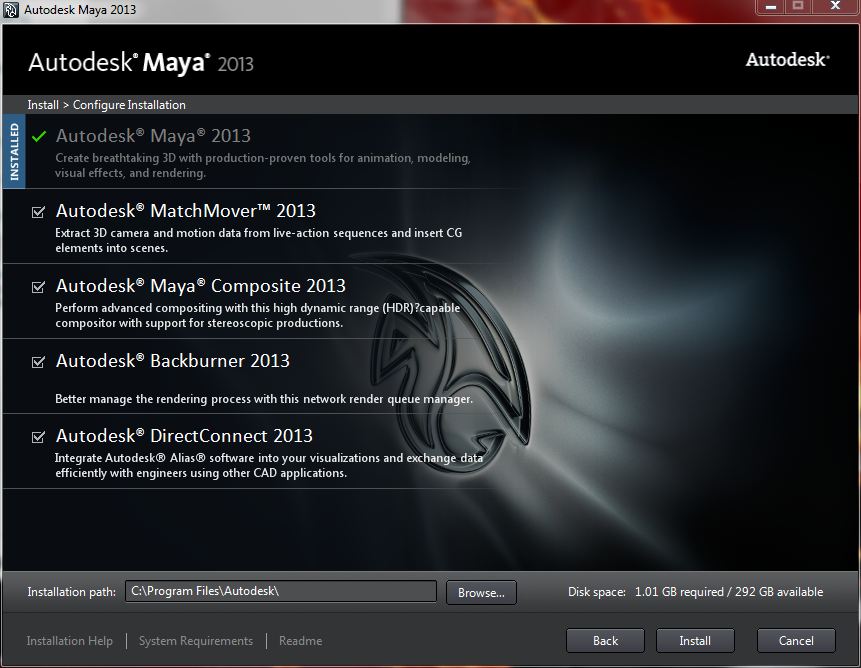
I downloaded Maya 2013 service pack 2. (Note: I don't have any autodesk product installed in my computer). After extracting from the download and entering the setup/product key. Just before I install It says that Autodesk Maya 2013 is already installed. How is that possible? I checked and it is NOT installed. I cleaned my registry and junk files. I redownloaded the installer and in fact also tried the regular Autodesk Maya 2013 without the service packs...
Any fix for this??? I really need this fix for school. This is really important for me.
I uploaded a picture to show what the problem is.
Solved! Go to Solution.
Solved by asburyj. Go to Solution.
9 REPLIES 9
Message 2 of 10


10-25-2012
09:04 AM
- Mark as New
- Bookmark
- Subscribe
- Mute
- Subscribe to RSS Feed
- Permalink
- Report
10-25-2012
09:04 AM
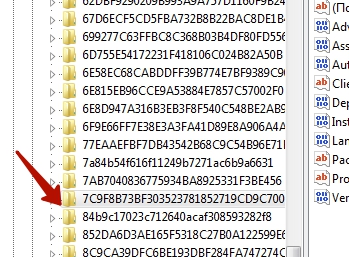
Sorry to hear you are having trouble. It sounds like you have already checked and cleaned out any reg keys and folders but here is one commonly missed that can cause the installer to think Maya is still there. Check and see if the below key exists in your registry
HKEY_CLASSES_ROOT\Installer\Products\7DC5439D8F0D476409FC0ABA14EE4F04
If you find it, go ahead and delete that and then try the install again.

Jeffry Asbury
Message 3 of 10

10-25-2012
11:19 AM
- Mark as New
- Bookmark
- Subscribe
- Mute
- Subscribe to RSS Feed
- Permalink
- Report
10-25-2012
11:19 AM
Thank you very much. I just cleaned out every registry that was related as well using regedit. Now I Maya 2013 will install. Again thanks!
Message 4 of 10
06-27-2013
02:00 PM
- Mark as New
- Bookmark
- Subscribe
- Mute
- Subscribe to RSS Feed
- Permalink
- Report
06-27-2013
02:00 PM
I am having the same problem can you tell me which parts need to be deleted in the regedit that would help me out
Message 5 of 10
06-27-2013
08:18 PM
- Mark as New
- Bookmark
- Subscribe
- Mute
- Subscribe to RSS Feed
- Permalink
- Report
06-27-2013
08:18 PM
If you look at the first reply to my post/question. I had to go to the reg editor and delete any Autodesk registry related to Maya. Here is the answer below:
"Sorry to hear you are having trouble. It sounds like you have already checked and cleaned out any reg keys and folders but here is one commonly missed that can cause the installer to think Maya is still there. Check and see if the below key exists in your registry
HKEY_CLASSES_ROOT\Installer\Products\7DC5439D8F0D476409FC0ABA14EE4F04
If you find it, go ahead and delete that and then try the install again. " - asburyj
Hopes this helps!
Message 6 of 10
02-12-2014
07:16 AM
- Mark as New
- Bookmark
- Subscribe
- Mute
- Subscribe to RSS Feed
- Permalink
- Report
Message 7 of 10
02-12-2014
08:47 AM
- Mark as New
- Bookmark
- Subscribe
- Mute
- Subscribe to RSS Feed
- Permalink
- Report
02-12-2014
08:47 AM
For any product If the installer is not letting you perform the re-install because it believes the software is already installed most likely there are registry keys left over from a partial install. Please use the microsoft install cleanup fixit tool at the below link
http://support.microsoft.com/mats/Program_Install_and_Uninstall
1.) Click the "Run now" Button in the Fix-it box
2.) Accept the License Agreement
3.) Choose the option "Detect Problems and let me select fixes to apply"
4.) Select "Uninstalling"
5.) When the list of installed programs populates, select the one from the list you are unable to Re-install and then click next and yes
6.) When the tool completes There may be remnants left so please delete the directory where the product was installed
This is an easy way to ensure any partial installs or failed uninstalls are cleaned out of the registry
Jeffry Asbury
Message 8 of 10

02-19-2014
04:39 AM
- Mark as New
- Bookmark
- Subscribe
- Mute
- Subscribe to RSS Feed
- Permalink
- Report
Message 10 of 10
04-07-2014
08:13 AM
- Mark as New
- Bookmark
- Subscribe
- Mute
- Subscribe to RSS Feed
- Permalink
- Report
04-07-2014
08:13 AM
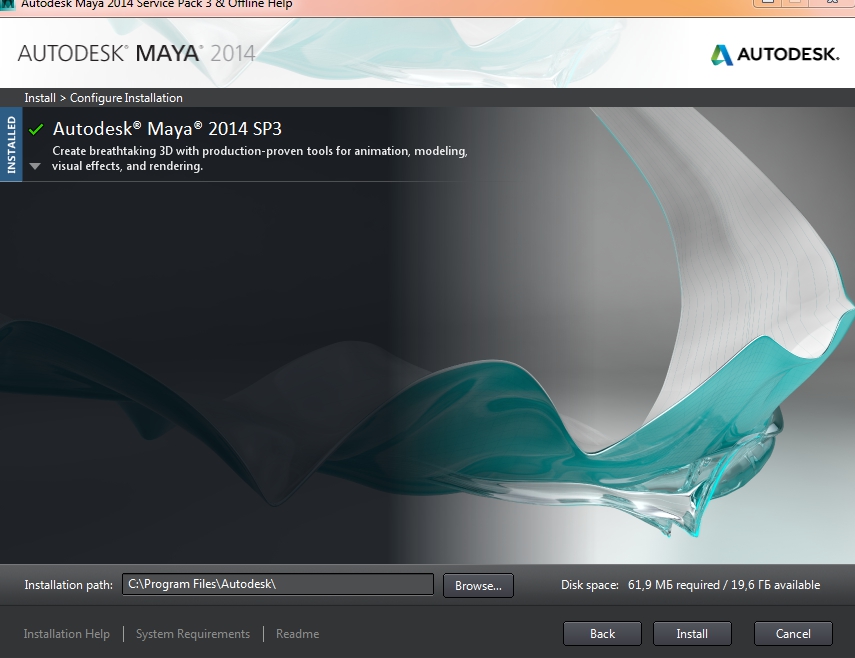
the folder I mentioned was for Maya 2013 Looks like you are trying to get Maya 2014. I suggest you do a search for Maya 2014 in the registry HKEY_CLASSES_ROOT\Installer\Products\ and you should be able to find the folder for that version.
Jeffry Asbury

Reply
Topic Options
- Subscribe to RSS Feed
- Mark Topic as New
- Mark Topic as Read
- Float this Topic for Current User
- Bookmark
- Subscribe
- Printer Friendly Page