Community
- Forums Home
- >
- Subscription, Installation and Licensing Community
- >
- Installation & Licensing forum
- >
- Installation problem
Installation & Licensing
Welcome to Autodesk’s Installation and Licensing Forums. Share your knowledge, ask questions, and explore popular Download, Installation, and Licensing topics.
Turn on suggestions
Auto-suggest helps you quickly narrow down your search results by suggesting possible matches as you type.
 This page has been translated for your convenience with an automatic translation service. This is not an official translation and may contain errors and inaccurate translations. Autodesk does not warrant, either expressly or implied, the accuracy, reliability or completeness of the information translated by the machine translation service and will not be liable for damages or losses caused by the trust placed in the translation service.
Translate
This page has been translated for your convenience with an automatic translation service. This is not an official translation and may contain errors and inaccurate translations. Autodesk does not warrant, either expressly or implied, the accuracy, reliability or completeness of the information translated by the machine translation service and will not be liable for damages or losses caused by the trust placed in the translation service.
Translate
Reply
Topic Options
- Subscribe to RSS Feed
- Mark Topic as New
- Mark Topic as Read
- Float this Topic for Current User
- Bookmark
- Subscribe
- Printer Friendly Page
Message 1 of 6


11-11-2012
01:41 PM
- Mark as New
- Bookmark
- Subscribe
- Mute
- Subscribe to RSS Feed
- Permalink
- Report
11-11-2012
01:41 PM
Installation problem
So i am a student who just recently made an account and i am downloading AutoCAD 2012, or trying to.
I download the free student version from Autodesk and that goes well. Then I go through the installation process which goes well and successful too. but i cant find the application to run the program. It just isn't there. I think there was a problem in the installation process. What should/can I do? WHat should I double-check?
5 REPLIES 5
Message 2 of 6


11-12-2012
03:56 PM
- Mark as New
- Bookmark
- Subscribe
- Mute
- Subscribe to RSS Feed
- Permalink
- Report
11-12-2012
03:56 PM
Hello Rishab and welcome to the community!
Have you searched in your local hard drive -> program files -> Autodesk folder? If there is nothing there, you can check your installation log to see if it completed or failed.
Please accept as a solution if this fully resolves the issue, or reply with additional specifics if the problem persists.

Philip Schmelzer
Program Manager
Using the Autodesk Community | Community Feedback | Expert Elite Program
Message 3 of 6


11-12-2012
05:25 PM
- Mark as New
- Bookmark
- Subscribe
- Mute
- Subscribe to RSS Feed
- Permalink
- Report
11-12-2012
05:25 PM
Hello - I am helping one of my students with this issue - but it is with Revit Arch 2013.
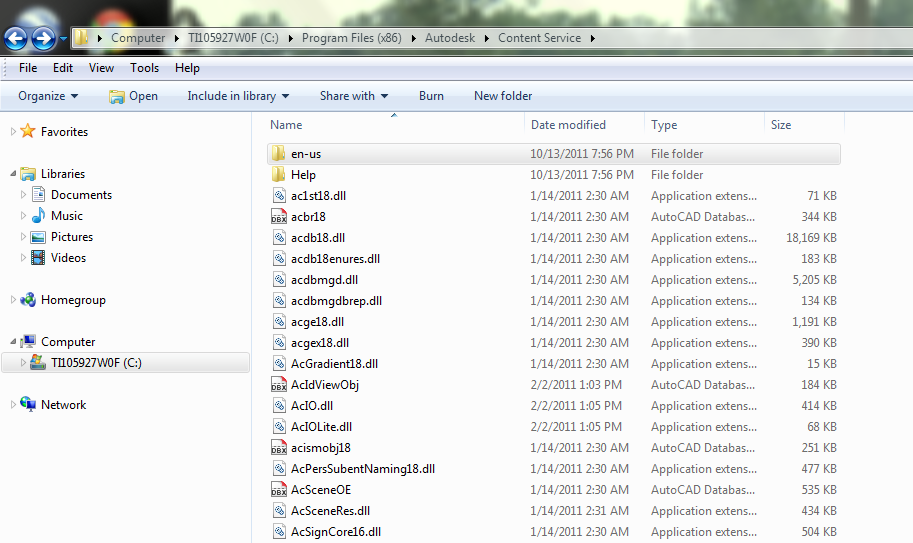
We ran throught the install and it says it is installed. but in the program listing it is not there. I have attached a few images. I am not sure where else to look.
When I put the disk in to install it I cannot because it thinks it is installed.
It was installed with admin rights.
Any help would be appriciated.
LD

If this helped solve your issue - remember to 'accept as solution' to help other find answers!
You can't think AutoCAD and run Revit.
Email: LisaDragoEE@gmail.com
Message 4 of 6
11-12-2012
10:06 PM
- Mark as New
- Bookmark
- Subscribe
- Mute
- Subscribe to RSS Feed
- Permalink
- Report
11-12-2012
10:06 PM
Hi Lisa,
Did you check the installation log as well? If that doesn't provide any value, you may want to consider performing a clean uninstall and trying again.
Philip Schmelzer
Program Manager
Using the Autodesk Community | Community Feedback | Expert Elite Program
Message 5 of 6
11-13-2012
06:23 AM
- Mark as New
- Bookmark
- Subscribe
- Mute
- Subscribe to RSS Feed
- Permalink
- Report
11-13-2012
06:23 AM
Hello Phiip - yes, i ran throught the log files. Did not provide any info.
My thought was a clean uninstall - just wanted to double check and make sure I wasn't not missing something.
I will let you know the results.
Thank you!
LD
If this helped solve your issue - remember to 'accept as solution' to help other find answers!
You can't think AutoCAD and run Revit.
Email: LisaDragoEE@gmail.com
Message 6 of 6


11-13-2012
07:38 AM
- Mark as New
- Bookmark
- Subscribe
- Mute
- Subscribe to RSS Feed
- Permalink
- Report
11-13-2012
07:38 AM
try running ccleaner on that machine
DarrenP
Did you find this post helpful? Feel free to Like this post.
Did your question get successfully answered? Then click on the ACCEPT SOLUTION button.


Reply
Topic Options
- Subscribe to RSS Feed
- Mark Topic as New
- Mark Topic as Read
- Float this Topic for Current User
- Bookmark
- Subscribe
- Printer Friendly Page