Community
- Forums Home
- >
- Subscription, Installation and Licensing Community
- >
- Installation & Licensing forum
- >
- Re: Autocad trial
Installation & Licensing
Welcome to Autodesk’s Installation and Licensing Forums. Share your knowledge, ask questions, and explore popular Download, Installation, and Licensing topics.
Turn on suggestions
Auto-suggest helps you quickly narrow down your search results by suggesting possible matches as you type.
 This page has been translated for your convenience with an automatic translation service. This is not an official translation and may contain errors and inaccurate translations. Autodesk does not warrant, either expressly or implied, the accuracy, reliability or completeness of the information translated by the machine translation service and will not be liable for damages or losses caused by the trust placed in the translation service.
Translate
This page has been translated for your convenience with an automatic translation service. This is not an official translation and may contain errors and inaccurate translations. Autodesk does not warrant, either expressly or implied, the accuracy, reliability or completeness of the information translated by the machine translation service and will not be liable for damages or losses caused by the trust placed in the translation service.
Translate
Reply
Topic Options
- Subscribe to RSS Feed
- Mark Topic as New
- Mark Topic as Read
- Float this Topic for Current User
- Bookmark
- Subscribe
- Printer Friendly Page
Message 1 of 11

Anonymous
1332 Views, 10 Replies
08-24-2012
06:06 AM
- Mark as New
- Bookmark
- Subscribe
- Mute
- Subscribe to RSS Feed
- Permalink
- Report
08-24-2012
06:06 AM
Autocad trial
For some strange reason I downloaded the Autocad 2013 trial version and tried to install it on my new laptop but it won't install. Any suggestions why this is happening?
10 REPLIES 10
Message 2 of 11


08-24-2012
08:00 AM
- Mark as New
- Bookmark
- Subscribe
- Mute
- Subscribe to RSS Feed
- Permalink
- Report
08-24-2012
08:00 AM
Hi SweetTie,
What's the specific install error that you're receiving? Mind attaching a screenshot?

Philip Schmelzer
Program Manager
Using the Autodesk Community | Community Feedback | Expert Elite Program
Message 3 of 11
08-24-2012
08:45 AM
- Mark as New
- Bookmark
- Subscribe
- Mute
- Subscribe to RSS Feed
- Permalink
- Report
08-24-2012
08:45 AM
Thanks for responding.
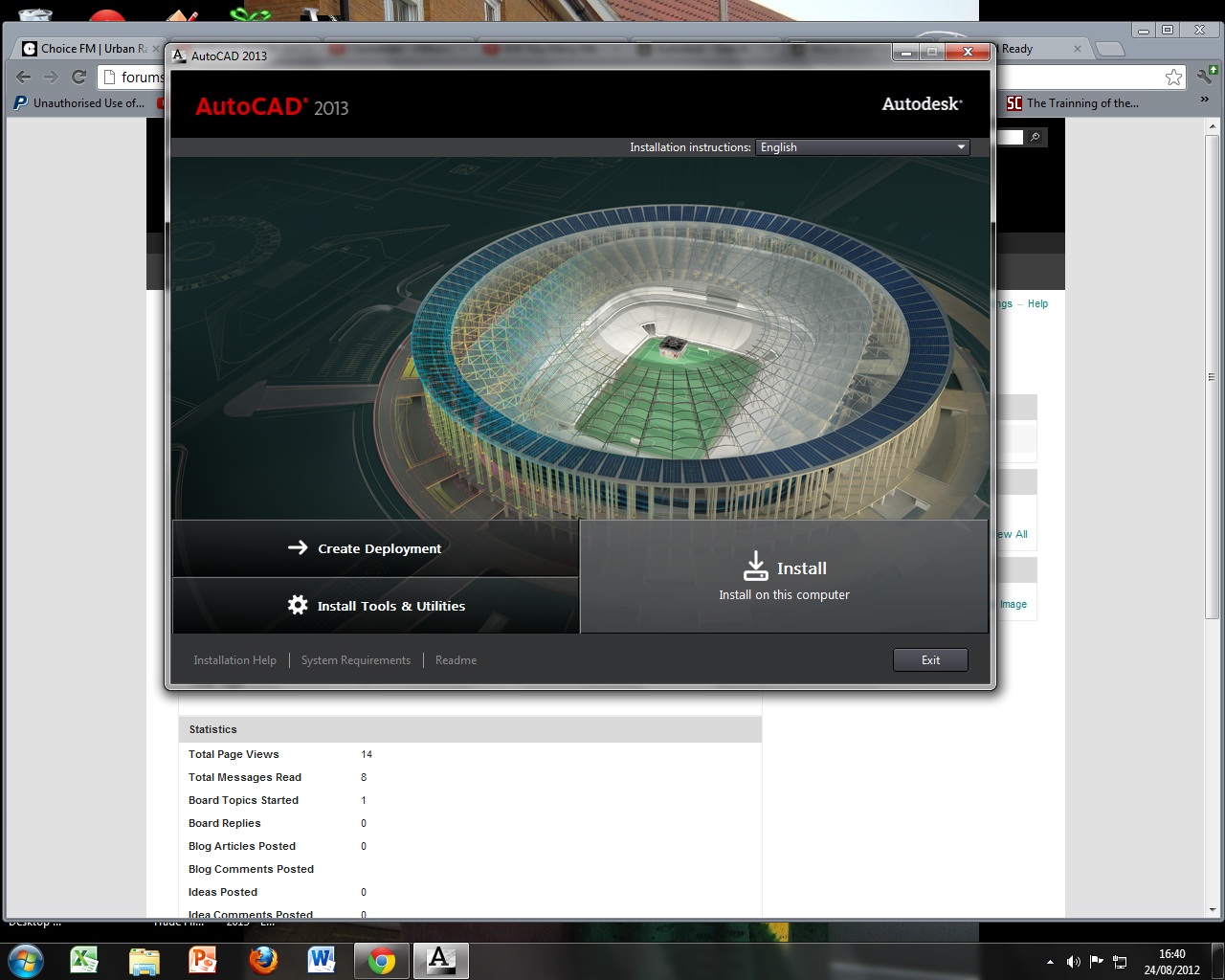
Well the problem is nothing happens after I press 'Install on this computer'. I know it's meant to take me to a different screen after i click it but it doesn't. I have attached a screenshot of how far I get and then nothing else happens.
Message 4 of 11
08-24-2012
09:33 AM
- Mark as New
- Bookmark
- Subscribe
- Mute
- Subscribe to RSS Feed
- Permalink
- Report
08-24-2012
09:33 AM
Thanks SweetTie,
This may be a permissions or account restriction issue. Please either try again using a different account, or create a new account, run as administrator, turn the UAC off, and disable your antivirus.
Philip Schmelzer
Program Manager
Using the Autodesk Community | Community Feedback | Expert Elite Program
Message 5 of 11
08-24-2012
11:58 AM
- Mark as New
- Bookmark
- Subscribe
- Mute
- Subscribe to RSS Feed
- Permalink
- Report
08-24-2012
11:58 AM
I'm using windows 7 home premium, so I don't have UAC....and I switched my anti-virus off when installing.
Cheers!
Message 6 of 11


08-27-2012
07:04 AM
- Mark as New
- Bookmark
- Subscribe
- Mute
- Subscribe to RSS Feed
- Permalink
- Report
08-27-2012
07:04 AM
I am also having a hard time getting into the new trial that I just downloaded. I have a purchased version of 2012, but I wanted to try 2013. I downloaded the student trial, only to realize that there is a plot stamp on drawings. After uninstalling the student version, I downloaded the 30 day trial, now it asks me for a serial #. How can I simply use the 2013 version for 30 days?
Message 7 of 11

08-27-2012
07:36 AM
- Mark as New
- Bookmark
- Subscribe
- Mute
- Subscribe to RSS Feed
- Permalink
- Report
08-27-2012
07:36 AM
Hi jazzmaine and welcome to our forums!
Can you please confirm that you do not see the screen shown on the attached image? (the screenshot is for Maya but it should be the same for AutoCAD).
Thank you!
Camilo Lemos
Message 8 of 11
Anonymous
in reply to:
Anonymous
08-27-2012
07:58 AM
- Mark as New
- Bookmark
- Subscribe
- Mute
- Subscribe to RSS Feed
- Permalink
- Report
08-27-2012
07:58 AM
Please I'm still waiting for a reply back as to what could be wrong. I'm using a HP laptp - Pavilion dv6-7104ea to be exact and it's not more than 6 wks old. I have tried this trial on other laptops and it installs but it won't on mine and I can't figure out why having done all that was suggested and much more???? Please help!!
Message 9 of 11
08-27-2012
08:02 AM
- Mark as New
- Bookmark
- Subscribe
- Mute
- Subscribe to RSS Feed
- Permalink
- Report
08-27-2012
08:02 AM
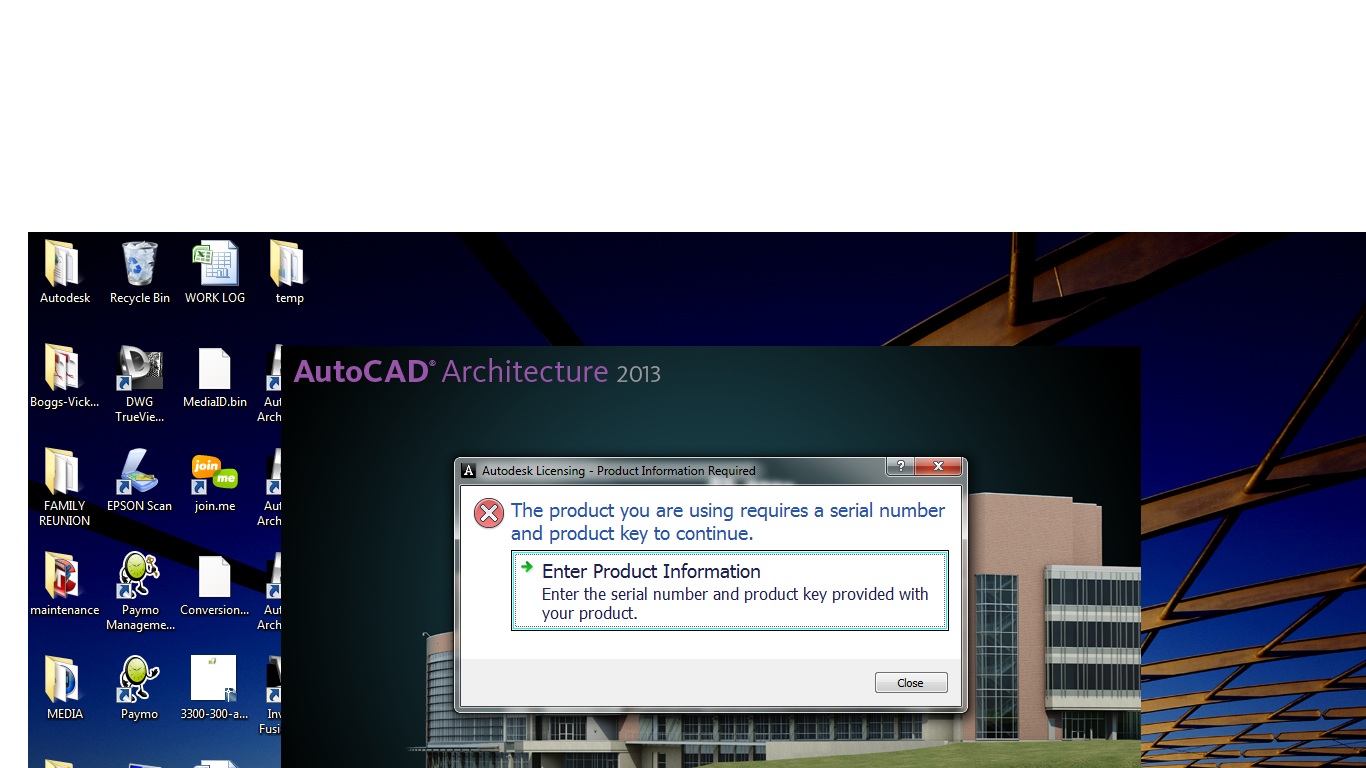
Hi and thanks for the welcome. I have seen that screen. Mine looks just like it. The 30 day countdown does not appear on the right hand side of my screen as it has done with previous trials. When I choose the option for the trial and click next, it shows that the program downloaded (screenshot 2), but when I attempt to open & use the program, it tells me that I need a serial # (screenshot)
Message 10 of 11
08-28-2012
01:08 AM
- Mark as New
- Bookmark
- Subscribe
- Mute
- Subscribe to RSS Feed
- Permalink
- Report
08-28-2012
01:08 AM
Hi SweetTie,
Can you please check that you downloaded the correct version for your OS (32 or 64 bit)?
Thanks
Camilo Lemos
Message 11 of 11
08-28-2012
01:09 AM
- Mark as New
- Bookmark
- Subscribe
- Mute
- Subscribe to RSS Feed
- Permalink
- Report
08-28-2012
01:09 AM
Jazzmaine,
Have you installed this trial on this machine before?
Thanks.
Camilo Lemos
Reply
Topic Options
- Subscribe to RSS Feed
- Mark Topic as New
- Mark Topic as Read
- Float this Topic for Current User
- Bookmark
- Subscribe
- Printer Friendly Page