Community
- Forums Home
- >
- DWG Trueview Community
- >
- DWG TrueView Forum
- >
- Re: TrueView transparent layer stippling
DWG TrueView
Welcome to Autodesk’s DWG Trueview Forums. Share your knowledge, ask questions, and explore popular DWG Trueview topics.
Turn on suggestions
Auto-suggest helps you quickly narrow down your search results by suggesting possible matches as you type.
 This page has been translated for your convenience with an automatic translation service. This is not an official translation and may contain errors and inaccurate translations. Autodesk does not warrant, either expressly or implied, the accuracy, reliability or completeness of the information translated by the machine translation service and will not be liable for damages or losses caused by the trust placed in the translation service.
Translate
This page has been translated for your convenience with an automatic translation service. This is not an official translation and may contain errors and inaccurate translations. Autodesk does not warrant, either expressly or implied, the accuracy, reliability or completeness of the information translated by the machine translation service and will not be liable for damages or losses caused by the trust placed in the translation service.
Translate
Reply
Topic Options
- Subscribe to RSS Feed
- Mark Topic as New
- Mark Topic as Read
- Float this Topic for Current User
- Bookmark
- Subscribe
- Printer Friendly Page
Message 1 of 5

Anonymous
8456 Views, 4 Replies
12-31-2012
07:27 AM
- Mark as New
- Bookmark
- Subscribe
- Mute
- Subscribe to RSS Feed
- Permalink
- Report
12-31-2012
07:27 AM
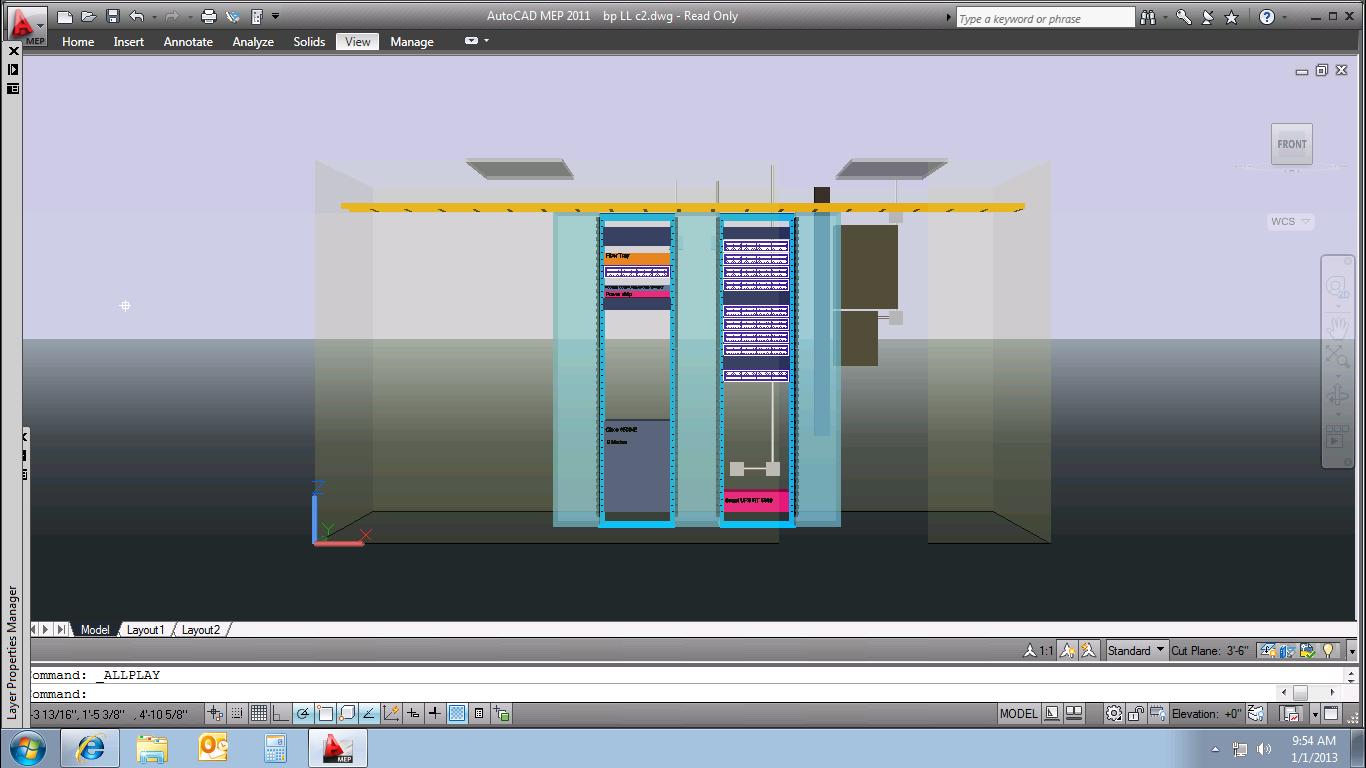
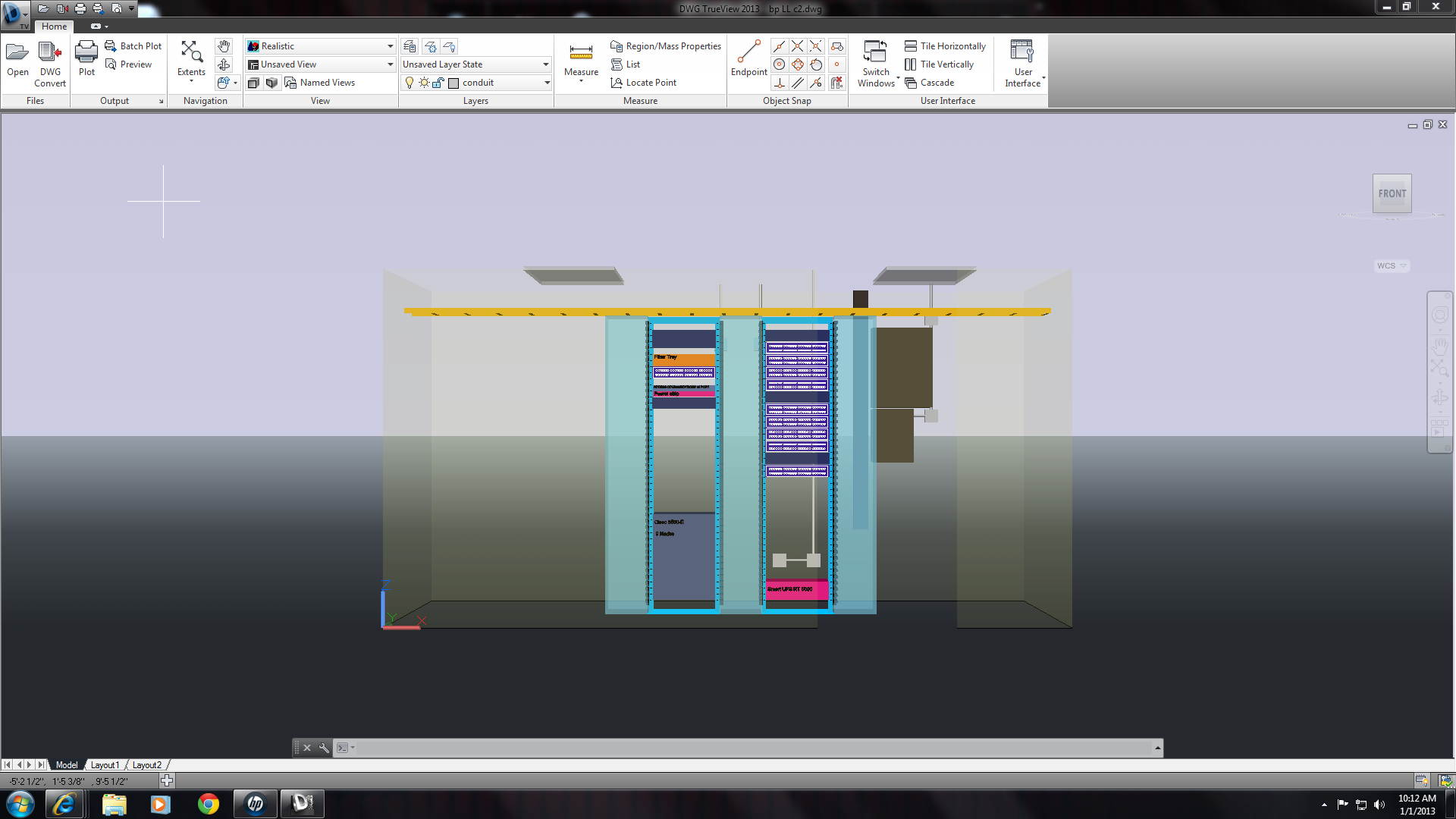
I loaded trueview 2012 and 2013, 32 and 64 bit on several computers. On some computers, transparent layer objects (like walls) display stippled, instead of a smooth homogeneous color.
Is there a way I can fix this?
I searched on the subject for a couple hours and could not find an answer.
Thanks!
Solved! Go to Solution.
4 REPLIES 4
Message 2 of 5


12-31-2012
11:58 AM
- Mark as New
- Bookmark
- Subscribe
- Mute
- Subscribe to RSS Feed
- Permalink
- Report
12-31-2012
11:58 AM
What is different about the display settings, video cards, and video abilities of the computers that can't display properly?
Are you testing the same exact single file to rule out file settings variations?
Message 3 of 5
01-02-2013
02:31 AM
- Mark as New
- Bookmark
- Subscribe
- Mute
- Subscribe to RSS Feed
- Permalink
- Report
01-02-2013
02:31 AM
Thank you for your response.
For this reply, I am using the exact same file.
The first attachment, "screen print from autocad 2011 bp ll.png", is a screen print from a remote session,screen resolution 1364x768, I asked for a 24 bt true color resolution. Windows 7 64.
The second attachment, "nv57h94u.png",is a screen print from Gateway nv57h94u, screen resolution 1366x768, 32 bit true color. This is the same system used to remote into the system above. Windows 7 64.
The third attachment "bp ll screen print compaq.png", is a screen print from a CompaQ Presario amd based 64 bit os, screen resolution 1920x1080, 32 bit true color. Windows 7 64.
I also have 2 I5 760's with an Nvidia GeForce 210 running 32 bit XP, one that shows no stippling using Trueview 2012 and one that does. I can get the screen resoutions if you want them.
Message 4 of 5
01-02-2013
05:20 AM
- Mark as New
- Bookmark
- Subscribe
- Mute
- Subscribe to RSS Feed
- Permalink
- Report
01-02-2013
05:20 AM
There is no setting inTrueview to change anything in the display: it's all about the syetm graphics card (and it's ability/updated drivers) and Windows Display settings. Dig deeper into the systems that work vs. the ones that do not.
Message 5 of 5
01-05-2013
06:00 AM
- Mark as New
- Bookmark
- Subscribe
- Mute
- Subscribe to RSS Feed
- Permalink
- Report
01-05-2013
06:00 AM
Thank you for your help.
I found an answer
Actually, there is a setting in TrueView that controls transparency quality under Manual Performance tuning, which I set to High (Slower).
Best Regards!
Joe
Reply
Topic Options
- Subscribe to RSS Feed
- Mark Topic as New
- Mark Topic as Read
- Float this Topic for Current User
- Bookmark
- Subscribe
- Printer Friendly Page