• Industries
  • Products
  • Buy
  • Services & Support
  • Communities
  • Autodesk Simulation Moldflow Insight

    Reply
    Member
    Posts: 3
    Registered: ‎04-20-2012
    Accepted Solution

    Element Orientaion

    289 Views, 3 Replies
    04-20-2012 07:46 AM

    HI,


    My mesh has 7 unoriented elements that the mesh repair wizard cant fix.  When I use the orientation tool to show the diagnostics, I cant find the unoriented elements.  I have a 26000 element dual domain mesh.  I was hoping the diagnostic navigator would take me to the elements but it won't.  Is there another way of finding these unoriented elements so that I can fix them individually?


    Thanks in advance

    Please use plain text.
    Board Manager
    raalteh
    Posts: 205
    Registered: ‎04-14-2009

    Re: Element Orientaion

    04-20-2012 09:04 AM in reply to: JonRizzi

    Hi Jon,


    Just a hunch ... if Synergy has a hard time fixing element orientation, I suspect that you may have some other issues as well ... The element orientation should be a robust algorithm. So if it can't figure it out, there may be another problem causing the algorithms inability to fix it. A few things I would look for:

    1. overlapping/intersecting elements
    2. disconnected elements.
    3. extemely high aspect ratio elements

    I suspect that if you find any of these, you find the location of your unoriented elements as well...


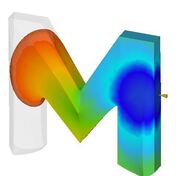
    Another potential issue is a single surface loop (or Möbius loops) for Midplane models (example below)

    mobius strip

    Hanno van Raalte,

    Product Manage for Autodesk Simulation Moldflow products
    Please use plain text.
    Active Contributor
    Posts: 49
    Registered: ‎07-07-2009

    Re: Element Orientaion

    05-10-2012 09:00 AM in reply to: JonRizzi

    I agree, you should check first for

    1. overlapping elements

    2. connectivity (elements not connected with the part)


    after checking this, i would use the ORIENT ALL tool and check the mesh statistics.


    if this doesn't work either a sort of long way to find this trias that I would use is:

    go to mesh -- mesh tools -- orient elements.


    there, on the REFERENCE select an element with the 'correct orientation' and then on the checkboxes below that select the that reads: Connected elements WITH the same orientation.


    Click SEARCH and it would show lots of elements selected but probably not to the whole part. Here, what i would do is to create a new layer to store 'temporarily' all of these 'OK-oriented' elements (create a layer and then assign the already selected elements into the new layer).


    Turn this layer off, and do the same method with the rest of the elements that you have left...until you find the elements that are not oriented the same way.


    I know it's a long way to go, but you might find it sooner than later, and to be honest with you I think you will be fine after checking overlapping, unconnected elements and doing the orient all tool. I just wanted to give another option...you're probably gonna be dreaming triangles after this if you choose to go this way... =)


    good luck...


    Hugo Herrera


    Please use plain text.
    New Member
    vasyabc
    Posts: 2
    Registered: ‎06-22-2011

    Re: Element Orientaion

    05-12-2012 12:53 PM in reply to: JonRizzi

    Hi,

    after checking the mesh statistics...you can give alt+o, to orient all elements...then check for mesh statistics again...if this doesnt work...your model may have some connectivity problem,...let me know the model is fusion mesh or midplane mesh...


    Regards,

    vasy

    Please use plain text.