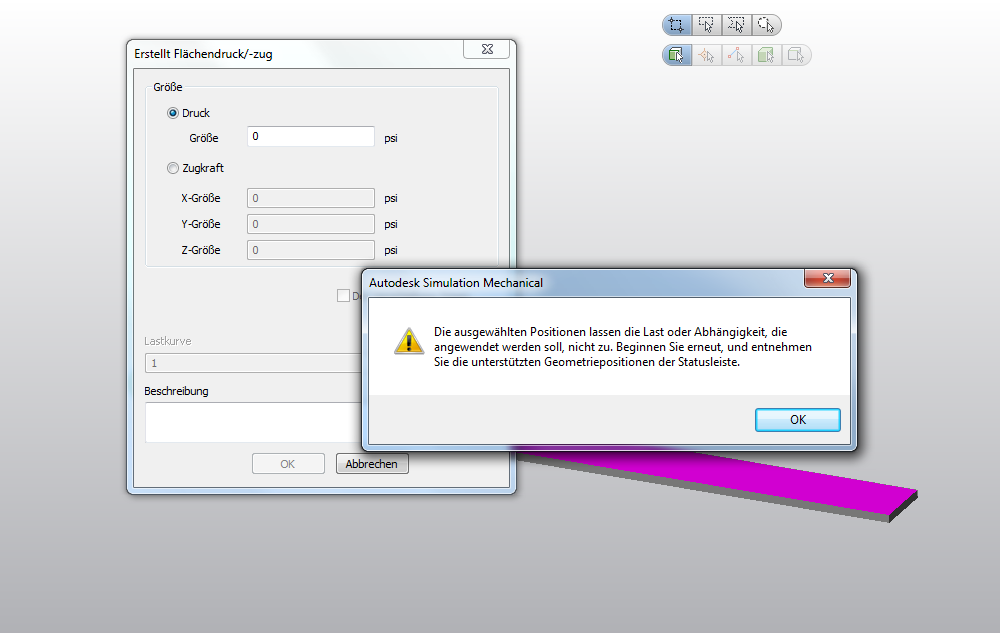
Surface Pressure/Traction not applicable on surface

Surface Pressure/Traction not applicable on surface

Anonymous
Not applicable
1,071 Views
2 Replies
Message 1 of 3

Surface Pressure/Traction not applicable on surface

Anonymous
Not applicable

Hi,


I´m working on the Autodesk Simulation Workshop here to get familiar with the program.

http://engineeringexploration.autodesk.com/


I´m having a trivial problem with the cantilever beam in Section 2. Actually I should apply

a surface pressure of 2 psi on one of the surfaces on the beam but it doesn´t let me.

Obviously the selection preset goes to "surface", but everytime I want to apply the pressure it says I´m not

selecting the right positions or Load that is applicable.

I´m at a loss, this is a very simple task to do with Inventor FEA, somehow it seems to be a heck of a problem in ASM 2013. I´ve applied SP1 and SP2 but still no change. Thanks in advance


Cheers Falk


Reply
Reply
0 Likes
Accepted solutions (1)
1,072 Views
2 Replies
Replies (2)
Message 2 of 3

AstroJohnPE
Advisor
Advisor
Accepted solution

Hi Falk,


My only thought is that the element type has not been set. Without knowing the element type, the software does not know whether a pressure load is allowed or not. (For example, truss elements do not have a pressure load.)


You can assign the element type manually, or mesh the model and the software will set the element type automatically.

Reply
Reply
Message 3 of 3

Anonymous
Not applicable

Hey John,


thank you for your advice, you were right on the money. After fiddling around a bit I figured it out.

Still a bit unexpected but of course makes sense. I would have expected ASM to give me an error when I specify the

elemet type wrong after I applied a pressure load. Anyways, problem solved.


Cheers Falk

Reply
Reply
0 Likes