


- Mark as New
- Bookmark
- Subscribe
- Mute
- Subscribe to RSS Feed
- Permalink
- Report
If one installs SP1 for Autodesk Simulation 2013, then the following error may occur either when attempting to run a "Scheduled" analysis, of if "Algor.exe" is called from the command line or a batch file:
"Class does not support automation or does not support expected interface"
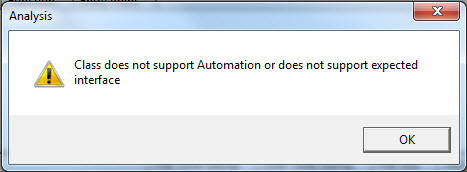
This problem is caused by the "Analysis.exe" file installed with the "Autodesk_Simulation_2013_SP1_64-bit.msp". The solution is to copy the "Analysis.exe" file from the pre SP1 installation directory to an intermediate location, then install the 2013 SP1. Next, paste that previously copied "Analysis.exe" file into the Simulation 2013 installation directory (which may be at the following location: "C:\Program Files\Autodesk\Simulation 2013\"), while overwriting the newly deposited "Analysis.exe" from the SP1 installation.
Premium Support Specialist – Simulation
Autodesk, Inc.
6425 Living Place
Suite 100
Pittsburgh, PA 15206
Solved! Go to Solution.


