


Message 1 of 3

Not applicable
08-20-2012
11:52 PM
- Mark as New
- Bookmark
- Subscribe
- Mute
- Subscribe to RSS Feed
- Permalink
- Report
I have just installed the Simulation CFD 2013, network license seems normally set up and the simulation CFD 2013 can be normally opened.
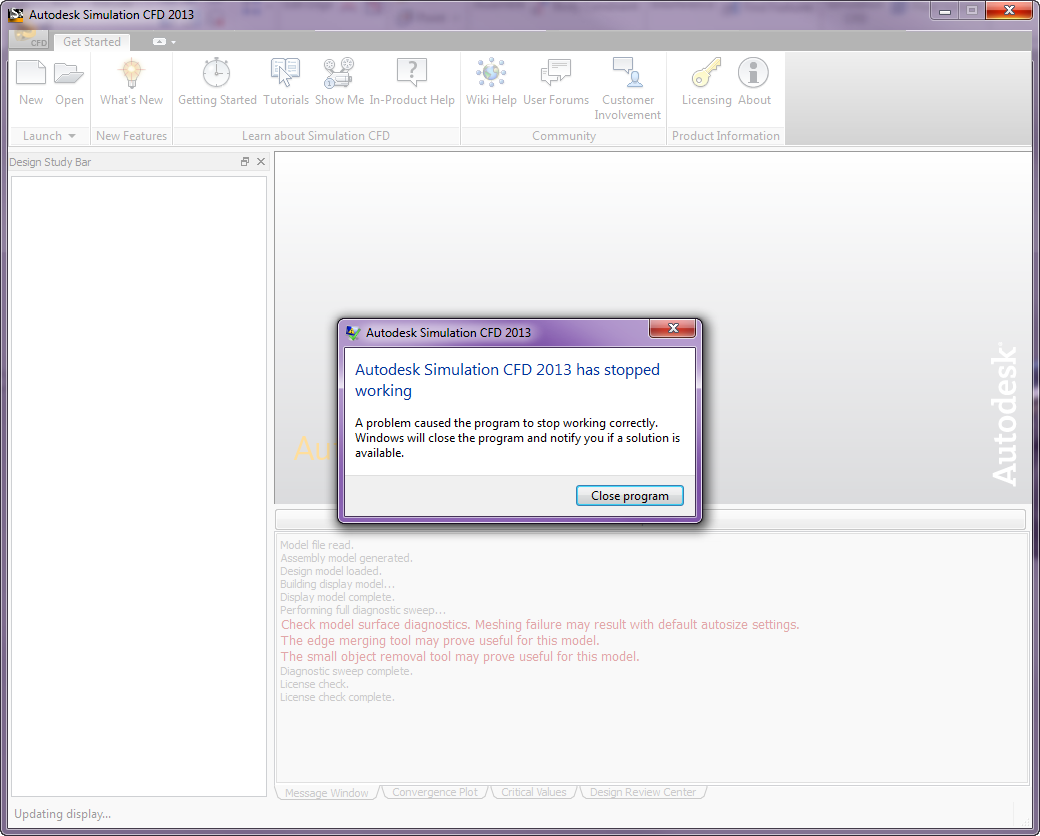
However, when i try to launch an active model form revit, launch a model from inventor fusion 2013 or open an existing simulation CFD file, a window telling "Autodesk Simulation CFD 2013 has stopped working" popped out after messages like "Model file read...........License check complete" appeared. And when it stopped working, the bottom left of the window is showing "Updating display..."
I would like to ask for some suggestions to solve it. I have disabled "Tablet PC Input Service" and seems not that problem.
Thanks for the help.
Solved! Go to Solution.

