- Mark as New
- Bookmark
- Subscribe
- Mute
- Subscribe to RSS Feed
- Permalink
- Report
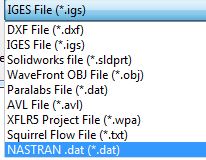
We’re working with a customized developing software which can export our 3D models as NASTRAN.dat file format (inherently a 3d format). During the imported with Autodesk Simulation CFD (ASC) the following message pops up:
The 2D model is either not planar, or it is not in the Z = 0 plane

Seems that ASC interpret the file as 2D model even if I have later a 3D model in ASC:

The problem that occours now: I can’t set up an external volume. Both possibilities to access External Volume Creation don’t work:
Setup (tab) > Setup Tasks (panel) > Geometry Tools, and click the Ext. Volume tab.
Alternatively, right click on the Geometry branch of the Design Study bar, and click Edit...
I exported also a few 3D models with merged surfaces as *.obj file and imported them into Inventor Fusion 2013. The import wors without any error message but afterwards I’ve the same problem: I can’t create the external volume:

I checked the tutorials and it works fine with the car models etc. but not with our 3D model. Any suggestions?
Thx
Solved! Go to Solution.