• Industries
  • Products
  • Buy
  • Services & Support
  • Communities
  • Autodesk Robot Structural Analysis

    Reply
    Valued Contributor
    pevelor
    Posts: 87
    Registered: ‎12-12-2011
    Accepted Solution

    Combining robot files

    119 Views, 1 Replies
    08-14-2012 12:53 AM

    Hi 


    The project I am working on consists of several buildings with one shared parking garage.

    The top buildings and the parking garage is split into seperate robot files.

    For load take down etc I want to combine the models again into one Robot file.


    Is this possible, and if so how is this done?


    In addition, the above is also seperate Revit files. Is it possible to send from Revit to Robot even the linked files or how is the workflow for this?


    Kind Regards

    Peder


    Please use plain text.
    Product Support
    Artur.Kosakowski
    Posts: 2,752
    Registered: ‎12-17-2010

    Re: Combining robot files

    08-14-2012 01:18 AM in reply to: pevelor


    The project I am working on consists of several buildings with one shared parking garage.

    The top buildings and the parking garage is split into separate robot files.

    For load take down etc I want to combine the models again into one Robot file.


    Is this possible, and if so how is this done?


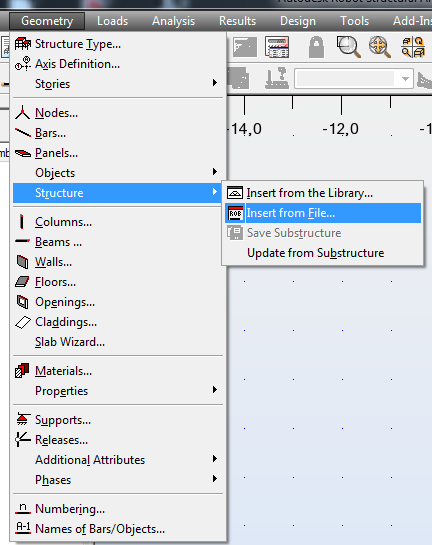
    Open one of the models and use


    insert from file.PNG


    and indicate the model (file) you want to merge.


    In addition, the above is also separate Revit files. Is it possible to send from Revit to Robot even the linked files or how is the workflow for this?


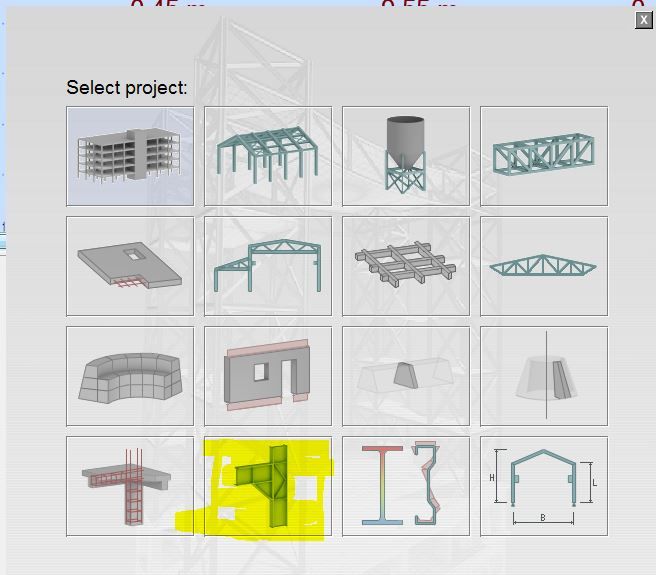
    You can create separate rtd files for each Revit models and use the above illustrated approach.


    If you find your post answered press the Accept as Solution button please. This will help other users to find solutions much faster. Thank you.


    Artur Kosakowski
    Support Specialist
    Product Support
    Autodesk, Inc.

    Please use plain text.